PAGE GUIDEWhat the page does and how to use it8 sections. Choose a role to highlight what matters to you.
Everyone
1What it is and why
What it is
A setup page where you turn license keys and configuration keys on or off.
What you do here
Use this page to make modules and features available, because a configuration key enables the pages and controls that belong to it.
Example
For example, before setting up location directives, an administrator expands the Trade license key and selects the Warehouse and Transportation management configuration key.
The page in Dynamics 365. page title tab to open what to set or check
About the examples: Examples and screenshots in this guide use BEAT, a demo company in a Dynamics 365 test environment. Use your own company's codes and values instead of copying them.
Step by step, with screenshots
Set up License configuration1 screen
Use this page to make modules and features available, because a configuration key enables the pages and controls that belong to it.
Screen 1
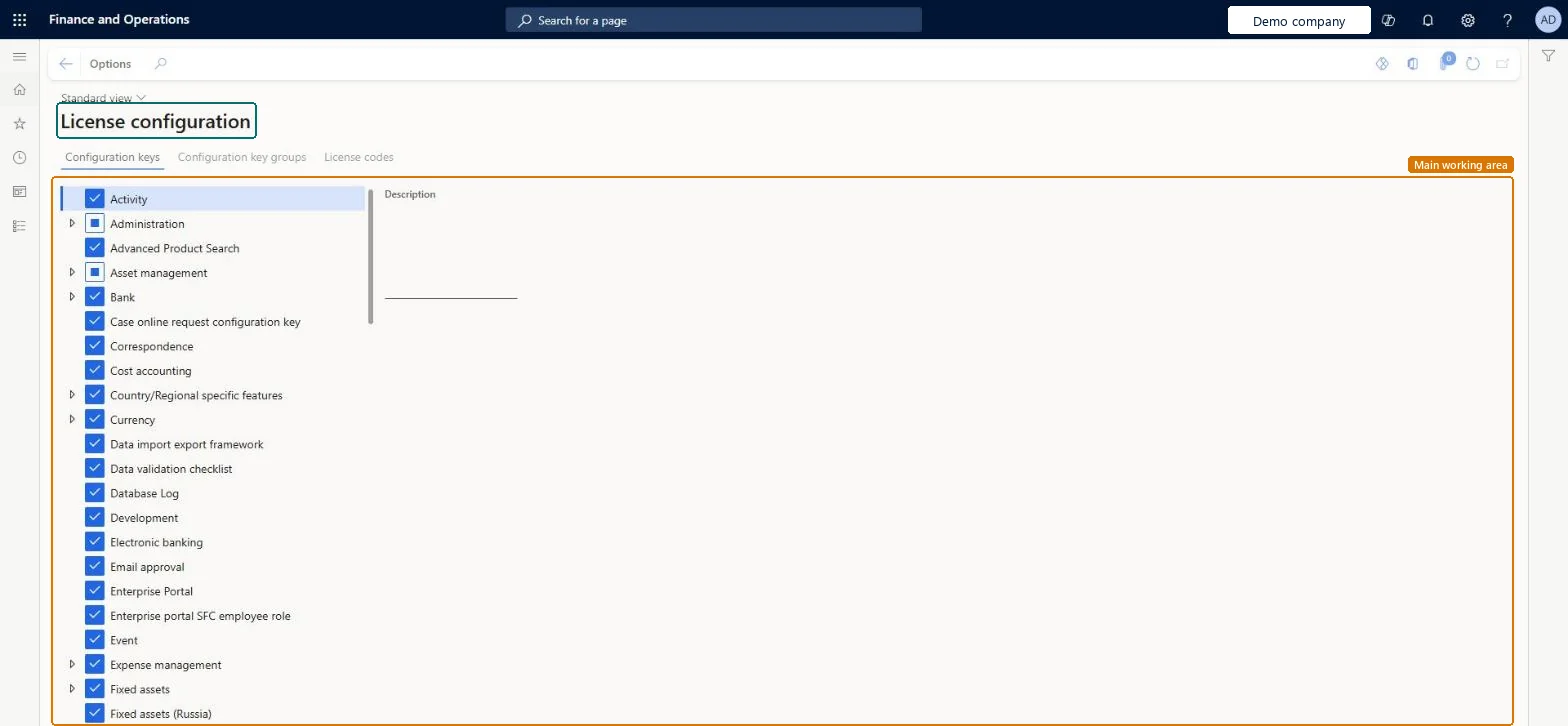
Review the configuration keys
Go to System administration > Setup > License configuration
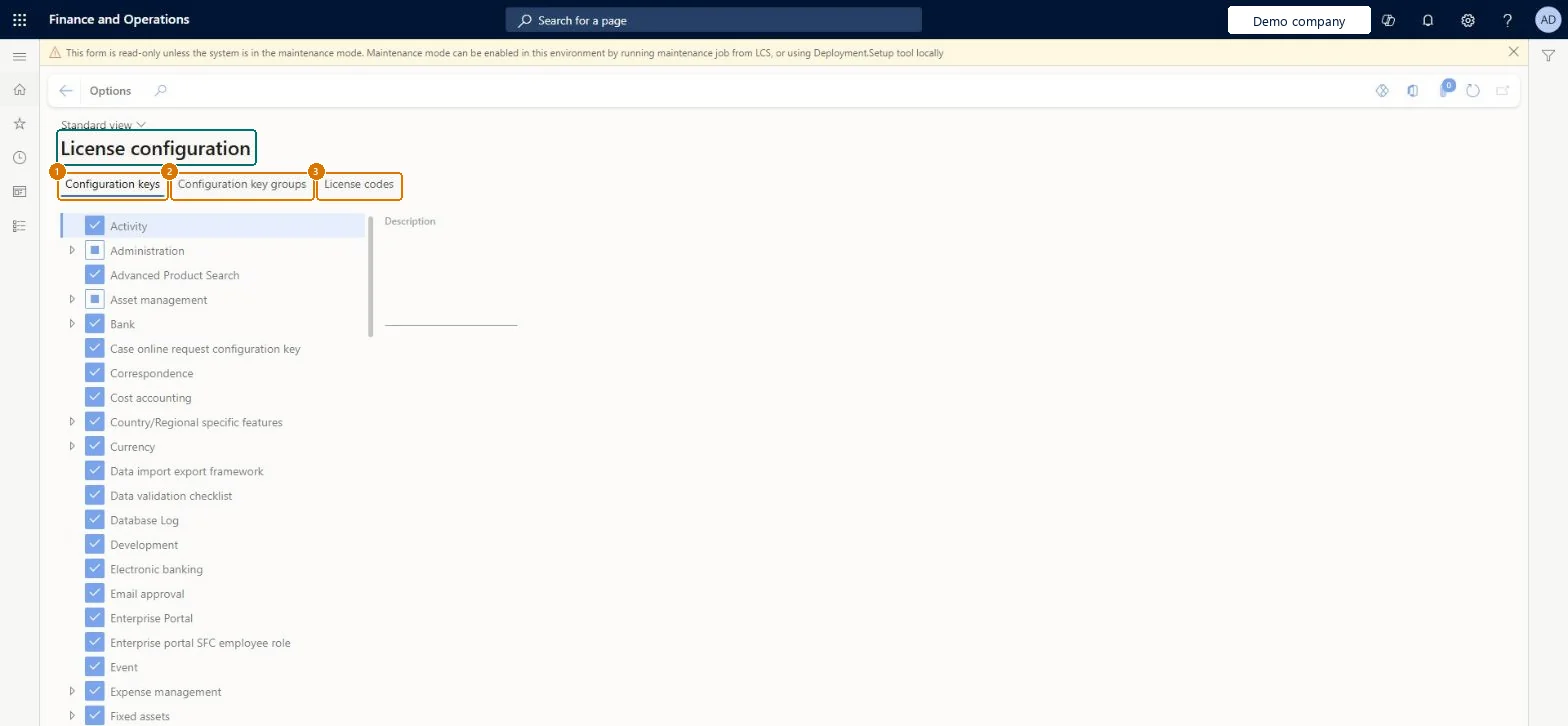
Open the Configuration keys tab to see which keys are turned on
Expand a key to see the keys beneath it
Use the Configuration key groups and License codes tabs to see how the keys are grouped and licensed
Show the full screen page title tab to open what to set or check
Steps from Microsoft
In Lifecycle Services, on the environment details page, select Maintain > Enable Maintenance Mode and wait for the state In Maintenance (in the Power Platform admin center, turn on Administration mode).
Go to System administration > Setup > License configuration.
In the tree, expand the license key and select or clear the configuration key you need.
Close the page.
Select Maintain > Disable Maintenance Mode and wait for the state Deployed, then check the pages the key controls.
Selected, the pages and controls that belong to the key are available; cleared, they are hidden. The page can be edited only in maintenance mode.Microsoft Learn
Common errors and fixes
Message
What to do
The configuration keys can't be selected
Maintenance mode is off; when it is off the License configuration page can't be edited. Turn maintenance mode on through Lifecycle Services or the Power Platform admin center first. Microsoft Learn
Users can't sign in during the change
While maintenance mode is on, only system administrators and users with the Maintenance mode user role can sign in. Plan the change in a maintenance window. Microsoft Learn
Turning maintenance mode on or off fails in Lifecycle Services
Use Resume, Rollback or Abort on the environment page and download the logs to find the cause. Microsoft Learn
Test checklist
In Lifecycle Services, select Maintain > Enable Maintenance Mode for a sandbox and wait for the In Maintenance state.
On License configuration, change the configuration key and save.
Select Maintain > Disable Maintenance Mode and wait for the Deployed state.
Sign in as a normal user and check that the pages for the key appear or disappear as expected.
Check the environment history in Lifecycle Services for the maintenance mode entries.
Turn off the license codes and configuration keys for features you don't use, and make each key change in maintenance mode, in a sandbox firstLearn says the administrator should disable features that aren't needed by turning off license codes and configuration keys. Turning off a key removes its module or feature from the user interface, and the page can only be edited in maintenance mode.
On this system the page opens for Information technology manager. Only administrators change keys, in maintenance mode. A key change isn't a Feature management feature; features are turned on in the Feature management workspace. No Feature management feature needs to be turned on for this page.
System-wide: a configuration key applies to the whole environment and every company in it. Microsoft Learn
Can it be undone
Hard to reverse: Keys can be switched back, but only during a maintenance window (maintenance mode turned on through Lifecycle Services or the Power Platform admin center), and the change affects the whole system. Microsoft Learn
If you change it later
The page can be changed only while the system is in maintenance mode, when only administrators can sign in. Microsoft Learn
Technical architect
6Technical
Menu item
SysConfigurationChecked in Dynamics 365
Form
SysConfigurationChecked in Dynamics 365
Table
SysConfigShown as “Configuration keys” in Record infoChecked in Dynamics 365
Who can open it
PrivilegesMaintain system configuration SysConfigurationMaintainDutiesMaintain system settings SysServerSettingsMaintain1 security roleInformation technology manager SysServerITManagerChecked in Dynamics 365
Roles to set it up and use it
To set it up or change itInformation technology manager SysServerITManagerGive people one of these roles. On this system, 1 role can open this page.Checked in Dynamics 365
Actions on the page
Options: Personalize, Page options, ShareChecked in Dynamics 365
Developer
7Developer
Open it by URL
https://<your-environment>/?mi=SysConfiguration
Data migration
Load order: License configuration has no data entity in Data management, so it can't be loaded from a file or a configuration template. Set configuration keys by hand in each environment, in maintenance mode.Checked in Dynamics 365
Checked in a working Dynamics 365 system, version 10.0.49: the menu item, form, table and security, the page, the demo records and the values in the screenshots.