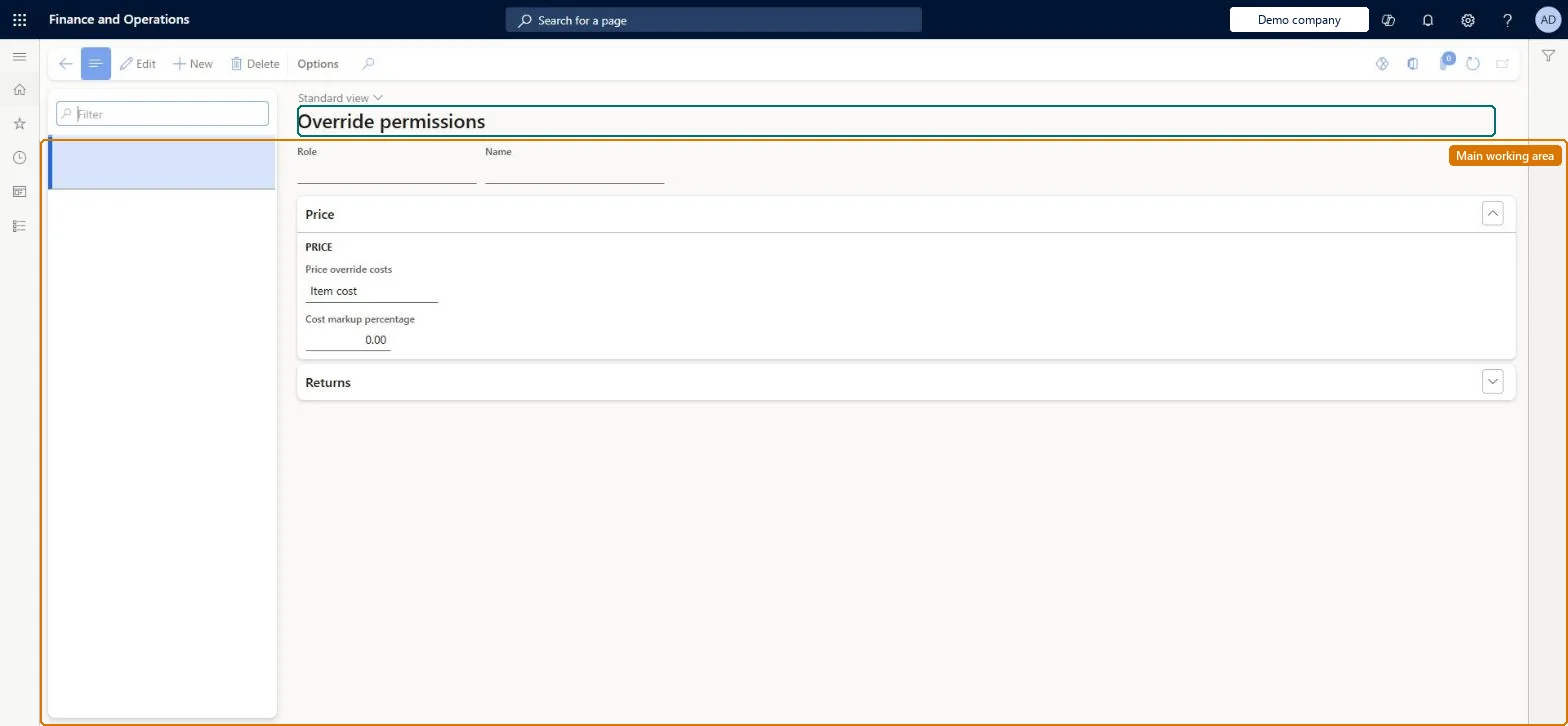
Setup step on the Override permissions page · Retail and Commerce
Set up Override permissions
Use this page to define, per role, how far a call center user may change prices, discounts and charges, and whether the role may apply an alternate refund payment on returns. Order price control must be enabled on the call center first.
SETUP GUIDEHow to set it up8 sections. Choose a role to highlight what matters to you.
Everyone
1What it is and why
What it is
A setup page where you give security roles permission to override item prices, margin costs, discounts and order charges on call center sales orders within set limits, and to change the system-calculated refund payment method on return orders.
What you do here
Use this page to define, per role, how far a call center user may change prices, discounts and charges, and whether the role may apply an alternate refund payment on returns. Order price control must be enabled on the call center first.
Example
For example, you might allow sales clerks to override charges up to 5 percent below the order amount while sales managers may override up to 10 percent above it.
The page in Dynamics 365. page title tab to open what to set or check
About the examples: Examples and screenshots in this guide use BEAT, a demo company in a Dynamics 365 test environment. Use your own company's codes and values instead of copying them.
Setup steps on this page
Set up Override permissions
Use this page to define, per role, how far a call center user may change prices, discounts and charges, and whether the role may apply an alternate refund payment on returns. Order price control must be enabled on the call center first.
Steps from Microsoft
Go to Retail and Commerce > Channel setup > Call center setup > Override permissions.
Select New.
In the Role field, select the security role.
In Price override costs, choose whether the override is based on the item's primary cost or marginal cost, and enter the Cost markup percentage.
Enter the Total discount override percentage.
For miscellaneous charges, select Add and enter the Override increase percentage and Override decrease percentage.
On the Returns FastTab, select Allow alternate payment if the role may change the refund payment method, and set the customer credit adjustment percentages.
The allowed percentages for increasing or decreasing miscellaneous charges.Microsoft Learn
Allow alternate payment
Lets the role change the refund payment method on return orders.Microsoft Learn
MCRAllowAlternatePayment
Customer credit adjustments
The maximum and minimum percentages by which the role may change a customer's return credit; zero means any amount.Microsoft Learn
Test checklist
Set Allow alternate payment to Yes for a supervisor role and No for an agent role.
As the agent, complete a return and try to change the refund payment line: check it is blocked (or asks for the security override code if that parameter is on).
As the supervisor, change the refund payment line and check it is accepted.
Before using card overrides, confirm with the processor that unlinked refunds are allowed.
Allow alternate payment set to Yes only for the few roles trusted to change system-calculated refund methodsOnly users in a role with Allow alternate payment can override the refund payment that call center logic calculates.
Letting users move refunds to a credit card that wasn't used on the original order. Many processors only allow refunds to the original card, and unlinked refunds can cause posting failures.
Solution architect
5Design impact
Can it be undone
Reversible: Permissions can be changed per role at any time.
If you change it later
Leaving the cost markup at zero lets users in the role price items below cost, and zero credit-adjustment percentages let them change return credits by any amount. Microsoft Learn
Technical architect
6Technical
Menu item
MCRPriceOverrideMarkUpGroupChecked in Dynamics 365
Form
MCRPriceOverrideMarkupGroupChecked in Dynamics 365
Table
MCRPriceOverrideMarkUpGroupShown as “OVERRIDE PERMISSIONS” in Record infoKey field: Role, RoleRefRecID_NameChecked in Dynamics 365
Who can open it
PrivilegesMaintain override markup groups MCRPriceOverrideMarkUpGroupMaintainDutiesEnable the price override process MCRPriceOverrideProcessEnable1 security roleSales manager TradeSalesManagerChecked in Dynamics 365
Roles to set it up and use it
To set it up or change itSales manager TradeSalesManagerGive people one of these roles. On this system, 1 role can open this page.Checked in Dynamics 365