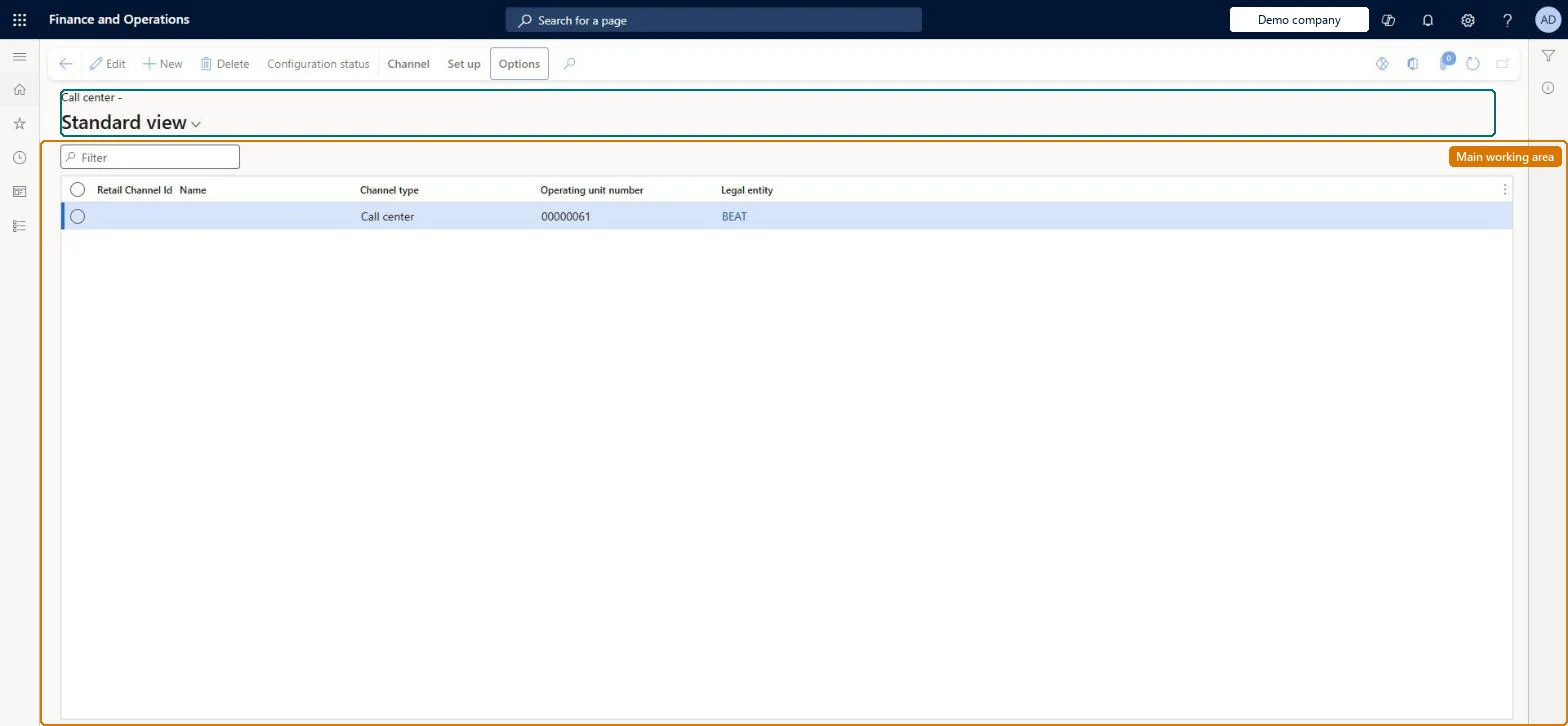
A setup page where you create and maintain call center channels, the Commerce channel type that attaches default data and order-processing rules to sales orders entered by call center users in headquarters.
Retail catalog manager, Retail merchandising manager, Retail operations manager and 3 more roles
Business process
Create call center channels in Dynamics 365 Commerce
Menu item
RetailMCRChannelListView
Main table
RetailMCRChannelTable
Data entity
RetailCallCenterEntity
Show what matters for
PAGE GUIDEWhat the page does and how to use it7 sections. Choose a role to highlight what matters to you.
Everyone
1What it is and why
What it is
A setup page where you create and maintain call center channels, the Commerce channel type that attaches default data and order-processing rules to sales orders entered by call center users in headquarters.
What you do here
Use this page to create a call center, set its legal entity, default warehouse, default customer, email notification profile and the info codes for price overrides, holds and credits, and then link channel users, payment methods, modes of delivery and price groups to it.
Example
For example, a company with a phone sales team creates one call center here, adds each agent as a channel user, and sets a Hold code info code so agents must give a reason when they put an order on hold.
The page in Dynamics 365. page title tab to open what to set or check
About the examples: Examples and screenshots in this guide use BEAT, a demo company in a Dynamics 365 test environment. Use your own company's codes and values instead of copying them.
Steps from Microsoft
Go to Retail and Commerce > Channels > Call centers > All call centers.
Select New and enter a Name.
Select the Legal entity and the default Warehouse.
Enter the Default customer and the Email notification profile.
Enter the Price override, Hold code and Credit info codes.
Optionally set default Financial dimensions, then select Save.
On the Channel tab, add Channel users; on the Set up tab, add Payment methods and Modes of delivery.
The default shipping warehouse on call center orders unless a customer or item default overrides it.Microsoft Learn
Default customer
A template customer whose values default onto new customer records; not to be used for real orders.Microsoft Learn
Email notification profile
The profile that sends automated order status emails to customers.Microsoft Learn
Price override
The info code that supplies reason codes when a user overrides a price.Microsoft Learn
Hold code
The info code that supplies optional reason codes when an order is put on hold.Microsoft Learn
Credit
The info code that supplies reason codes for miscellaneous customer-service refunds.Microsoft Learn
Test checklist
Create the call center with legal entity, warehouse, default customer, email notification profile and the Price override, Hold code and Credit info codes.
Add payment methods and modes of delivery, then run Process delivery modes.
Add a test user under Channel users.
Sign in as that user, create a sales order, and check the header shows the call center and the default warehouse.
Reversible: Warehouse, info codes and financial dimensions are defaults on sales orders created for the channel, so changes affect new orders. A user can be linked to only one call center. Microsoft Learn
If you change it later
Each headquarters user can belong to only one call center, and the channel's warehouse, info codes and financial dimensions become defaults on every order those users create, so changing them changes new orders from that point on. Microsoft Learn
Technical architect
5Technical
Menu item
RetailMCRChannelListViewChecked in Dynamics 365
Form
RetailMCRChannelDetailPageChecked in Dynamics 365
Table
RetailMCRChannelTableShown as “CALL CENTER CHANNEL” in Record infoChecked in Dynamics 365
PrivilegesMaintain call center channels MCRChannelsMaintainView call center channel MCRChannelsViewMaintain retail channels RetailChannelsMaintainRetail trial channels maintain privilege RetailTrialChannelsMaintainDutiesMaintain call center channels MCRChannelsMaintainView call center channel MCRChannelsViewMaintain retail channels RetailChannelsMaintainRetail trial channels maintain privilege RetailTrialChannelsMaintain6 security rolesRetail catalog manager RetailCatalogManagerRetail merchandising manager RetailMerchandisingManagerRetail operations manager RetailOperationsManagerRetail service RetailServiceRetail store IT RetailStoreITRetail store manager RetailStoreManagerChecked in Dynamics 365
Roles to set it up and use it
To set it up or change itRetail service RetailServiceRetail operations manager RetailOperationsManagerRetail store manager RetailStoreManagerRetail store IT RetailStoreITTo use itRetail merchandising manager RetailMerchandisingManagerRetail catalog manager RetailCatalogManagerGive people one of these roles. On this system, 6 roles can open this page.Checked in Dynamics 365
Actions on the page
ChannelSet up: Attribute groups, Set up(Action Pane without tabs): Configuration statusChecked in Dynamics 365