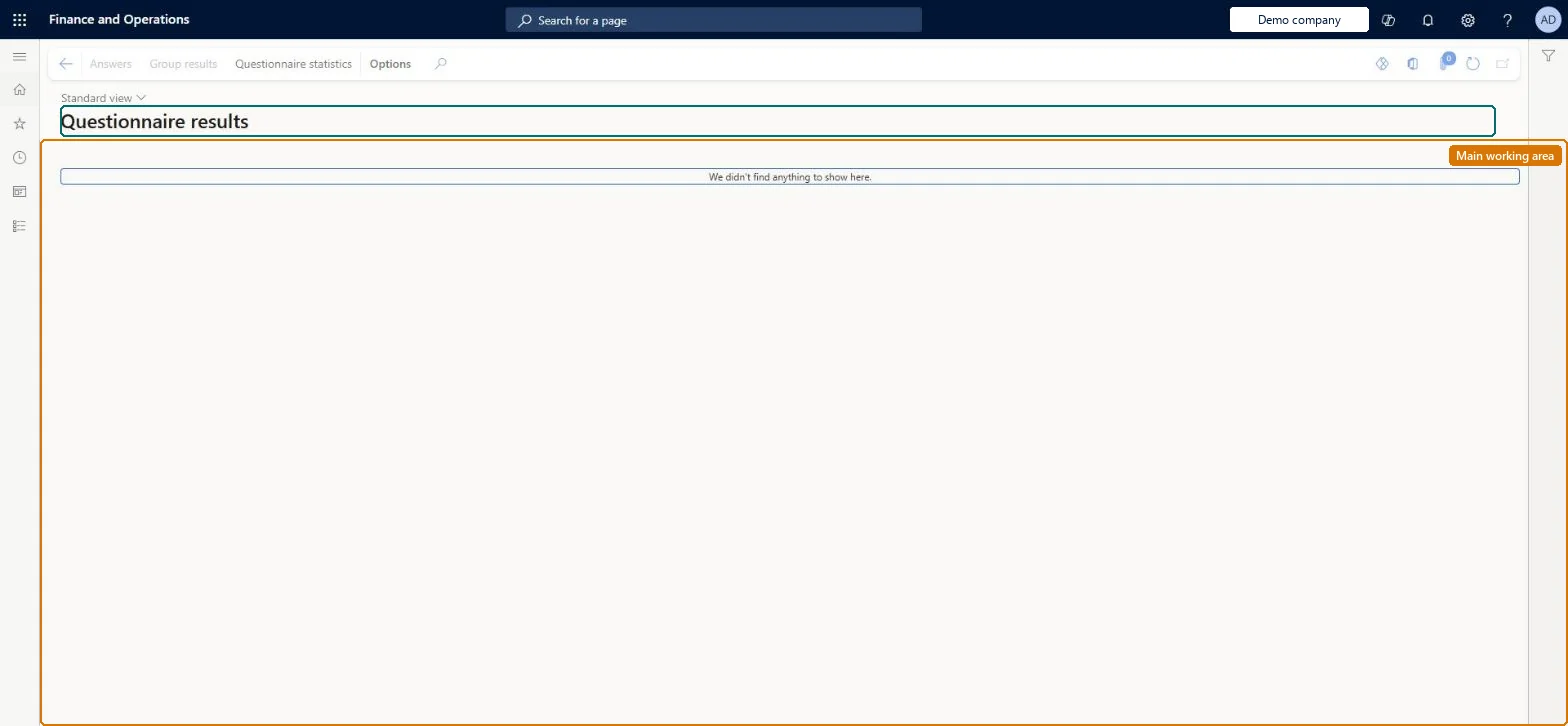
Setup step on the Questionnaire results page · Questionnaire
Read results per result group
Use this page to view result group details and statistics for a questionnaire, either for one answer session or for all answer sessions of the questionnaire.
Vendor account manager, Product design manager, Collections manager and 12 more roles
Business process
Configure and manage surveys
Menu item
KMKnowledgeCollectorCollection
Main table
KMCollection
Setup steps
1 on this page
Show what matters for
SETUP GUIDEHow to set it up8 sections. Choose a role to highlight what matters to you.
Everyone
1What it is and why
What it is
An inquiry page that lists questionnaires so you can open the completed answer sessions and result-group results for a specific questionnaire.
What you do here
Use this page to view result group details and statistics for a questionnaire, either for one answer session or for all answer sessions of the questionnaire.
Example
For example, after 52 BEAT employees answer the leadership questionnaire, the HR manager selects it here and opens Group results: average 7.1 of 10 points in Leadership abilities and 5.4 in Technical abilities.
The page in Dynamics 365. page title tab to open what to set or check
About the examples: Examples and screenshots in this guide use BEAT, a demo company in a Dynamics 365 test environment. Use your own company's codes and values instead of copying them.
Setup steps on this page
Read results per result group
Use this page to view result group details and statistics for a questionnaire, either for one answer session or for all answer sessions of the questionnaire.
Steps from Microsoft
Go to Questionnaire > View and analyze results > Questionnaire results.
Select the questionnaire.
Select Answers to see its completed answer sessions, or Group results for result-group statistics of one session or all sessions.
Select Questionnaire statistics when you need the results by age, gender or other groupings.
Result groups only count closed-ended questions (input type Check box, Alternative button or Combo box) whose answer group has Points on its answers. Microsoft Learn
Test checklist
Complete a questionnaire that uses result groups at least twice.
Open Questionnaire results and select the questionnaire.
Check result-group statistics for a single answer session.
Check result-group statistics across all answer sessions of the questionnaire.
Select the questionnaire and use Group results for all answer sessions before you look at single sessions.Result-group statistics across all sessions show which topic scored low; one session shows only one person.
No Feature management feature is needed for questionnaires; Microsoft Learn describes them without one. Questionnaires belong to the Human resources area, and in this system the same pages are also granted through procurement (vendor and RFQ questionnaires), sales and marketing (campaigns, telemarketing) and case management duties, as the Security section shows. The survey owner reads the overall results here.
Starts from the questionnaire: result-group statistics can be shown for one answer session or for all answer sessions of the questionnaire. Microsoft Learn
Can it be undone
Reversible: The inquiry changes no data.
If you change it later
None on data. Results reflect the questionnaire as it was answered; changed result-group intervals and texts make old and new result reports differ. Microsoft Learn
Technical architect
6Technical
Menu item
KMKnowledgeCollectorCollectionChecked in Dynamics 365
Form
KMKnowledgeCollectorCollectionChecked in Dynamics 365
Table
KMCollectionShown as “QUESTIONNAIRES” in Record infoKey field: kmCollectionIdChecked in Dynamics 365
Who can open it
PrivilegesView a list of questionnaires to review KMKnowledgeCollectorCollectionViewDutiesEnable case management CaseCaseManagementEnableInquire into questionnaire process HcmQuestionnaireProcessInquireMaintain campaigns smmCampaignsMaintainMaintain telemarketing smmTelemarketingMaintainInquire into vendor questionnaire progress VendVendorQuestionnaireInquire15 security rolesProduct design manager BOMProductDesignManagerCollections manager CollectionLetterCollectionsManagerMarketing coordinator CRMMarketingCoordinatorMarketing manager CRMMarketingManagerHuman resource assistant HcmHumanResourceAssistantHuman resource manager HcmHumanResourceManagerTraining manager HcmTrainingManagerProject manager ProjProjectManagerProcess engineering manager RouteProcessEngineeringManagerService delivery manager SMAServiceDeliveryManagerCustomer service manager TradeCustomerServiceManagerPurchasing manager TradePurchasingManagerSales manager TradeSalesManagerVendor account manager VendVendorAccountManagerand 1 moreChecked in Dynamics 365
Roles to set it up and use it
To use itHuman resource assistant HcmHumanResourceAssistantMarketing manager CRMMarketingManagerPurchasing manager TradePurchasingManagerSales manager TradeSalesManagerHuman resource manager HcmHumanResourceManagerGive people one of these roles. On this system, 14 roles can open this page.Checked in Dynamics 365
Actions on the page
(Action Pane without tabs): Answers, Group results, Questionnaire statisticsChecked in Dynamics 365
Load order: Questionnaire results has no data entity in Data management, so it can't be loaded from a file or a configuration template. It reads questionnaires and their answer sessions; answers can be exported with Person answers to questionnaire (KMAnswersByPersonEntity).Checked in Dynamics 365