About the examples: Examples and screenshots in this guide use BEAT, a demo company in a Dynamics 365 test environment. Use your own company's codes and values instead of copying them.
Setup steps on this page
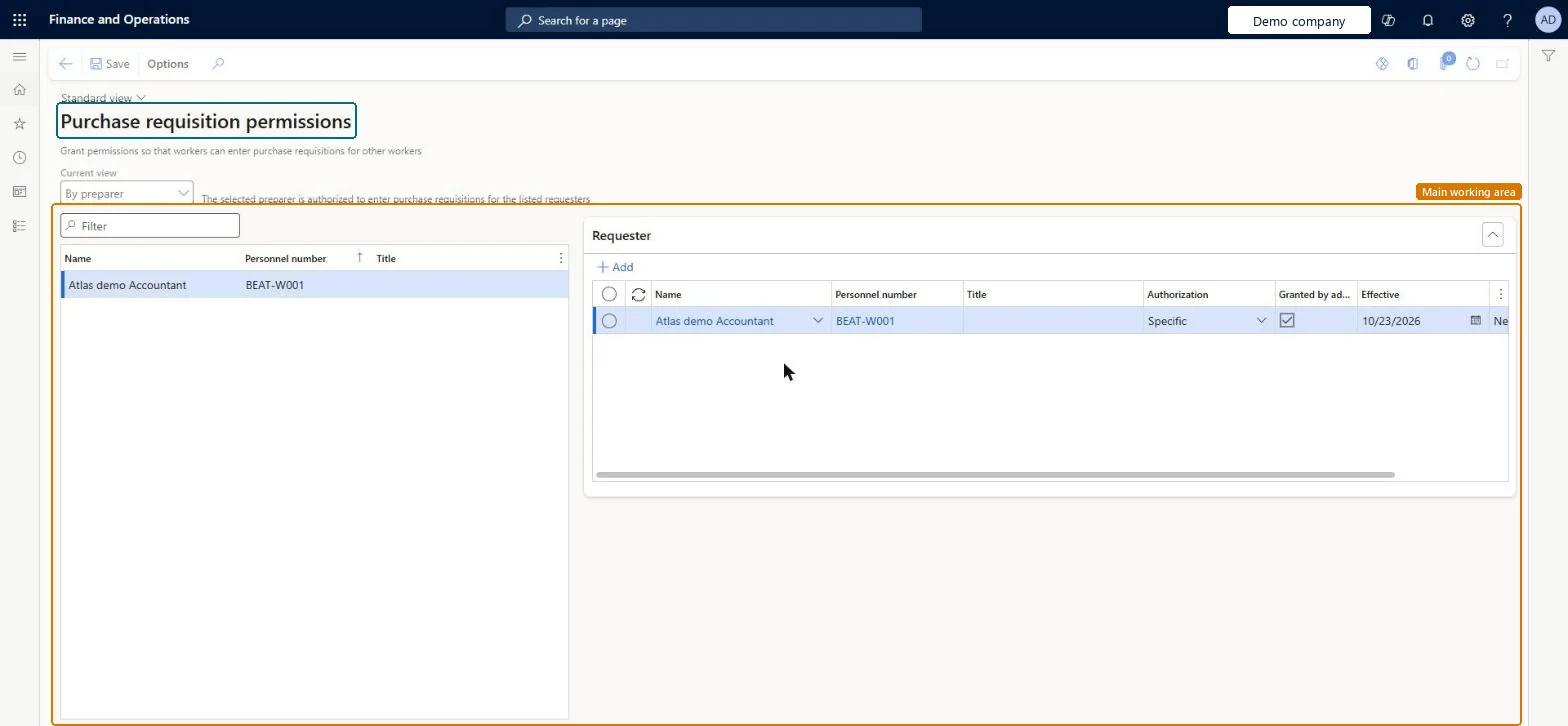
Set up Purchase requisition permissions
Use this page to grant preparers permission to order for other workers, and to let requesters order in other legal entities or operating units.
Steps from Microsoft
Go to Procurement and sourcing > Setup > Policies > Purchase requisition permissions.
Make sure the Current view field is set to By preparer.
Select the preparer, and then select Add.
Find and select the worker to add as a requester.
In the Authorization field, select Specific or Reporting.
Authorization Specific for named requesters, Reporting only where the preparer should order for everyone who reports to the requester, always with Effective and Expiration datesSpecific limits the preparer to the selected worker, while Reporting extends it to all workers who report to that worker; dated permissions end without manual clean-up.
Granting Reporting by default. The preparer can then create requisitions for a whole reporting line, and the requester's legal entity and operating unit decide which catalog and policy rules apply.
Solution architect
5Design impact
Can it be undone
Reversible: Permissions are dated with Effective and Expiration and can be removed at any time.
Technical architect
6Technical
Menu item
PurchReqAuthorizationChecked in Dynamics 365
Form
PurchReqAuthorizationChecked in Dynamics 365
Table
HcmWorkerShown as “Worker” in Record infoKey field: Person, Person_NameChecked in Dynamics 365
PrivilegesMaintain purchase requisition process PurchReqPurchasingProcessEnableInquire into purchase requisition process PurchReqPurchasingProcessInquireDutiesEnable purchasing process ProcPurchasingProcessEnableInquire into purchasing policies ProcPurchasingProcessInquire5 security rolesAuditor AuditPolicyManagerPurchasing manager TradePurchasingManagerAccounts payable manager VendInvoiceAccountsPayableManagerPurchasing agent VendPurchasingAgentPurchasing Agent - Public Sector VendPurchasingAgent_PSNChecked in Dynamics 365
Roles to set it up and use it
To set it up or change itPurchasing manager TradePurchasingManagerAccounts payable manager VendInvoiceAccountsPayableManagerTo use itPurchasing agent VendPurchasingAgentPurchasing Agent - Public Sector VendPurchasingAgent_PSNAuditor AuditPolicyManagerGive people one of these roles. On this system, 5 roles can open this page.Checked in Dynamics 365
Actions on the page
Options: Personalize, Page options, Edit, ShareChecked in Dynamics 365
Checked in a working Dynamics 365 system, version 10.0.49: the menu item, form, table and security, the page.
To cite this step: PS-SETUP-110, Set up Purchase requisition permissions. Beyond ERP Atlas Hub, 2026-11-11. https://www.beyonderp.cloud/atlas/step/PS-SETUP-110