BeyondERP.Newsletter
Menu

Setup step on the Business justifications page · Procurement and sourcing

Set up Business justifications

Use this page to show the reason for a purchase on purchase requisitions, so reviewers can see it straight away.

Used by
Accounts payable manager, Purchasing agent, Purchasing Agent - Public Sector and 2 more roles
Business process
Procure goods and services
Menu item
PurchReqBusinessJustificationCodes
Main table
PurchReqBusinessJustificationCodes
Data entity
PurchPurchaseRequisitionBusinessJustificationEntity
Setup steps
1 on this page
Show what matters for
SETUP GUIDEHow to set it up7 sections. Choose a role to highlight what matters to you.
Everyone

1What it is and why

What it isA setup page where you define business justification reason codes that classify and track types of purchases.
What you do hereUse this page to show the reason for a purchase on purchase requisitions, so reviewers can see it straight away.
ExampleFor example, codes can show that a purchase was for a new hire, a scheduled replacement, equipment failure or a marketing event.
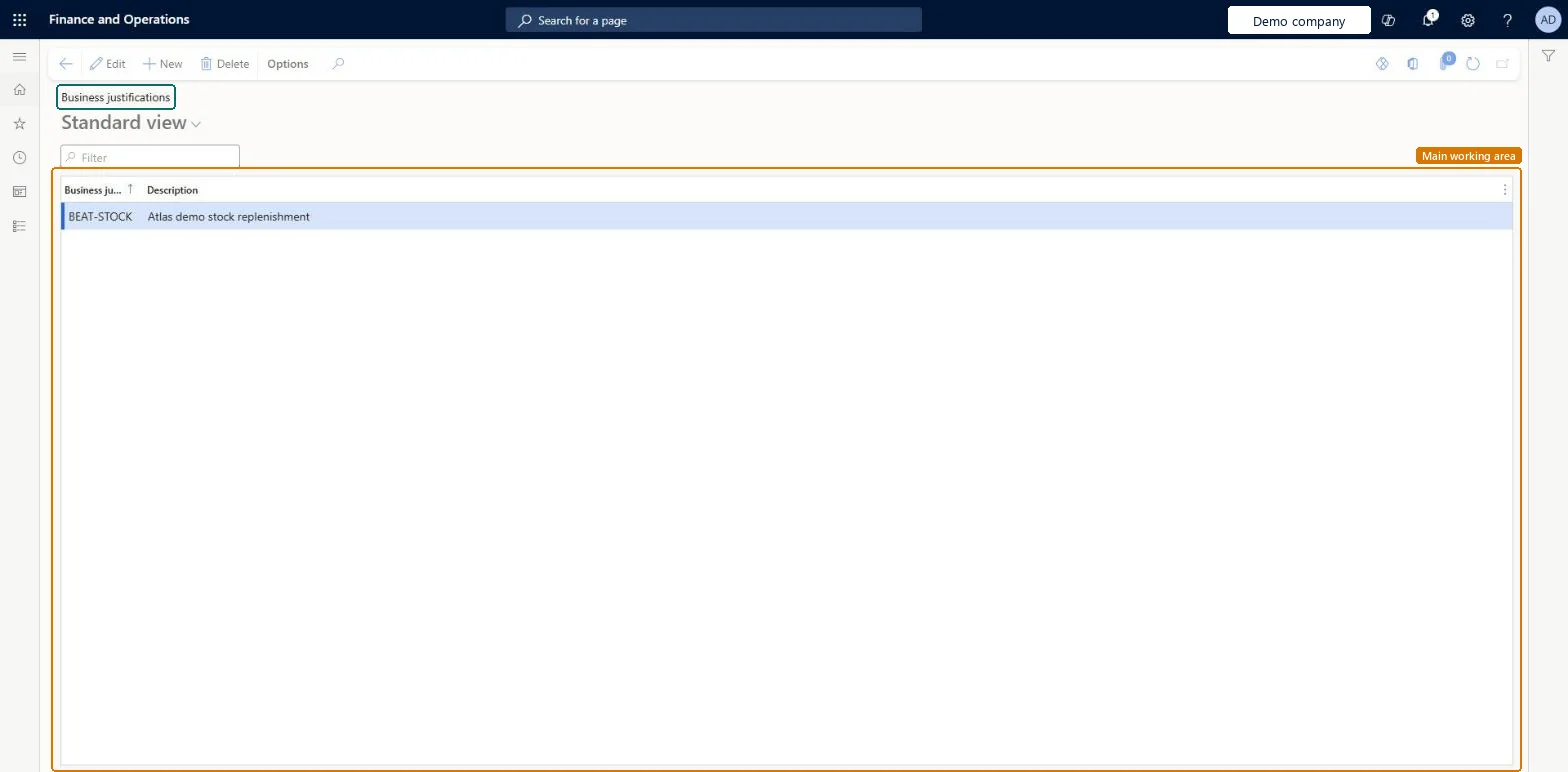
Business justifications page in Dynamics 365
The page in Dynamics 365. page title tab to open what to set or check
Functional consultant · Solution architect

2Where it fits

Business processProcure goods and services
Menu pathProcurement and sourcing › Setup › Policies › Business justifications
Used next byAll purchase requisitions Microsoft Learn
In this process Set up Information for vendors responding to POs · Set up Purchase requisition permissions
End user · Functional consultant

3How to do it

About the examples: Examples and screenshots in this guide use BEAT, a demo company in a Dynamics 365 test environment. Use your own company's codes and values instead of copying them.

Step by step, with screenshots

Set up Business justifications1 screen

Use this page to show the reason for a purchase on purchase requisitions, so reviewers can see it straight away.

  1. Screen 1

    Create the business justification

    Go to Procurement and sourcing > Setup > Policies > Business justifications

    1. Select New
    2. Enter the business justification and its description
    3. Select Save
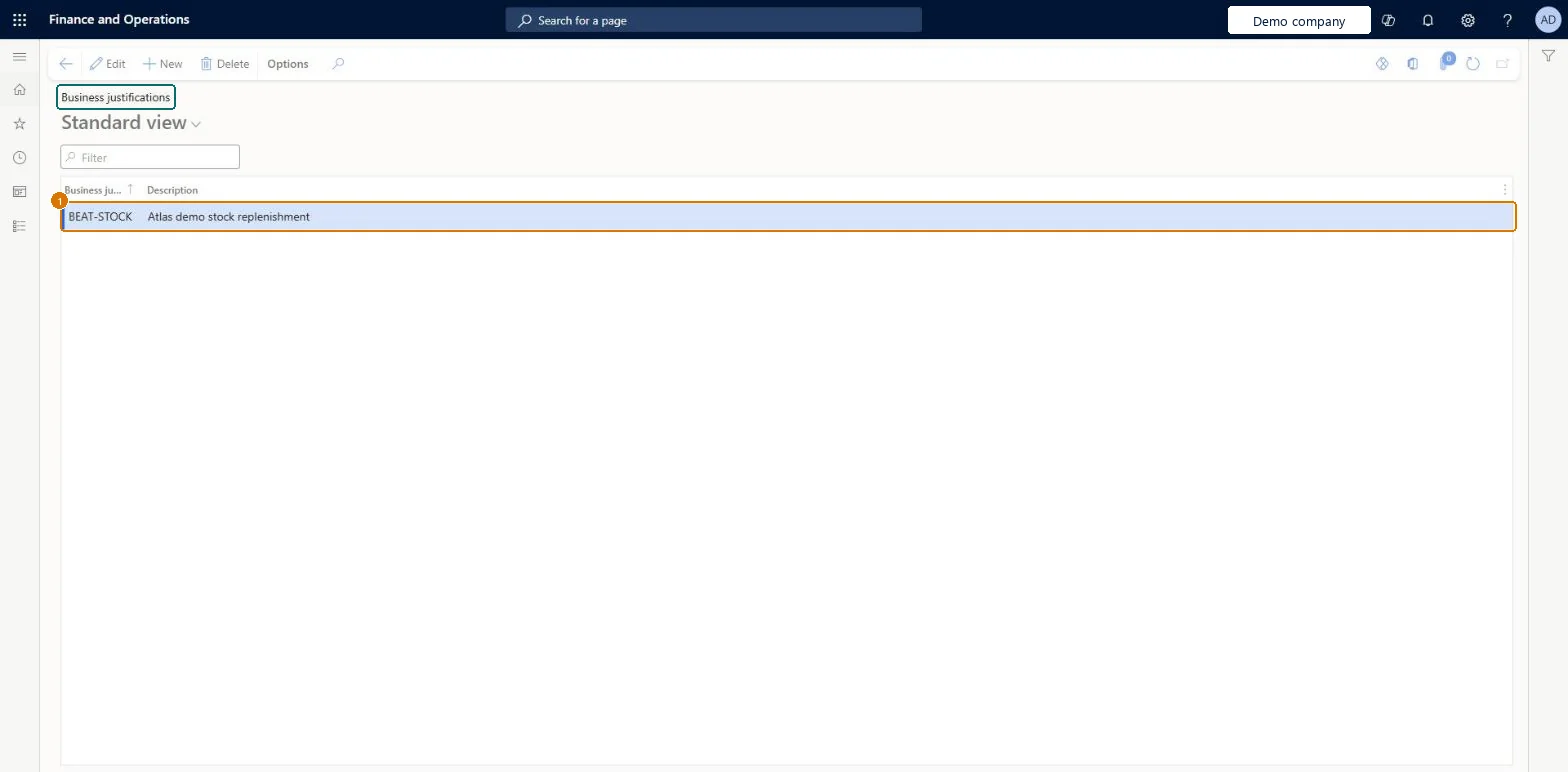
    1Business justificationBEAT-STOCK
    Create the business justification (zoomed on the outlined fields)
    Show the full screenCreate the business justification
    page title tab to open what to set or check

Steps from Microsoft

  1. Go to Procurement and sourcing > Setup > Policies > Business justifications.
  2. Select New to add a business justification reason code.
  3. In the Business justification field, enter the code that requesters will use.
  4. In the Description field, enter the text that appears in the Reason field on the purchase requisition.
  5. Repeat for each code you need.

Source: Microsoft Learn

Fields on the page

FieldWhat it meansExampleTable column
Business justificationThe reason code that requesters select when they enter a purchase request.Microsoft Learn RESTOCKReason
DescriptionThe text that appears in the Reason field on the purchase requisition header.Microsoft Learn Description

Test checklist

  1. Create a business justification code with a description.
  2. Create a purchase requisition and select the code in the Reason field.
  3. Add a line and check the reason defaults to the line, and that it can be changed on the line.

Source: Microsoft Learn

Solution architect

4Design impact

Shared or per companyShared: the same records are used by every legal entity. Microsoft data model
Technical architect

5Technical

Menu itemPurchReqBusinessJustificationCodes Checked in Dynamics 365
FormPurchReqBusinessJustificationCodes Checked in Dynamics 365
TablePurchReqBusinessJustificationCodesShown as “Business justification” in Record infoChecked in Dynamics 365
Data entitiesPurchPurchaseRequisitionBusinessJustificationEntityPurchase requisition business justifications Microsoft data model
Who can open itPrivilegesMaintain purchase requisition process PurchReqPurchasingProcessEnableInquire into purchase requisition process PurchReqPurchasingProcessInquireDutiesEnable purchasing process ProcPurchasingProcessEnableInquire into purchasing policies ProcPurchasingProcessInquire
5 security rolesAuditor AuditPolicyManagerPurchasing manager TradePurchasingManagerAccounts payable manager VendInvoiceAccountsPayableManagerPurchasing agent VendPurchasingAgentPurchasing Agent - Public Sector VendPurchasingAgent_PSN
Checked in Dynamics 365
Roles to set it up and use itTo set it up or change itPurchasing manager TradePurchasingManagerAccounts payable manager VendInvoiceAccountsPayableManagerTo use itPurchasing agent VendPurchasingAgentPurchasing Agent - Public Sector VendPurchasingAgent_PSNAuditor AuditPolicyManagerGive people one of these roles. On this system, 5 roles can open this page.Checked in Dynamics 365
Actions on the pageOptions: Personalize, Page options, ShareChecked in Dynamics 365
Developer

6Developer

Open it by URLhttps://<your-environment>/?mi=PurchReqBusinessJustificationCodes
Integrate withPurchPurchaseRequisitionBusinessJustificationEntity data entity Microsoft data model
Data migrationPurchPurchaseRequisitionBusinessJustificationEntity (Purchase requisition business justifications): shared by all companies.Microsoft Learn
Table definitionPurchReqBusinessJustificationCodes columns and relations Microsoft data model
Everyone

7Sources

To cite this step: PS-SETUP-100, Set up Business justifications. Beyond ERP Atlas Hub, 2026-11-11. https://www.beyonderp.cloud/atlas/step/PS-SETUP-100