BeyondERP.Newsletter
Menu

Page · Procurement and sourcing

All purchase requisitions

A list page that shows all purchase requisitions, whatever their status or whoever requested the items.

Used by
Accounts payable manager, Purchasing agent, Purchasing Agent - Public Sector and 6 more roles
Business process
Procure goods and services
Menu item
PurchReqTableAll
Main table
PurchReqTable
Data entity
PurchaseRequisitionHeaderV2Entity
Show what matters for
PAGE GUIDEWhat the page does and how to use it6 sections. Choose a role to highlight what matters to you.
Everyone

1What it is and why

What it isA list page that shows all purchase requisitions, whatever their status or whoever requested the items.
What you do hereUse this page to follow up on any purchase requisition, filter the list by requester or status, and create new requisitions.
All purchase requisitions page in Dynamics 365
The page in Dynamics 365. page title tab to open what to set or check
Functional consultant · Solution architect

2Where it fits

Business processProcure goods and services
Menu pathProcurement and sourcing › Purchase requisitions › All purchase requisitions
Used next byRelease approved purchase requisitions Microsoft Learn
End user · Functional consultant

3How to do it

About the examples: Examples and screenshots in this guide use BEAT, a demo company in a Dynamics 365 test environment. Use your own company's codes and values instead of copying them.

Steps from Microsoft

  1. Go to Procurement and sourcing > Purchase requisitions > All purchase requisitions.
  2. Select New.
  3. In the Name field, enter a name, and then select OK.
  4. Select Add products.
  5. Find the product by using the category hierarchy or the filter.
  6. Select Add to lines.
  7. Select OK.

Source: Microsoft Learn

Fields on the page

FieldWhat it means
Lead timeThe number of days needed for delivery of the requisition line.Microsoft Learn
Working daysSet it to Yes to count only business days, not calendar days, in the lead time.Microsoft Learn
Technical architect

4Technical

Menu itemPurchReqTableAll Checked in Dynamics 365
FormPurchReqTableListPage Checked in Dynamics 365
TablePurchReqTableShown as “Purchase requisitions” in Record infoKey field: PurchReqId, PurchReqName, PurchReqTypeChecked in Dynamics 365
Data entitiesPurchaseRequisitionHeaderV2EntityPurchase requisitions V2 Microsoft data model
Who can open itPrivilegesInquire into all purchase requisitions PurchReqPurchaseRequisitionInquireMaintain all purchase requisitions PurchReqPurchaseRequisitionMaintainAllDutiesApprove purchase requisitions PurchReqPurchaseRequisitionApproveInquire into purchase requisition PurchReqPurchaseRequisitionInquireMaintain all purchase requisitions PurchReqPurchaseRequisitionMaintainAll
9 security rolesBudget manager BudgetBudgetManagerChief financial officer CompanyChiefFinancialOfficerManager HcmManagerFinancial controller LedgerFinancialControllerProject manager ProjProjectManagerPurchasing manager TradePurchasingManagerAccounts payable manager VendInvoiceAccountsPayableManagerPurchasing agent VendPurchasingAgentPurchasing Agent - Public Sector VendPurchasingAgent_PSN
Checked in Dynamics 365
Roles to set it up and use itTo set it up or change itPurchasing manager TradePurchasingManagerPurchasing agent VendPurchasingAgentPurchasing Agent - Public Sector VendPurchasingAgent_PSNTo use itAccounts payable manager VendInvoiceAccountsPayableManagerProject manager ProjProjectManagerChief financial officer CompanyChiefFinancialOfficerFinancial controller LedgerFinancialControllerManager HcmManagerGive people one of these roles. On this system, 9 roles can open this page.Checked in Dynamics 365
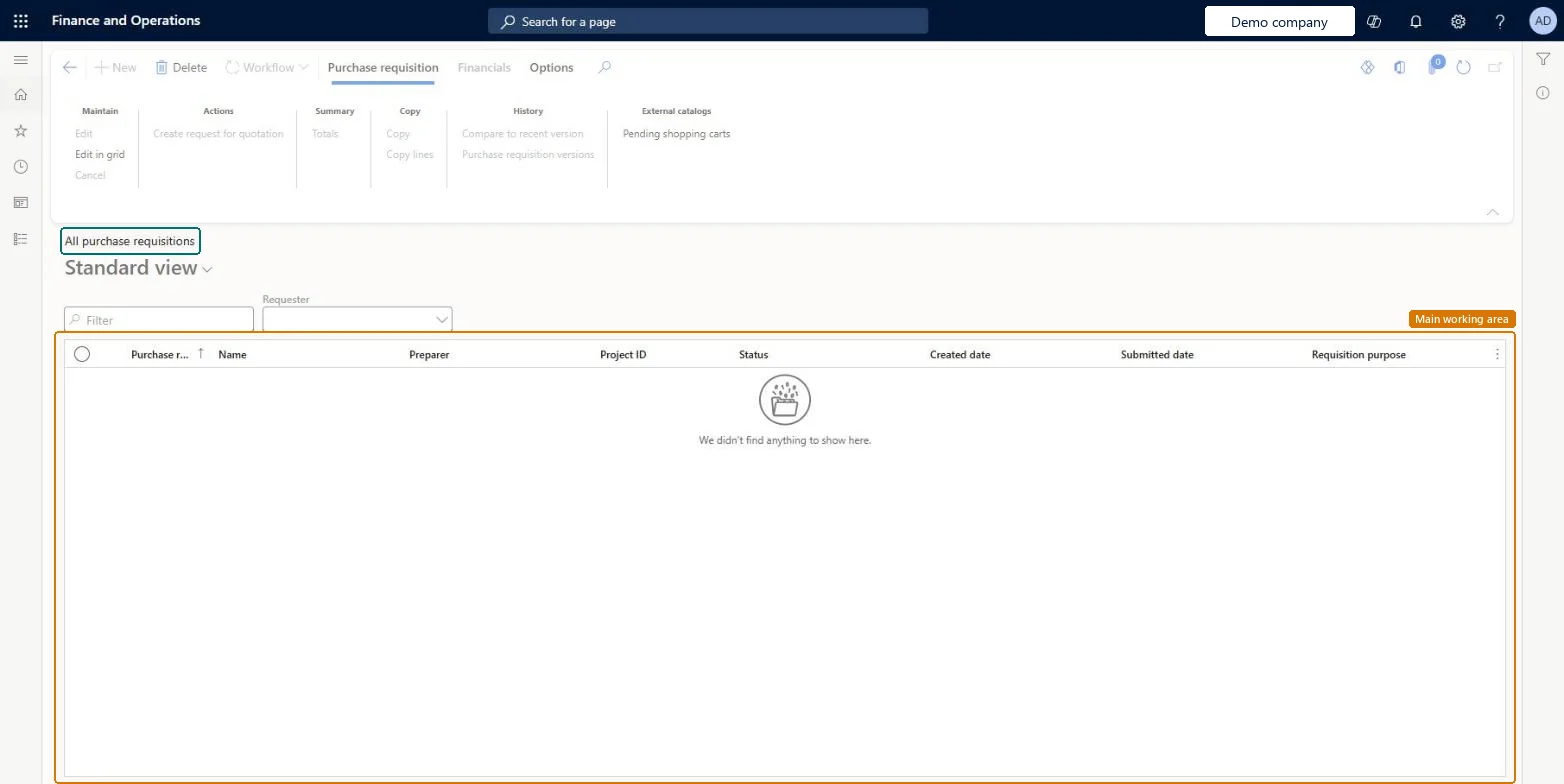
Actions on the pagePurchase requisition: Maintain, Actions, Summary, Copy, History, External catalogsFinancialsOptions: Personalize, Page options, ShareChecked in Dynamics 365
Developer

5Developer

Open it by URLhttps://<your-environment>/?mi=PurchReqTableAll
Integrate withPurchaseRequisitionHeaderV2Entity data entity Microsoft data model
Data migrationPurchaseRequisitionHeaderV2Entity (Purchase requisitions V2): shared by all companies.Microsoft Learn
Table definitionPurchReqTable columns and relations Microsoft data model
Everyone

6Sources