About the examples: Examples and screenshots in this guide use BEAT, a demo company in a Dynamics 365 test environment. Use your own company's codes and values instead of copying them.
Step by step, with screenshots
Set up Vendor evaluation criteria1 screen
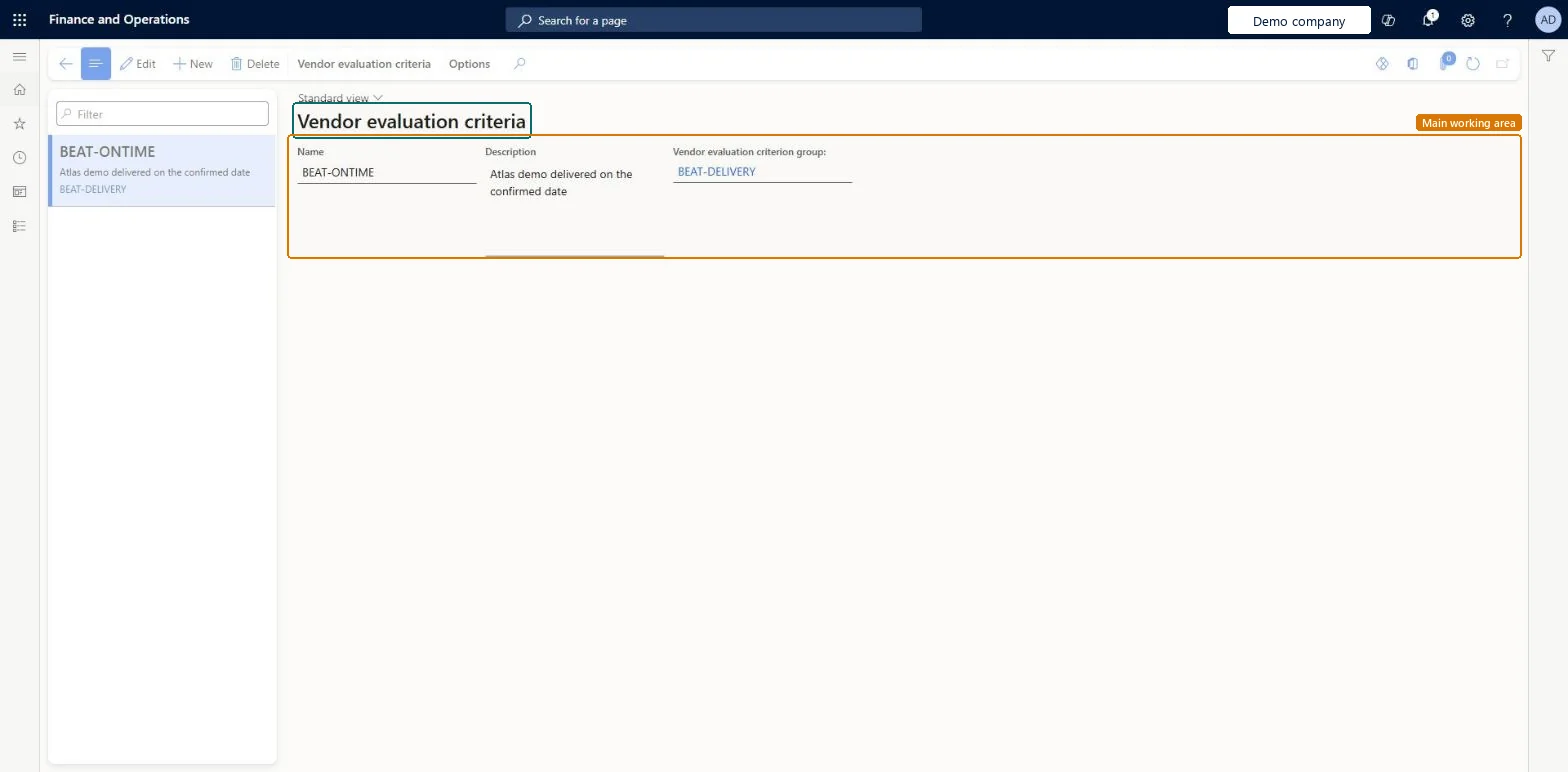
Use this page to see how a vendor is rated, either overall or on a specific criterion.
Screen 1
Create the evaluation criterion
Go to Procurement and sourcing > Setup > Vendors > Vendor evaluation criteria
Select New
Enter the name and description
Choose the criterion group
Select Save
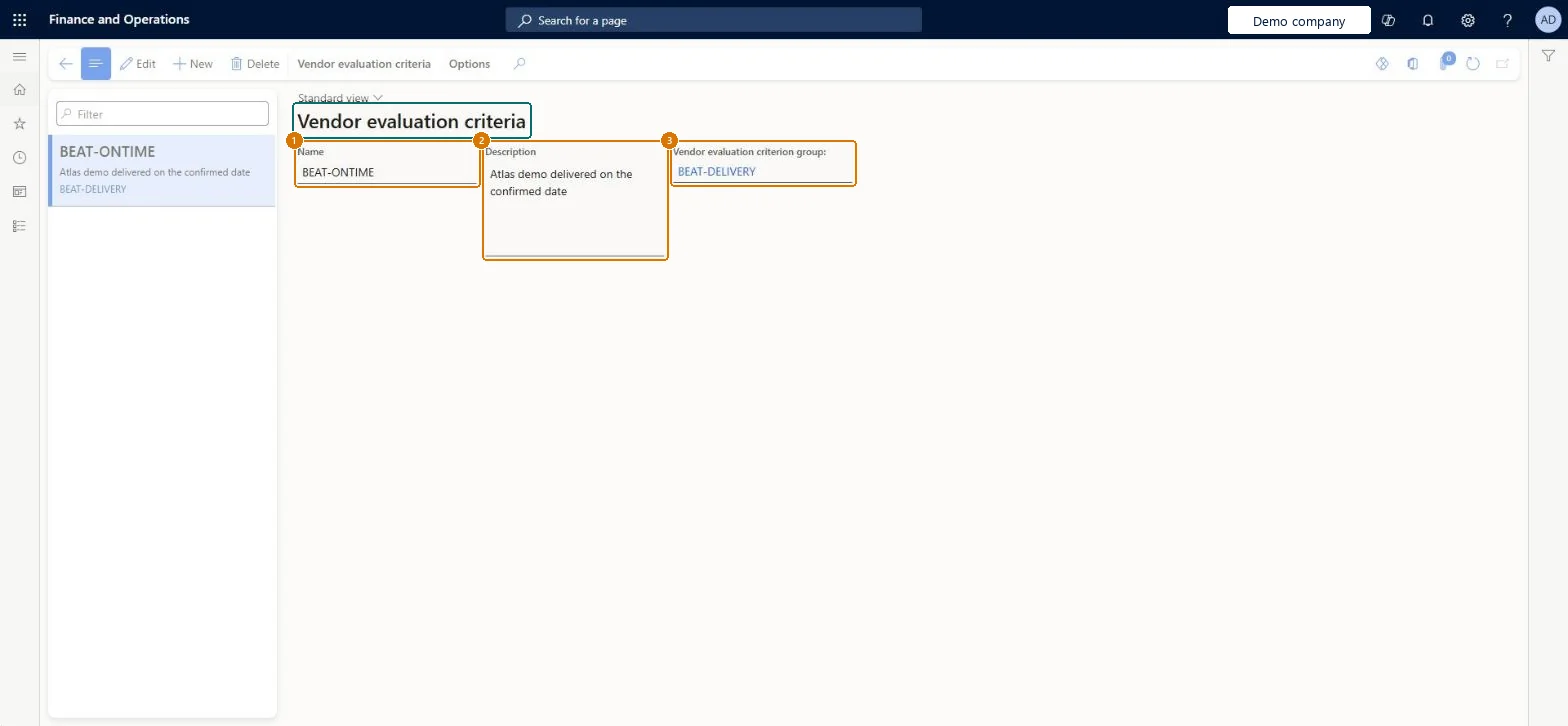
1Name
BEAT-ONTIME
2Description
Delivered on the confirmed date
3Vendor evaluation criterion group
BEAT-DELIVERY
Show the full screen page title tab to open what to set or check
Steps from Microsoft
Go to Procurement and sourcing > Setup > Vendors > Vendor evaluation criteria.
Select New and enter a unique name for the criterion.
Optionally, enter a description and translate it into other languages.
Select the vendor evaluation criterion group that the criterion belongs to.
Each criterion linked to a Vendor evaluation criterion group that covers related rating areasCriteria are rated per vendor and category through the groups assigned to a procurement category, and the Average rating updates as each rating is entered.
Creating criteria without assigning their group to a procurement category. Vendors can only be evaluated once groups are assigned to the category they supply.
To set it up or change itPurchasing manager TradePurchasingManagerPurchasing agent VendPurchasingAgentPurchasing Agent - Public Sector VendPurchasingAgent_PSNRetail service RetailServiceAccounting manager LedgerAccountingManagerTo use itAccountant LedgerAccountantChief financial officer CompanyChiefFinancialOfficerGive people one of these roles. On this system, 10 roles can open this page.Checked in Dynamics 365
Actions on the page
Vendor evaluation criteriaOptions: Personalize, Page options, ShareChecked in Dynamics 365
VendorEvaluationCriterionEntity (Vendor evaluation criteria): shared by all companies, in Microsoft's default template 320 - Procurement and sourcing.Load order: Microsoft's default template 320 - Procurement and sourcing loads Vendor evaluation criteria at execution unit 1, level 40, sequence 10. Lower levels load first, and entities at the same level load in sequence order.Load first: the default templates at lower levels (System setup to dependency bands 30 to 90)Microsoft Learn
Checked in a working Dynamics 365 system, version 10.0.49: the menu item, form, table and security, the page, the demo records and the values in the screenshots.
To cite this step: PS-SETUP-040, Set up Vendor evaluation criteria. Beyond ERP Atlas Hub, 2026-11-11. https://www.beyonderp.cloud/atlas/step/PS-SETUP-040