About the examples: Examples and screenshots in this guide use BEAT, a demo company in a Dynamics 365 test environment. Use your own company's codes and values instead of copying them.
Setup steps on this page
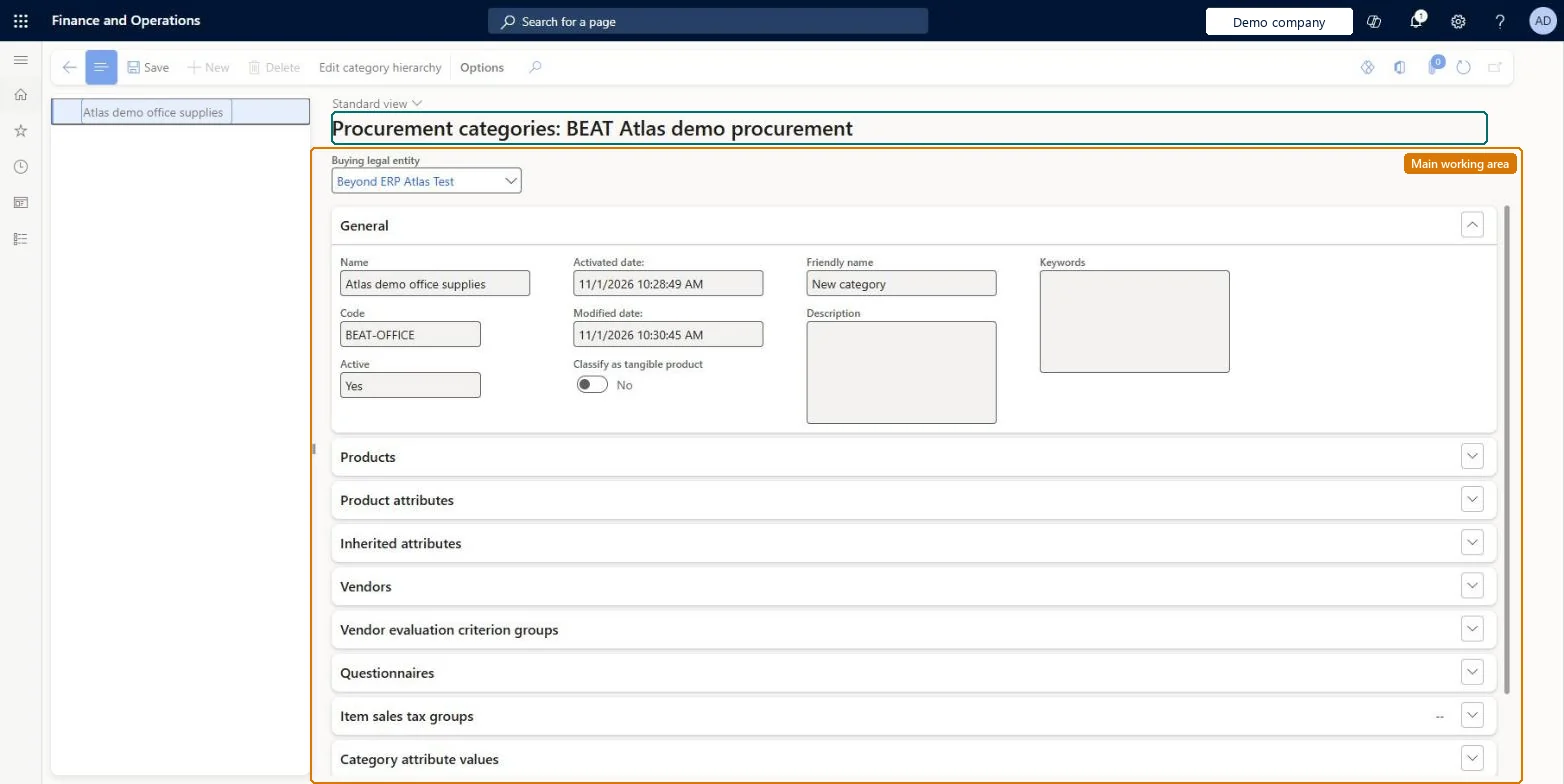
Set up Procurement categories
Use this page to add and maintain procurement categories and link products and vendors to them from one central place.
Steps from Microsoft
Go to Procurement and sourcing > Procurement categories.
On the Action Pane, select Edit category hierarchy.
Select New category node.
Enter a Name, a Description and, optionally, a Friendly name.
Select Save.
Select the new node, expand the Products section, and select Add.
Select the products, move them to the Selected table, and select OK.
One-way: Warning: one procurement category hierarchy is used for the whole organization and the New action that creates it can only be done once. Plan the top-level structure before creating it; nodes, products and vendors can be added later. Microsoft Learn
If you change it later
One procurement category hierarchy is used for the whole organization, and it can be created only once. Microsoft Learn
Technical architect
5Technical
Menu item
ProcCategoryHierarchyManagement
Data entities
RetailCatalogInternalOrganizationProductAttributeValue2EntityCatalog internal organization product attribute values - Version 2 Checked in Dynamics 365EngChgEngineeringProductCategoryAttributeDetailsEntityEngineering product category attribute details Checked in Dynamics 365RetailInternalOrganizationProductAttributeValue2EntityInternal organization product attribute values - Version 2 Checked in Dynamics 365EcoResProductAttributeValueV3EntityProduct attribute values V3 Checked in Dynamics 365EcoResProductCategoryAssignmentEntityProduct category assignments Checked in Dynamics 365EcoResProductCategoryHierarchyEntityProduct category hierarchies Microsoft data model
Roles to set it up and use it
To set it up or change itPurchasing manager TradePurchasingManagerPurchasing agent VendPurchasingAgentPurchasing Agent - Public Sector VendPurchasingAgent_PSNRetail service RetailServiceAccounting manager LedgerAccountingManagerTo use itAccountant LedgerAccountantChief financial officer CompanyChiefFinancialOfficerGive people one of these roles. On this system, 10 roles can open this page.Checked in Dynamics 365