| What it is | A setup page where you create price and discount groups that vendors can be assigned to. |
|---|---|
| What you do here | Use this page to group vendors so that one trade agreement can apply to every vendor in the group. |
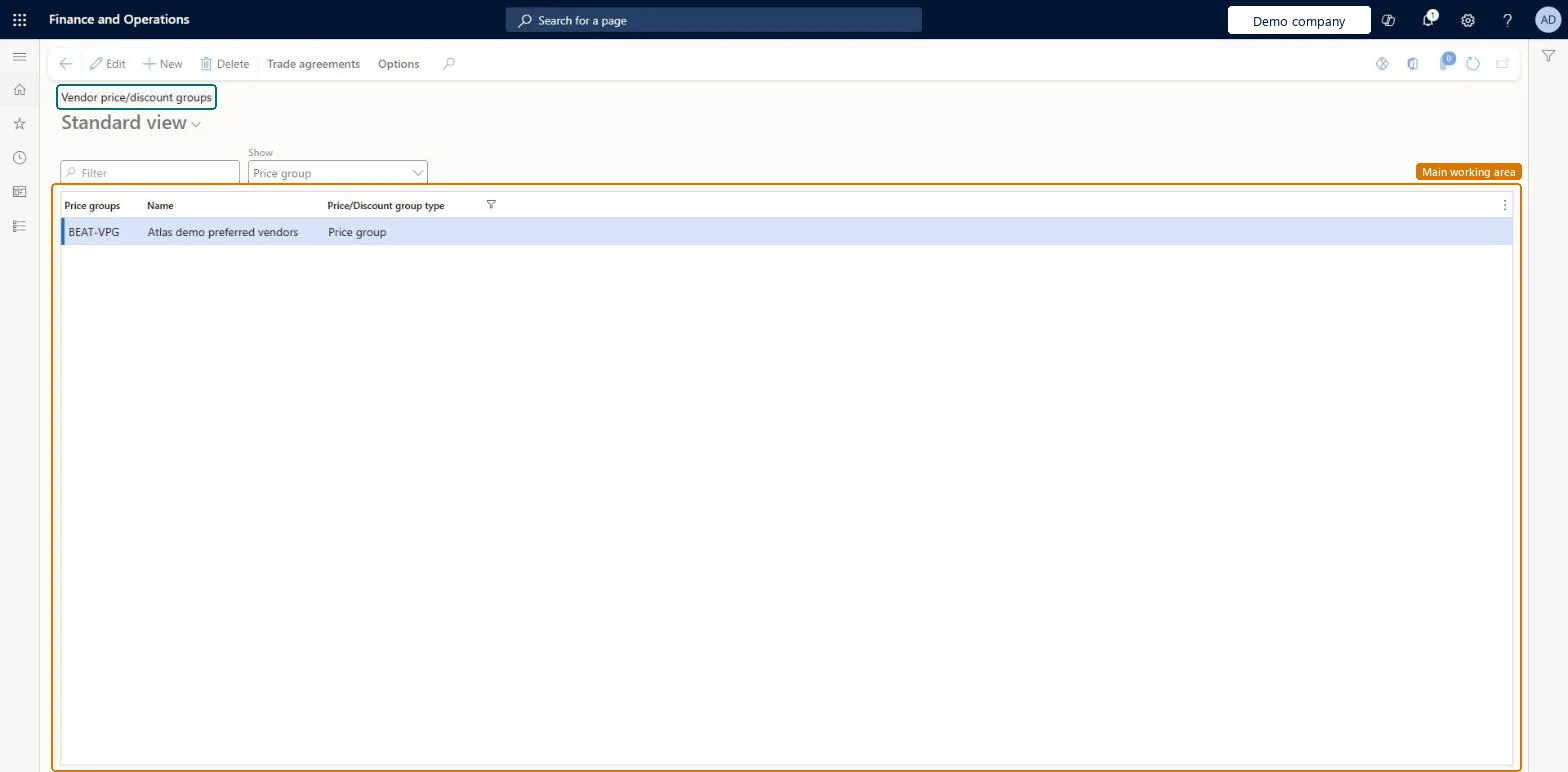
Setup step on the Vendor price/discount groups page · Procurement and sourcing
Use this page to group vendors so that one trade agreement can apply to every vendor in the group.
PriceDiscGroup_VendPriceDiscGroupPriceDiscLineDiscountVendorGroupEntity| What it is | A setup page where you create price and discount groups that vendors can be assigned to. |
|---|---|
| What you do here | Use this page to group vendors so that one trade agreement can apply to every vendor in the group. |
| Business process | Procure goods and services |
|---|---|
| Menu path | Procurement and sourcing › Prices and discounts › Price/discount groups › Vendor price/discount groups |
| Used next by | All vendors Microsoft Learn Trade agreement journals Microsoft Learn |
| Related pages | Activate price/discount Microsoft Learn Item discount groups Microsoft Learn |
| In this process | Set up Procurement categories |
About the examples: Examples and screenshots in this guide use BEAT, a demo company in a Dynamics 365 test environment. Use your own company's codes and values instead of copying them.
Use this page to group vendors so that one trade agreement can apply to every vendor in the group.
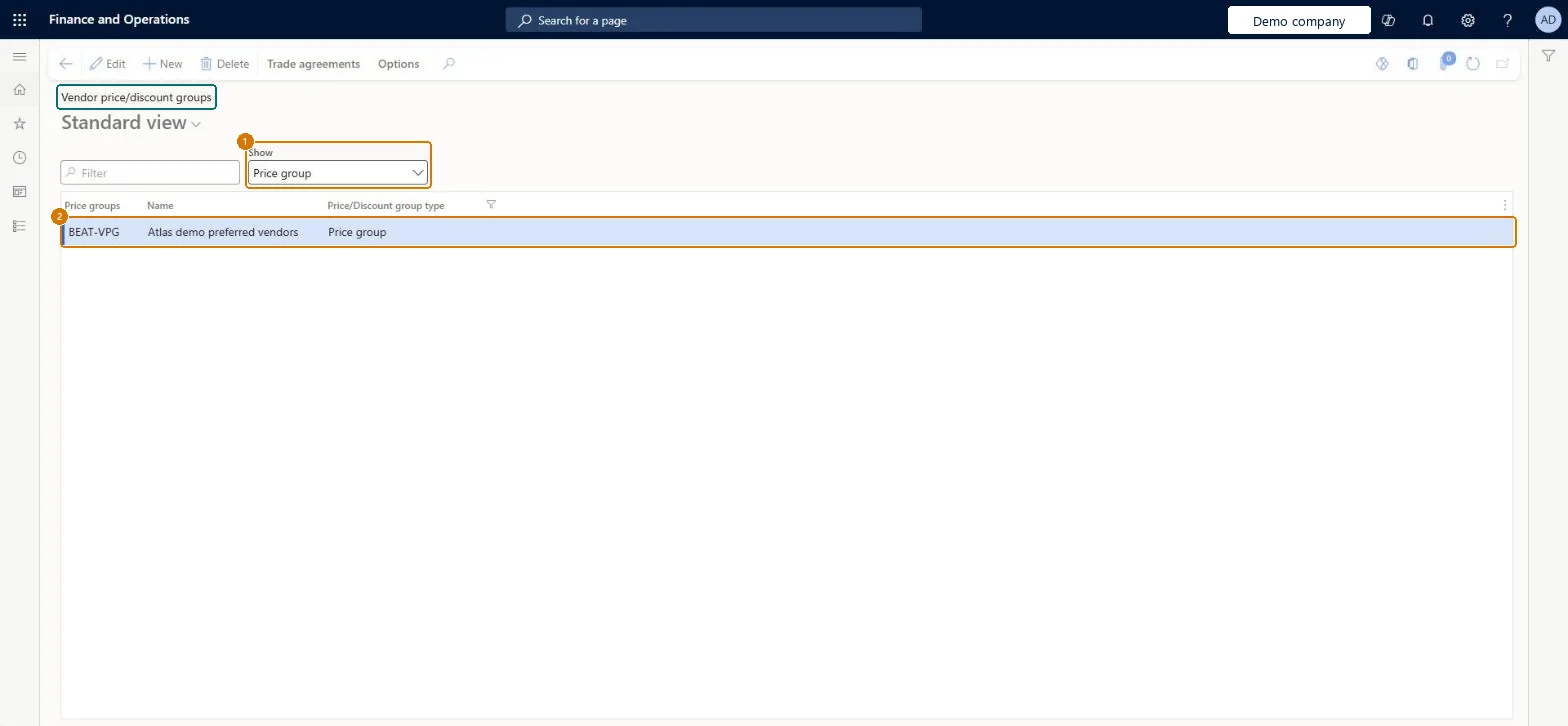
Screen 1
Go to Procurement and sourcing > Prices and discounts > Price/discount groups > Vendor price/discount groups
| 1Show | Price group |
|---|---|
| 2Price groups | BEAT-VPG |
Source: Checked in Dynamics 365
| Field | What it means | Example | Table column |
|---|---|---|---|
| Show | Price group | ||
| Price groups | The identifier of the price group.Microsoft Learn | VOLUME | GroupId |
Source: Microsoft Learn
| Setup step | Recommended value and why | Decision, common mistake and test |
|---|---|---|
| Set up Vendor price/discount groups | One vendor price/discount group per set of vendors that share the same agreed prices or discounts, with the matching Vendor group combinations activated on Activate price/discountA group lets you enter the agreed prices once and attach the group to each vendor, and trade agreements only work for combinations that are activated. | Creating group-level trade agreements without activating the vendor group combination, so the agreements are never applied to purchase orders. |
| Shared or per company | Per company: each legal entity has its own records. Microsoft data model |
|---|---|
| Can it be undone | Reversible: The group is set on the vendor's Purchase order defaults and appears on the purchase order header, so changing it affects new orders; posted trade agreements stay in place. |
| Menu item | PriceDiscGroup_Vend Checked in Dynamics 365 |
|---|---|
| Form | PriceDiscGroup Checked in Dynamics 365 |
| Table | PriceDiscGroupShown as “Price groups” in Record infoKey field: Module, Type, GroupIdChecked in Dynamics 365 |
| Data entities | PriceDiscLineDiscountVendorGroupEntityLine discount vendor groups Microsoft data model PriceDiscTotalDiscountVendorGroupEntityTotal discount vendor groups Microsoft data model PriceDiscMultilineDiscountVendorGroupEntityMultiline discount vendor groups Microsoft data model PriceDiscLineDiscountCustomerGroupEntityLine discount customer groups Microsoft data model PriceDiscLineDiscountProductGroupEntityLine discount item groups Microsoft data model PriceDiscMultilineDiscountCustomerGroupEntityMultiline discount customer groups Microsoft data model PriceDiscPriceVendorGroupEntityPrice vendor groups Microsoft data model PriceDiscTotalDiscountCustomerGroupEntityTotal discount customer groups Microsoft data model PriceDiscMultilineDiscountProductGroupEntityMultiline discount item groups Microsoft data model PriceDiscPriceCustomerGroupEntityPrice customer groups Microsoft data model MCRPostageDiscountCustomerGroupEntityPostage discount customer groups Microsoft data model |
| Who can open it | PrivilegesMaintain purchase trade agreements elements PriceDiscAdmNamePurchMaintainView purchase trade agreements elements PriceDiscAdmNamePurchViewDutiesEnable purchase order to invoice process PurchOrderToInvoiceProcessEnableInquire into purchase order to invoice reference data PurchOrderToInvoiceReferenceDataInquire2 security rolesPurchasing managerTradePurchasingManagerAccounts payable manager VendInvoiceAccountsPayableManager |
| Roles to set it up and use it | To set it up or change itPurchasing manager TradePurchasingManagerAccounts payable manager VendInvoiceAccountsPayableManagerGive people one of these roles. On this system, 2 roles can open this page.Checked in Dynamics 365 |
| Actions on the page | Trade agreementsOptions: Personalize, Page options, ShareChecked in Dynamics 365 |
| Open it by URL | https://<your-environment>/?mi=PriceDiscGroup_Vend |
|---|---|
| Integrate with | PriceDiscLineDiscountVendorGroupEntity data entity Microsoft data model |
| Data migration | PriceDiscLineDiscountVendorGroupEntity (Line discount vendor groups): loaded for each company, in Microsoft's default template 120 - Accounts payable.PriceDiscTotalDiscountVendorGroupEntity (Total discount vendor groups): loaded for each company, in Microsoft's default template 120 - Accounts payable.PriceDiscMultilineDiscountVendorGroupEntity (Multiline discount vendor groups): loaded for each company, in Microsoft's default template 120 - Accounts payable.Load order: Microsoft's default template 120 - Accounts payable loads Line discount vendor groups at execution unit 1, level 30, sequence 10. Lower levels load first, and entities at the same level load in sequence order.Load first: the default templates at lower levels (System setup to General ledger)Microsoft Learn |
| Table definition | PriceDiscGroup columns and relations Microsoft data model |
To cite this step: PS-PRICE-010, Set up Vendor price/discount groups. Beyond ERP Atlas Hub, 2026-11-11. https://www.beyonderp.cloud/atlas/step/PS-PRICE-010