Setup step on the Form notes page · Project management and accounting
Set up Form notes
A setup page where you keep standard note text for project documents, one note per form and language, that is printed on the document, such as a project invoice.
SETUP GUIDEHow to set it up8 sections. Choose a role to highlight what matters to you.
Everyone
1What it is and why
What it is
A setup page where you keep standard note text for project documents, one note per form and language, that is printed on the document, such as a project invoice.
What you do here
Use this page to write the fixed text that every printed project invoice or quotation carries, in each language your customers receive.
Example
For example, BEAT keeps a note for the project invoice in English (en-US) that says payment is due within 30 days, and a Portuguese (pt-PT) version for customers in Lisbon, so invoice PIV-000812 for PRJ-0042 prints the note in the customer's language.
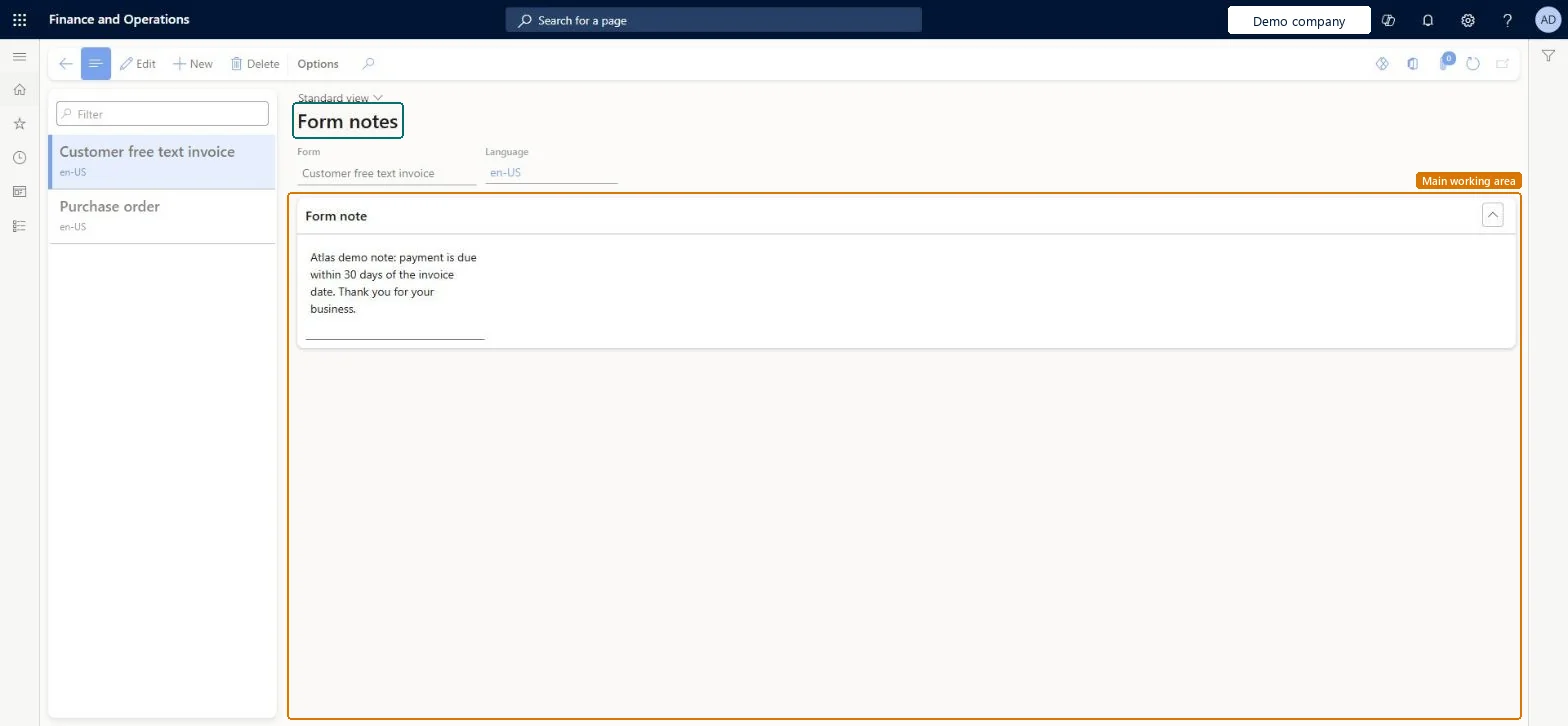
The page in Dynamics 365. page title tab to open what to set or check
About the examples: Examples and screenshots in this guide use BEAT, a demo company in a Dynamics 365 test environment. Use your own company's codes and values instead of copying them.
Step by step, with screenshots
Set up Form notes1 screen
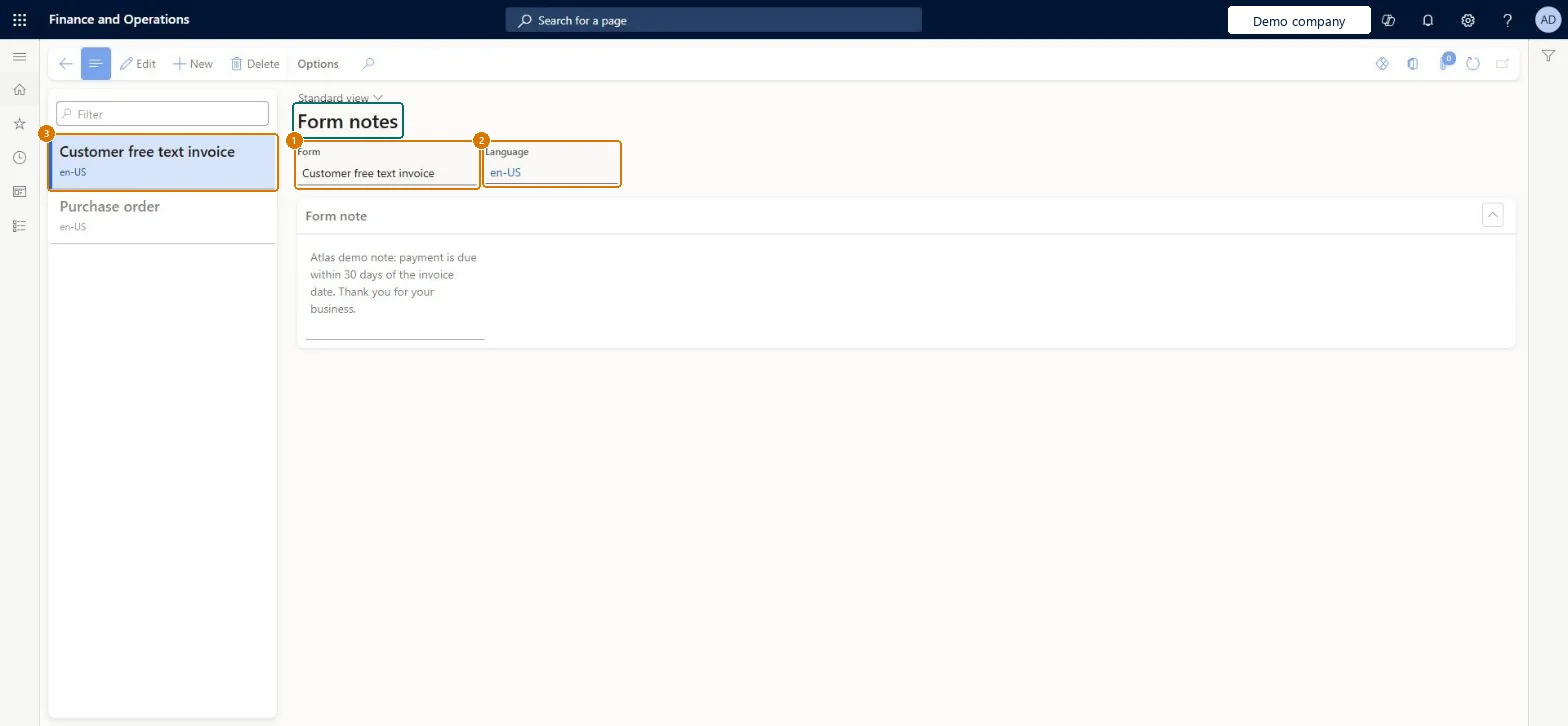
Screen 1
Add a note to a project document
Go to Project management and accounting > Setup > Forms > Form notes
Select New
Select the form the note prints on
Select the language
Enter the note text
Select Save
1Form
Customer free text invoice
2Language
en-US
Show the full screen page title tab to open what to set or check
Steps from Microsoft
Go to Project management and accounting > Setup > Forms > Form notes.
Select New and choose the Form and the Language.
Enter the text in the Form note section and save.
Add the same note in the other languages your customers use, then print a test project invoice.
One note per project document and customer language, with the payment terms text that legal or finance approvedThe note is printed on every document of that form and language, so one approved text per language keeps invoices consistent.
PrivilegesMaintain project report configurations ProjFormletterParametersMaintainDutiesEnable project accounting process ProjProjectAccountingProcessEnable2 security rolesProject manager ProjProjectManagerProject supervisor ProjProjectSupervisorChecked in Dynamics 365
Roles to set it up and use it
To set it up or change itProject manager ProjProjectManagerProject supervisor ProjProjectSupervisorGive people one of these roles. On this system, 2 roles can open this page.Checked in Dynamics 365
Actions on the page
Options: Personalize, Page options, ShareChecked in Dynamics 365
FormLetterPrintedFormNoteEntity Printed form notes, loaded for each company; it also loads the notes of other modules' forms.Load order: Microsoft's default template 140 - Accounts receivable loads Printed form notes at execution unit 1, level 30, sequence 10. Lower levels load first, and entities at the same level load in sequence order.Load first: LanguagesMicrosoft Learn
Checked in a working Dynamics 365 system, version 10.0.49: the menu item, form, table and security, the page, the demo records and the values in the screenshots.
To cite this step: PM-SETUP-360, Set up Form notes. Beyond ERP Atlas Hub, 2026-11-11. https://www.beyonderp.cloud/atlas/step/PM-SETUP-360