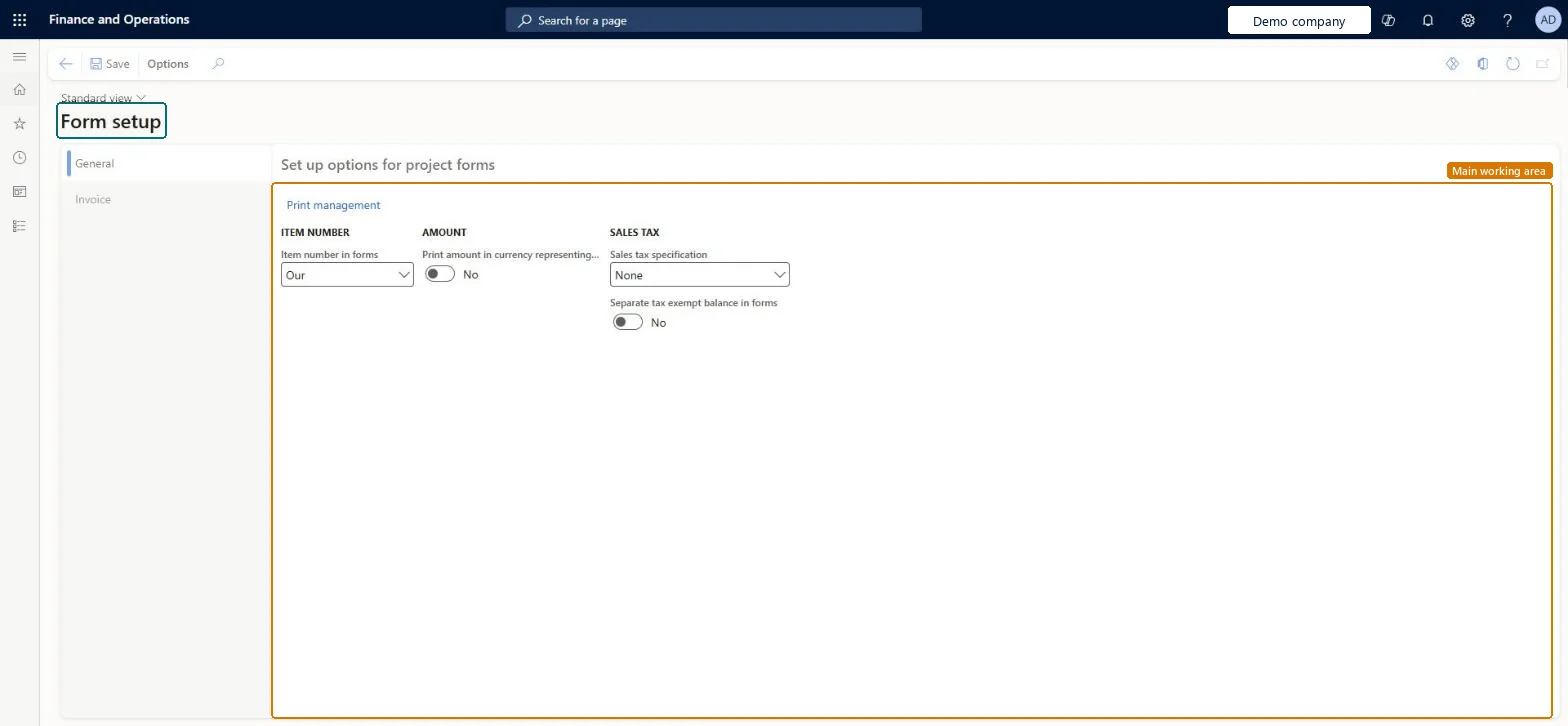
A setup page for how printed project documents, such as project invoices, show item numbers, amounts and sales tax, with a link to Print management for the destinations and copies of each document.
PAGE GUIDEWhat the page does and how to use it8 sections. Choose a role to highlight what matters to you.
Everyone
1What it is and why
What it is
A setup page for how printed project documents, such as project invoices, show item numbers, amounts and sales tax, with a link to Print management for the destinations and copies of each document.
What you do here
Use this page to set the print options of project invoices for the legal entity and to open Print management.
Example
For example, BEAT prints its own item numbers on project invoices and a sales tax specification, so invoice PIV-000812 for PRJ-0042 shows the 23.00 percent tax on 4,800.00 (1,104.00) as its own line.
The page in Dynamics 365. page title tab to open what to set or check
About the examples: Examples and screenshots in this guide use BEAT, a demo company in a Dynamics 365 test environment. Use your own company's codes and values instead of copying them.
Step by step, with screenshots
Set up Form setup1 screen
Screen 1
Set up options for project forms
Go to Project management and accounting > Setup > Forms > Form setup
Open the page
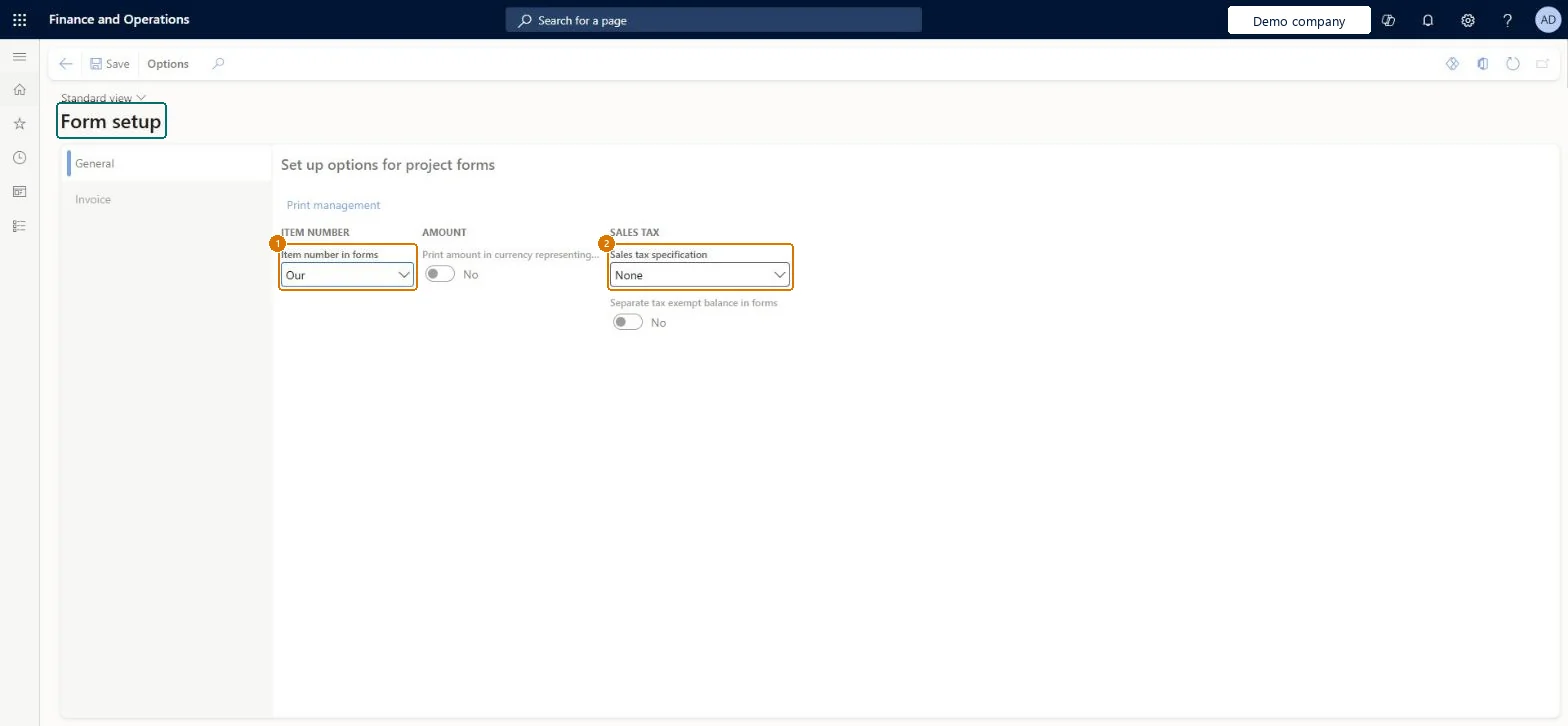
On the General tab, choose which item number prints on project forms
Choose how sales tax is specified on forms
Open the Invoice tab to set the invoice form options
Select Save
1Item number in forms
Our
2Sales tax specification
None
Show the full screen page title tab to open what to set or check
Steps from Microsoft
Go to Project management and accounting > Setup > Forms > Form setup.
On the General tab, choose Item number in forms and the Sales tax specification.
Turn Separate tax exempt balance in forms on or off.
Select Print management to set the destination and copies of the project invoice, then print a test invoice.
Set the sales tax specification your tax authority expects on invoices, and Print management destinations before the first invoice runThese options decide what every printed project invoice shows, so they should match legal invoice requirements from the first invoice.
PrivilegesMaintain project report configurations ProjFormletterParametersMaintainDutiesEnable project accounting process ProjProjectAccountingProcessEnable2 security rolesProject manager ProjProjectManagerProject supervisor ProjProjectSupervisorChecked in Dynamics 365
Roles to set it up and use it
To set it up or change itProject manager ProjProjectManagerProject supervisor ProjProjectSupervisorGive people one of these roles. On this system, 2 roles can open this page.Checked in Dynamics 365
Actions on the page
Options: Personalize, Page options, Edit, ShareChecked in Dynamics 365
ProjProjectFormSetupEntity (Project form setup): loaded for each company, in Microsoft's default template 650 - Project accounting.Load order: Microsoft's default template 650 - Project accounting loads Project form setup at execution unit 1, level 30, sequence 10. Lower levels load first, and entities at the same level load in sequence order.Load first: the default templates at lower levels (System setup to General ledger)Microsoft Learn
Checked in a working Dynamics 365 system, version 10.0.49: the menu item, form, table and security, the page, the demo records and the values in the screenshots.