Project management and accountingInquiries and reportsForecasts inquiries
ForecastSalesProj
Used by
Materials manager, Treasurer, Production manager and 5 more roles
Business process
Plan projects
Menu item
ForecastSalesProj
Main table
ForecastSales
Data entity
ProjForecastSalesEntity
Setup steps
1 on this page
Show what matters for
SETUP GUIDEHow to set it up8 sections. Choose a role to highlight what matters to you.
Everyone
1What it is and why
What it is
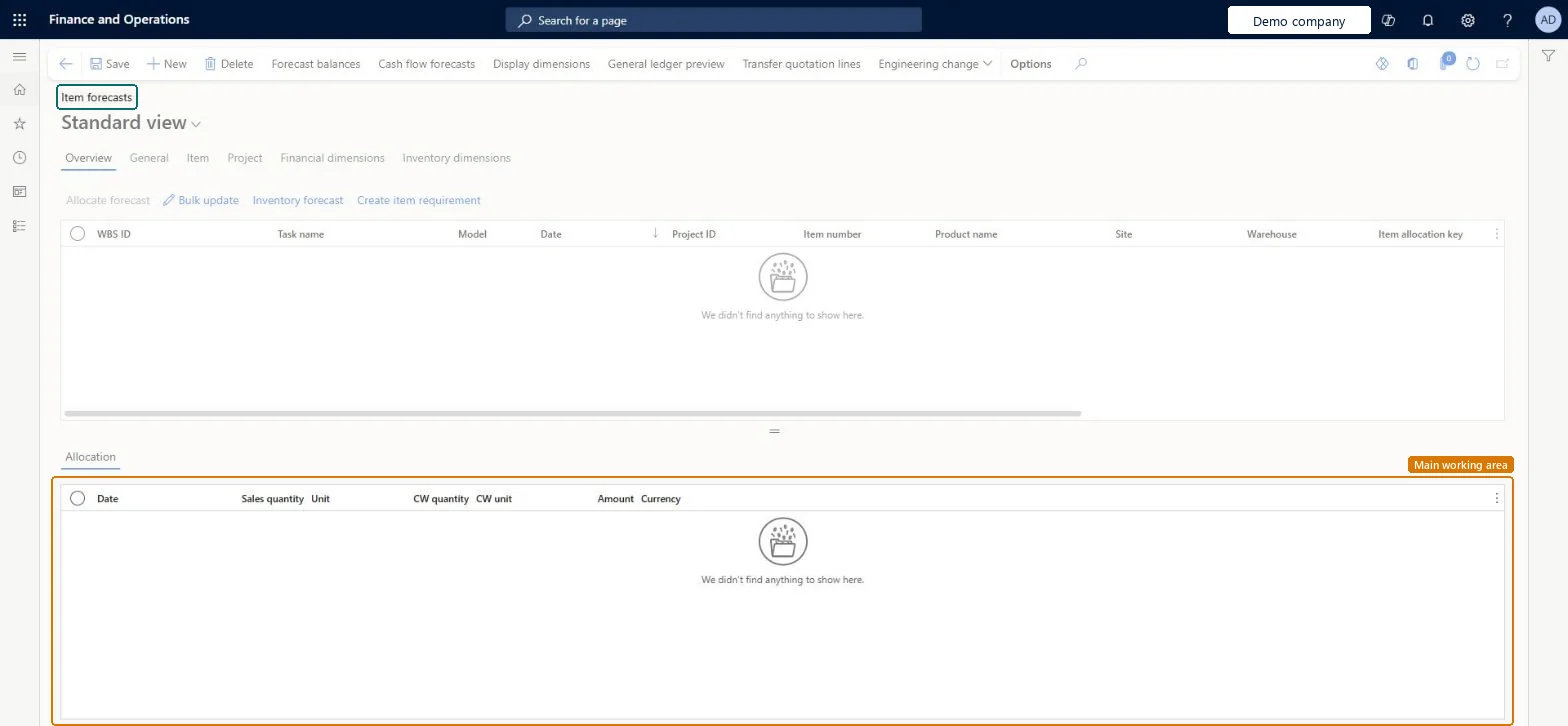
An inquiry that lists project item forecasts, with WBS task, forecast model, date, project, item, site, warehouse and quantities, and lets you create item requirements from them.
What you do here
Use it to answer 'which materials will our projects need, when and from which warehouse?' and to turn approved item forecasts into item requirements.
Example
The BEAT project manager filters model FC-2026 on PRJ-0042 and sees 25.00 units of item CABLE-10 for 12 November from warehouse WH-01, then selects Create item requirement so the warehouse can reserve them.
The page in Dynamics 365. page title tab to open what to set or check
About the examples: Examples and screenshots in this guide use BEAT, a demo company in a Dynamics 365 test environment. Use your own company's codes and values instead of copying them.
Setup steps on this page
Turn item forecasts into item requirements
Review project item forecasts and create item requirements for the ones that are due.
Steps from Microsoft
Go to Project management and accounting > Inquiries and reports > Forecasts inquiries > Item forecast.
Filter on Model and Project ID, and check item, date, site and warehouse on each line.
On the Project tab, set the funding source when the project has more than one.
Select Create item requirement for the lines that are ready, and confirm the message.
Open Item requirements to reserve or pick the items.
Filter on Model and Project ID, check site and warehouse, then create item requirements line by line.The item requirement carries the forecast's item, quantity and warehouse; it is what the warehouse reserves and picks.
On the live system, Project manager, Project accountant, Project assistant, Sales manager and Production planner maintain this page; Treasurer and Materials manager view it.
Checked in Dynamics 365
Solution architect
5Design impact
Shared or per company
Per company: item forecast lines are stored in the demand forecast table of the legal entity, marked with the project. Microsoft data model
Can it be undone
Reversible: Reading the page changes no data.
If you change it later
Creating an item requirement turns the forecast into demand that the warehouse acts on; editing the forecast afterwards does not change the requirement. Microsoft Learn
Technical architect
6Technical
Menu item
ForecastSalesProjChecked in Dynamics 365
Form
ForecastSalesChecked in Dynamics 365
Table
ForecastSalesShown as “Demand forecast” in Record infoKey field: ItemId, ItemGroupId, CustAccountId, CustGroupId, ModelId, ReportChecked in Dynamics 365
PrivilegesMaintain demand forecasts for item groups ForecastSalesMaintainView demand forecasts for item groups ForecastSalesViewDutiesCash flow position details drill down CashflowPositionDetailsDrillDownMaintain demand forecasts ForecastDemandForecastMaintainInquire into demand forecasts ForecastDemandForecastProgressInquireMaintain project budgets ProjProjectBudgetsMaintainMaintain project forecasts ProjProjectForecastMaintainInquire into project forecast status ProjProjectForecastStatusInquireMaintain authorization of adjusted demand forecasts ReqDemPlanImportMaintainEnable the demand forecasting process ReqDemPlanProcessEnable8 security rolesMaterials manager InventMaterialsManagerTreasurer PaymTreasurerProduction manager ProdProductionManagerProject accountant ProjProjectAccountantProject assistant ProjProjectClerkProject manager ProjProjectManagerProduction planner ReqProductionPlannerSales manager TradeSalesManagerChecked in Dynamics 365
Roles to set it up and use it
To set it up or change itProject manager ProjProjectManagerProject accountant ProjProjectAccountantProject assistant ProjProjectClerkSales manager TradeSalesManagerProduction planner ReqProductionPlannerTo use itTreasurer PaymTreasurerMaterials manager InventMaterialsManagerGive people one of these roles. On this system, 8 roles can open this page.Checked in Dynamics 365
Actions on the page
Options: Personalize, Page options, Edit, ShareChecked in Dynamics 365
ProjForecastSalesEntity Project item forecasts.Load order: Load forecast models, projects and released products, then item forecasts with ProjForecastSalesEntity.Load first: Forecast models, Released products, Projects V2 (ProjProjectV2Entity)Microsoft data model