Project management and accountingInquiries and reports
output:ProjListProjTable
Business process
Plan projects
Menu item
output:ProjListProjTable
Setup steps
1 on this page
Show what matters for
SETUP GUIDEHow to set it up8 sections. Choose a role to highlight what matters to you.
Everyone
1What it is and why
What it is
A report that lists projects with their ID, name, project contract, project group, type and status, for the project types and stages you choose.
What you do here
Use it to answer 'which projects do we have, of which type, and are they still active?' before a portfolio review, a period-end check or a cleanup of finished projects.
Example
Before the quarterly portfolio review, the BEAT project controller runs the report for Time and material and Fixed-price with Active projects on and finds 42 projects, including PRJ-0042 on contract CON-0107 in group TM-STD that should have been finished in September.
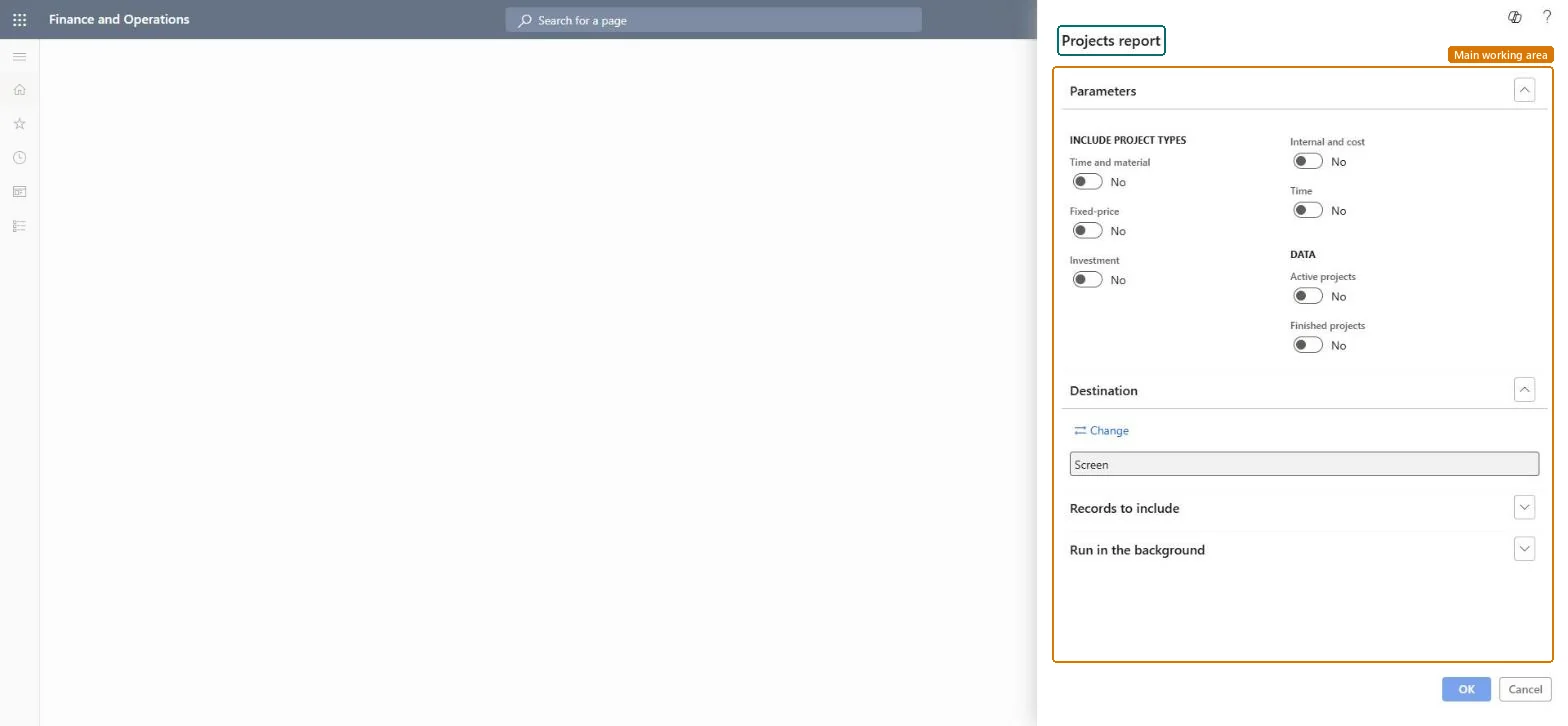
The page in Dynamics 365. page title tab to open what to set or check
About the examples: Examples and screenshots in this guide use BEAT, a demo company in a Dynamics 365 test environment. Use your own company's codes and values instead of copying them.
When to run it
When to run it
Before a portfolio review or period end, and after a batch of project creations, to confirm type, group and contract.
How often
On demand; monthly for portfolio reviews.
What the output shows
One line per project with ID, name, contract, group, type and status, printed to screen or a file.
List the projects that answer one review question, such as open Time and material projects.
Steps from Microsoft
Go to Project management and accounting > Inquiries and reports > Projects report.
Under Include project types, turn on the types the review covers. Internal and cost covers both Internal and Cost projects, so turn it on when you also want internal work.
Under Data, turn on Active projects for the open portfolio; add Finished projects only when you look for projects to archive.
Read the list by project group and status; a project that is still active after its work ended is the one to close on All projects.
Which of the six project types to list; the dialog toggles Time and material, Fixed-price, Investment, Internal and cost (Internal and Cost project types) and Time. Turn on at least one, or the report is empty.Checked in Dynamics 365
Time and material and Fixed-price on, the others off.
Active projects
Lists projects that are still open for transactions.Checked in Dynamics 365
Yes
Finished projects
Lists projects that are finished. Turn it on with Active projects to see the whole portfolio.Checked in Dynamics 365
No
Common errors and fixes
Message
What to do
The report comes back empty.
Turn on at least one project type and at least one of Active projects or Finished projects; all toggles start at No. Checked in Dynamics 365
An Investment project is missing from the list.
Investment is its own toggle; Internal and cost does not include it. Microsoft Learn
Test checklist
Create two projects, one Time and material and one Fixed-price, on the same contract.
Run the report with only Time and material turned on.
Run it again with both types on.
Check that the first run lists one of the two projects and the second lists both.
Turn on only the project types under review and Active projects; add Finished projects only for a cleanup.Each project type behaves differently for cost and revenue, and finished projects inflate the count, so the toggles decide what the list means.
On the live system, Project manager, Project supervisor, Project accountant and Project assistant are among the 10 roles that can run this report.
Checked in Dynamics 365
Solution architect
5Design impact
Shared or per company
Per company: the report lists the projects of the legal entity you're signed in to. Run it in each company for a group view. Microsoft data model
Can it be undone
Reversible: Reading the page changes no data.
If you change it later
The report reflects project changes right away; a changed project group or stage shows the next time you run it. The project type can't be changed after creation, so a project listed under the wrong type has to be replaced, not edited. Microsoft Learn
Technical architect
6Technical
Menu item
output:ProjListProjTableChecked in Dynamics 365
Form
SysOperationTemplateFormChecked in Dynamics 365
Roles to set it up and use it
To use itProject manager ProjProjectManagerProject supervisor ProjProjectSupervisorProject accountant ProjProjectAccountantProject assistant ProjProjectClerkField Service Integration User FieldServiceIntegrationUserGive people one of these roles. On this system, 10 roles can run this page.Checked in Dynamics 365
Load order: The Projects report has no data entity in Data management: it holds no data of its own and prints the project records. Load projects with Projects V2 (ProjProjectV2Entity), then run the report to check counts by type.Load first: Projects V2 (ProjProjectV2Entity)Microsoft data model
Checked in a working Dynamics 365 system, version 10.0.49: the menu item, form, table and security, the page.
To cite this step: PM-RA-010, Run the projects report for one review question. Beyond ERP Atlas Hub, 2026-11-11. https://www.beyonderp.cloud/atlas/step/PM-RA-010