SETUP GUIDEHow to set it up8 sections. Choose a role to highlight what matters to you.
Everyone
1What it is and why
What it is
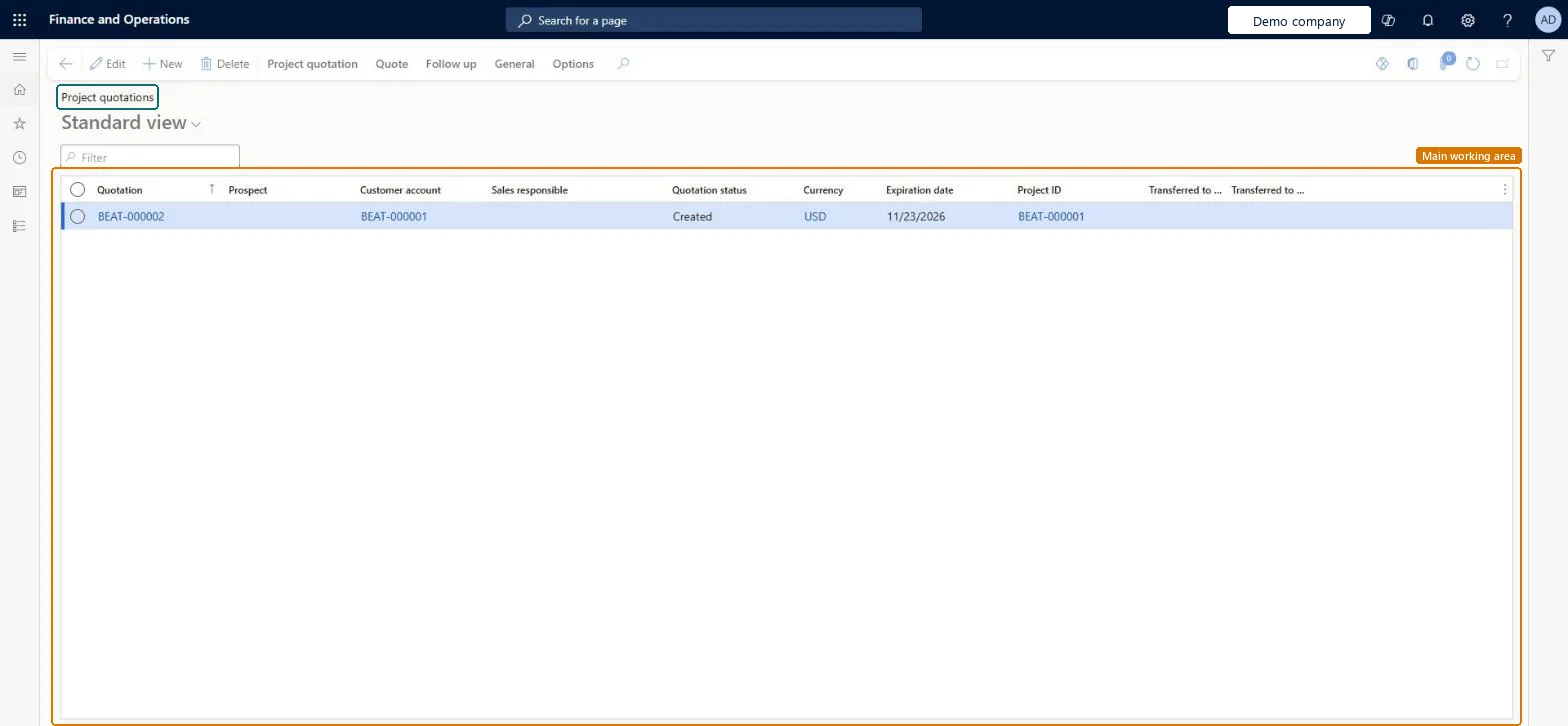
The list of project quotations: non-binding offers to a customer of the hours, expenses, items and fees of a project, which become a project and forecast once the customer confirms.
What you do here
Use it to create a quotation, send it, record the customer's confirmation and transfer the confirmed lines to a new or existing project.
Example
For example, BEAT quotes customer C-1001 120.00 hours at 110.00 and 2,500.00 of materials for a network upgrade, 15,700.00 in total; after confirmation it transfers the quotation to new project PRJ-0060 and its forecast.
The page in Dynamics 365. page title tab to open what to set or check
About the examples: Examples and screenshots in this guide use BEAT, a demo company in a Dynamics 365 test environment. Use your own company's codes and values instead of copying them.
Setup steps on this page
Send quotations only when final
Avoid locked quotations with errors.
Steps from Microsoft
Go to Project management and accounting > Quotations > Project quotations.
Select New, select the account type and customer account, and select OK.
On the lines, enter the transaction type, project category, quantity, unit price and line property, and save.
On the Quote tab, in the Process group, select Send quotation; the status becomes Sent.
When the customer accepts, on the Follow up tab select Confirm.
On the Follow up tab, in the Modify group, select Transfer to project and follow the wizard.
Complete and review every line while the status is Created, then send; transfer to a project only after Confirm.After Send quotation the quotation can't be modified, and Transfer to project needs the status Confirmed.
On the live system, Project manager, Sales clerk and Sales representative use this page.
Checked in Dynamics 365
Solution architect
5Design impact
Shared or per company
Per company: each legal entity has its own project quotations. Microsoft Learn
Can it be undone
One-way: Sent quotations can't be modified.
If you change it later
Once a quotation's status is Sent, it can no longer be changed. A confirmed quotation copied to a project with a contract becomes part of a binding agreement. Microsoft Learn
Technical architect
6Technical
Menu item
SalesQuotationsListPage_ProjChecked in Dynamics 365
Form
SalesQuotationProjTableChecked in Dynamics 365
Table
SalesQuotationTableShown as “Sales quotation” in Record infoChecked in Dynamics 365
To set it up or change itProject manager ProjProjectManagerSales clerk TradeSalesClerkSales representative TradeSalesRepresentativeGive people one of these roles. On this system, 3 roles can open this page.Checked in Dynamics 365
Actions on the page
Project quotation: Maintain, Copy, ViewQuoteFollow up: Generate, ModifyGeneral: Set up, Customer, Activities, Manage, Related informationOptions: Personalize, Page options, ShareChecked in Dynamics 365
ProjQuotationHeaderEntity (Project quotation headers): loaded for each company.Load order: Load customers or prospects, quotation types and project categories first, then the open project quotation headers and their lines.Load first: Customers, Quotation template groups, Project categoriesMicrosoft Learn