Accounts receivable clerk, Accounts receivable manager, Accounts receivable centralized payments clerk and 10 more roles
Business process
Manage project contracts
Menu item
SalesQuotationTemplateGroup_Proj
Main table
SalesQuotationTemplateGroup
Data entity
SalesQuotationTemplateGroupEntity
Setup steps
1 on this page
Show what matters for
PAGE GUIDEWhat the page does and how to use it8 sections. Choose a role to highlight what matters to you.
Everyone
1What it is and why
What it is
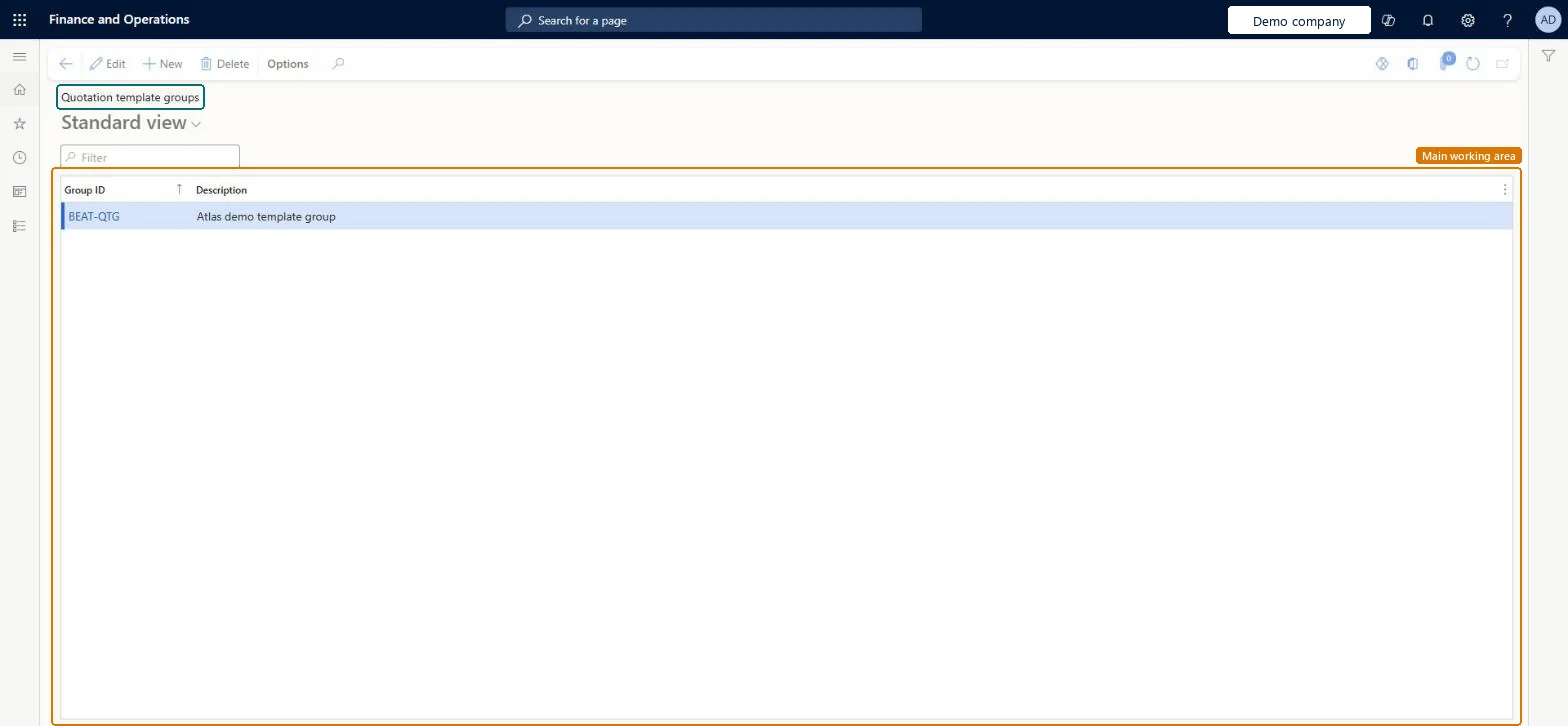
A setup page where you create template groups that organize project quotation templates.
What you do here
Use this page to set up the groups that project quotation templates must belong to before they can be used.
Example
For example, BEAT creates the groups IMPL and SUPPORT, keeps its quotation template for a 40-day implementation in IMPL, and sales staff start each new project quotation for PRJ-0042-type work from that template.
The page in Dynamics 365. page title tab to open what to set or check
About the examples: Examples and screenshots in this guide use BEAT, a demo company in a Dynamics 365 test environment. Use your own company's codes and values instead of copying them.
Step by step, with screenshots
Set up Quotation template groups1 screen
Use this page to set up the groups that project quotation templates must belong to before they can be used.
Screen 1
Create a quotation template group
Go to Project management and accounting > Setup > Quotations > Quotation template groups
Select New
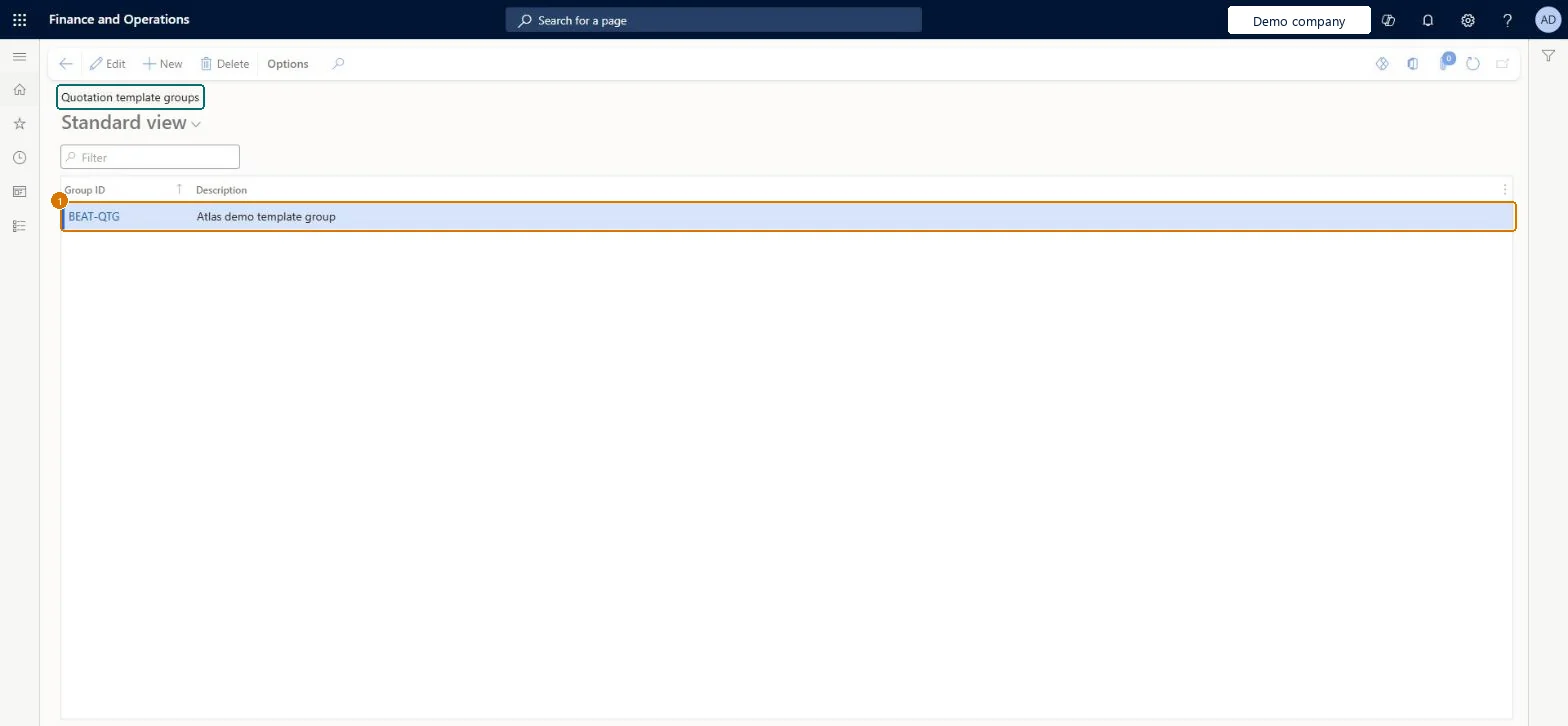
Enter the group ID and description
Select Save
1Group ID
BEAT-QTG
Description
Template group
Show the full screen page title tab to open what to set or check
Steps from Microsoft
Go to Project management and accounting > Setup > Quotations > Quotation template groups.
Select New and enter a unique Group ID and a Description.
On a project quotation that should serve as a template, save it as a template in this group.
Create a new project quotation and copy from a template in the group.
A few groups by type of engagement (implementation, support), each holding the templates sales usesQuotation templates must belong to a group, and grouping by engagement type makes the right template easy to find.
Reversible: Groups can be renamed or deleted when no template uses them; quotations created from a template are not affected. Microsoft data model
If you change it later
A quotation template must belong to a template group. The groups are shared with Sales and marketing quotation templates in the same company. Microsoft data model
Technical architect
6Technical
Menu item
SalesQuotationTemplateGroup_ProjChecked in Dynamics 365
Form
SalesQuotationTemplateGroupChecked in Dynamics 365
Table
SalesQuotationTemplateGroupShown as “Quotation template groups” in Record infoKey field: TemplateGroupIdChecked in Dynamics 365
PrivilegesView template groups SalesQuotationTemplateGroup_ProjViewMaintain template groups SalesQuotationTemplateGroup_ProMaintainDutiesEnable project accounting process ProjProjectAccountingProcessEnableMaintain project quotation ProjProjectQuotationMaintainEnable quotation to sales order process RentalSalesQuotationToSlsOrdProcessEnableEnable quotation to sales order process SalesQuotationToSalesOrderProcessEnableInquire into quotation to sales order reference data SalesQuotationToSalesOrderRefDataInquir14 security rolesAccounts receivable clerk CustInvoiceAccountsReceivableClerkAccounts receivable manager CustInvoiceAccountsReceivableManagerMCRTestUserRoleAccounts receivable centralized payments clerk PaymAccountsReceivableCentralPaymClerkAccounts receivable payments clerk PaymAccountsReceivablePaymentsClerkProject manager ProjProjectManagerProject supervisor ProjProjectSupervisorRental coordinator agent RentalCoordinatorAgentRental manager RentalManagerRental sales manager RentalSalesManagerRetail service RetailServiceSales clerk TradeSalesClerkSales manager TradeSalesManagerSales representative TradeSalesRepresentativeChecked in Dynamics 365
Roles to set it up and use it
To set it up or change itProject manager ProjProjectManagerProject supervisor ProjProjectSupervisorSales clerk TradeSalesClerkSales representative TradeSalesRepresentativeSales manager TradeSalesManagerTo use itAccounts receivable clerk CustInvoiceAccountsReceivableClerkAccounts receivable centralized payments clerk PaymAccountsReceivableCentralPaymClerkAccounts receivable payments clerk PaymAccountsReceivablePaymentsClerkGive people one of these roles. On this system, 13 roles can open this page.Checked in Dynamics 365
Actions on the page
Options: Personalize, Page options, ShareChecked in Dynamics 365
SalesQuotationTemplateGroupEntity Quotation template groups, loaded for each company.Load order: Microsoft's default templates 330 - Sales and marketing and 650 - Project accounting load Quotation template groups at execution unit 1, level 30, sequence 10. Lower levels load first.Load first: the default templates at lower levels (System setup to General ledger)Microsoft Learn
Checked in a working Dynamics 365 system, version 10.0.49: the menu item, form, table and security, the page, the demo records and the values in the screenshots.