Project management and accountingPeriodicRevenue recognition
action:ProjControlPeriodPeriodicEliminateRevV2
Business process
Manage project financials
Menu item
action:ProjControlPeriodPeriodicEliminateRevV2
Setup steps
1 on this page
Show what matters for
SETUP GUIDEHow to set it up8 sections. Choose a role to highlight what matters to you.
Everyone
1What it is and why
What it is
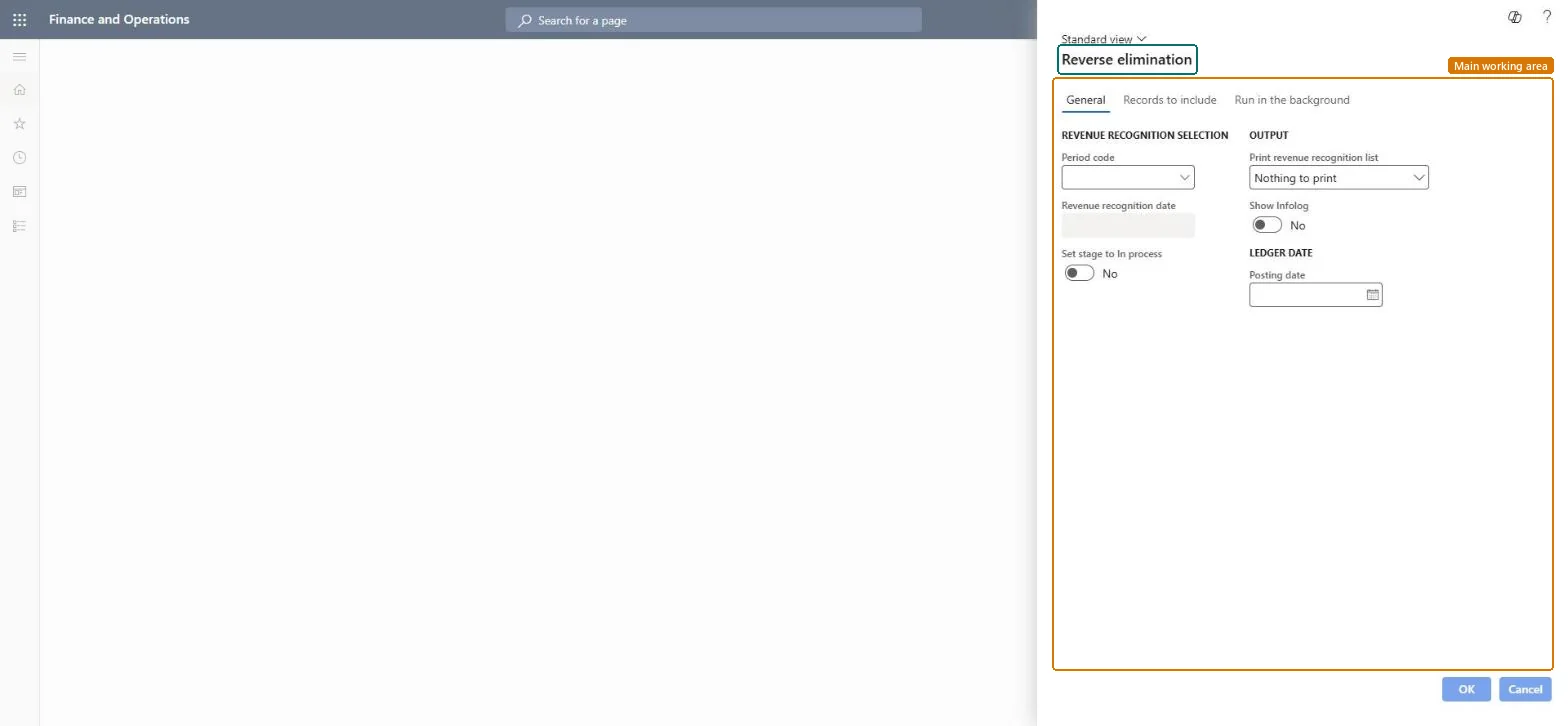
A periodic job, titled Reverse elimination, that reverses all eliminations with a given date and the status Eliminated.
What you do here
Use it to undo an elimination that was run by mistake or too early. Finished projects go back to In process and the period status returns to Posted.
Example
BEAT eliminated PRJ-0031 on 09/30/2026, but a 3,200.00 subcontractor invoice arrives on 10/12/2026. The project accountant reverses the eliminations dated 09/30/2026, posts the invoice, and eliminates again.
The page in Dynamics 365. page title tab to open what to set or check
About the examples: Examples and screenshots in this guide use BEAT, a demo company in a Dynamics 365 test environment. Use your own company's codes and values instead of copying them.
When to run it
When to run it
When an elimination was run by mistake or before the last costs were posted.
How often
On demand.
Batch settings
Run interactively for the affected date.
What the output shows
Reversed elimination postings, period status back to Posted and finished projects back to In process.
Go to Project management and accounting > Periodic > Revenue recognition > Reverse revenue recognition eliminations.
Choose the Period code and the date of the elimination to undo; every elimination with that date is reversed, so filter on the project if only one is wrong.
Turn on Set stage to In process so finished projects can take transactions again.
Enter the Posting date and run the job.
Check that the period status is Posted again and the project stage is In process.
Load order: Reverse revenue recognition eliminations has no data entity in Data management, and the revenue recognition period table (ProjControlPeriodTable) has none either. Migrate WIP and accrual balances, then create revenue recognition in the target system from the first open period.Microsoft data model