Production manager, Production supervisor, Process engineer and 1 more role
Business process
Develop production processes
Menu item
ProdUnitTable
Main table
ProdUnitTable
Data entity
ProdProductionUnitEntity
Setup steps
1 on this page
Show what matters for
SETUP GUIDEHow to set it up8 sections. Choose a role to highlight what matters to you.
Everyone
1What it is and why
What it is
A setup page where you define production units: administrative groupings of resource groups at a site, optionally with an input and an output warehouse.
What you do here
Use this page to mirror the physical layout of the shop floor so that production data can be consolidated and filtered by production unit.
Example
For example, a shop floor manager can see an overview of the outstanding workload and the available capacity for a particular production unit.
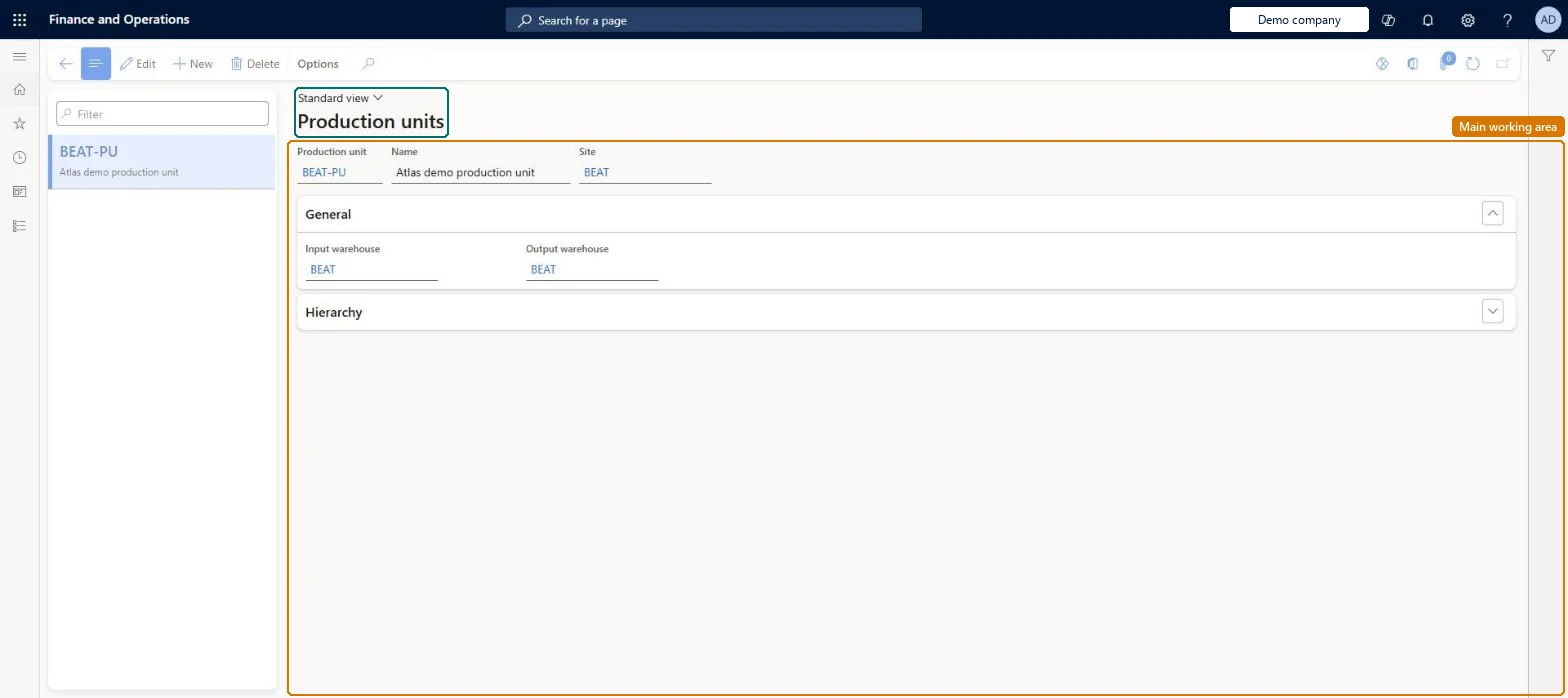
The page in Dynamics 365. page title tab to open what to set or check
About the examples: Examples and screenshots in this guide use BEAT, a demo company in a Dynamics 365 test environment. Use your own company's codes and values instead of copying them.
Setup steps on this page
Set up Production units
Use this page to mirror the physical layout of the shop floor so that production data can be consolidated and filtered by production unit.
Steps from Microsoft
Go to Production control > Setup > Production > Production units.
Select New.
Enter a unique identifier in the Production unit field and a description in the Name field.
In the Site field, select the site at which the production unit operates.
On the General FastTab, select the Input warehouse (picking warehouse).
One production unit per physical area of the shop floor at a site, with each resource group in exactly one unit and picking and storage warehouses set where they applyLearn describes the production unit as a collection of resource groups that reflects the physical layout, must be linked to a site, and is used to consolidate and filter workload and capacity; a resource group can belong to only one production unit.
Reorganising production units after go-live and expecting open orders to follow. Changes apply only to new orders created after master scheduling is run; existing orders must be changed by hand.
Hard to reverse: You can change or delete a production unit, but the change reaches only new orders created after the next master scheduling run; existing orders need manual updates.
If you change it later
Changing or deleting a production unit only affects orders created after the next master scheduling run; existing orders must be updated by hand. The unit itself has no effect on transactions. Microsoft Learn
Technical architect
6Technical
Menu item
ProdUnitTableChecked in Dynamics 365
Form
ProdUnitTableChecked in Dynamics 365
Table
ProdUnitTableShown as “PRODUCTION UNITS” in Record infoChecked in Dynamics 365
PrivilegesMaintain production units ProdUnitTableMaintainView production units ProdUnitTableViewDutiesEnable production process ProdProductionProcessEnableInquire into production reference data ProdProductionReferenceDataInquire4 security rolesProduction manager ProdProductionManagerProduction supervisor ProdProductionSupervisorProcess engineer RouteProcessEngineerProcess engineering manager RouteProcessEngineeringManagerChecked in Dynamics 365
Roles to set it up and use it
To set it up or change itProduction manager ProdProductionManagerProcess engineering manager RouteProcessEngineeringManagerTo use itProduction supervisor ProdProductionSupervisorProcess engineer RouteProcessEngineerGive people one of these roles. On this system, 4 roles can open this page.Checked in Dynamics 365
ProdProductionUnitEntity (Production units): loaded for each company, in Microsoft's default template 410 - Production control.Load order: Microsoft's default template 410 - Production control loads Production units at execution unit 1, level 410, sequence 10. Lower levels load first, and entities at the same level load in sequence order.Load first: the default templates at lower levels (System setup to Transportation management)Microsoft Learn