Product design manager, Collections manager, Human resource assistant and 6 more roles
Business process
Administer system features
Menu item
CaseCategorySetup
Main table
CaseCategoryHierarchyDetail
Data entity
CaseCategoryHierarchyDetailEntity
Setup steps
1 on this page
Show what matters for
SETUP GUIDEHow to set it up6 sections. Choose a role to highlight what matters to you.
Everyone
1What it is and why
What it is
A setup page where you build the hierarchy of case categories and subcategories that cases are assigned to.
What you do here
Use this page to create case categories with a default owner, department, case process and service level agreement.
Example
For example, a customer service representative opens a case about a sound system and assigns it the Volume category, which links to knowledge articles that help solve it.
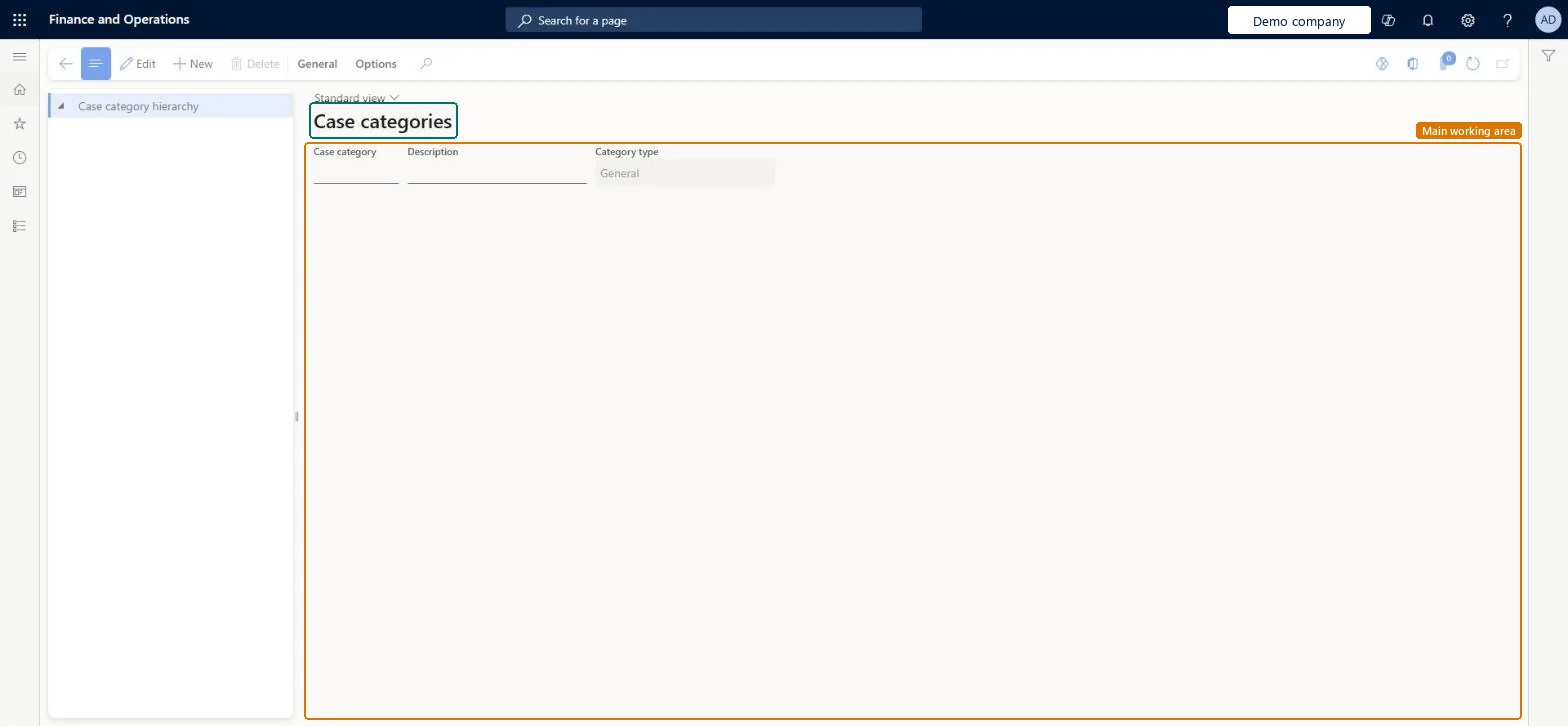
The page in Dynamics 365. page title tab to open what to set or check
About the examples: Examples and screenshots in this guide use BEAT, a demo company in a Dynamics 365 test environment. Use your own company's codes and values instead of copying them.
Step by step, with screenshots
Set up Case categories1 screen
Use this page to create case categories with a default owner, department, case process and service level agreement.
Screen 1
Create a case category
Go to Organization administration > Setup > Cases > Case categories
Select New
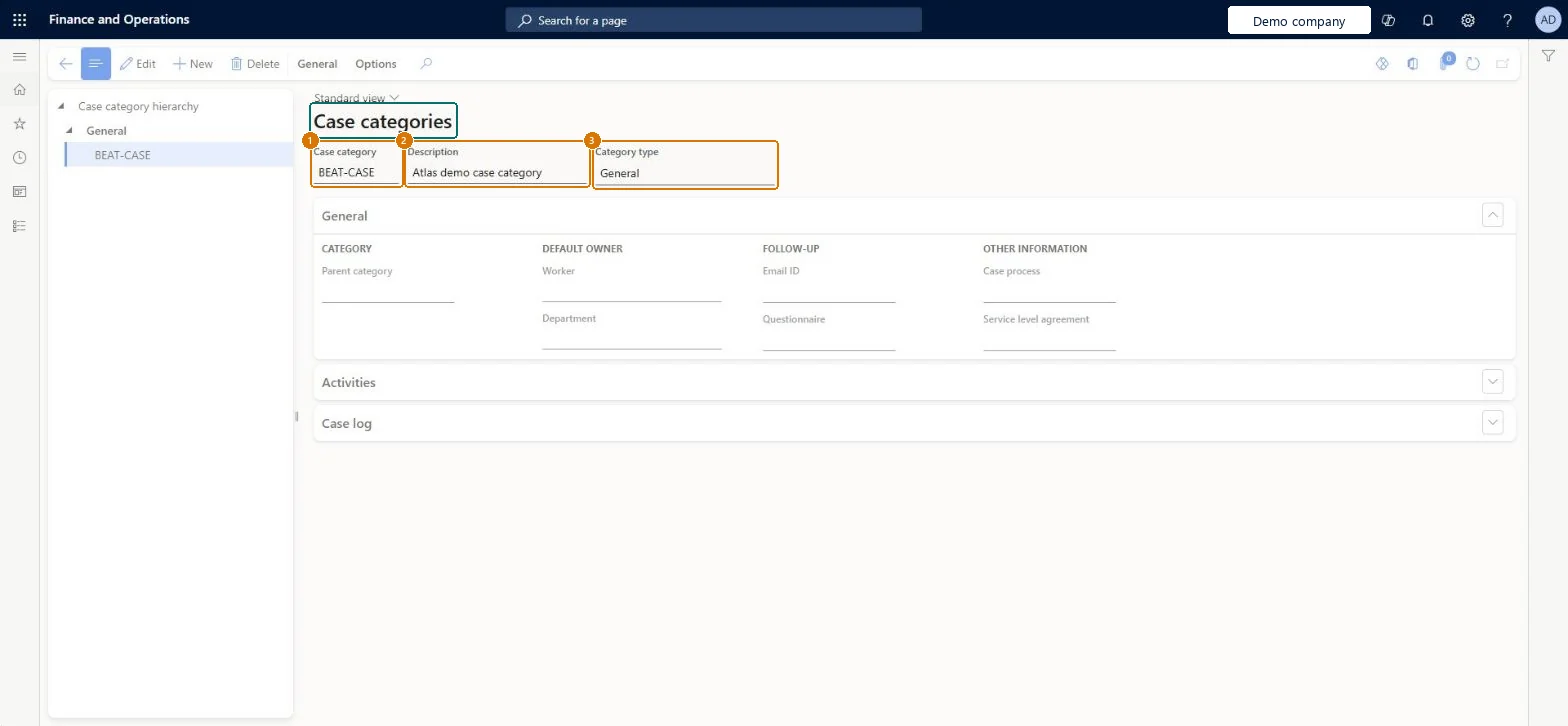
Enter the case category and its description
Select the category type
Select Save; the category appears under its type in the hierarchy
1Case category
BEAT-CASE
2Description
Case category
3Category type
General
Show the full screen page title tab to open what to set or check
Steps from Microsoft
Go to Organization administration > Setup > Cases > Case categories.
Select New > Case category.
Enter a name and a short description, and select the category type.
Select the worker who owns the category by default, and that worker's department.
Select the email type and questionnaire used to follow up on cases.
Select the default case process and service level agreement.
To add a subcategory, select the parent in the tree and select New > Child case category.
The type of case that the category belongs to, such as Sales, Collections or Human Resources.Microsoft Learn
General
Case category
COMPLAINT
CaseCategory
Description
A short description of the category.Checked in Dynamics 365
Case category
Description
Technical architect
4Technical
Menu item
CaseCategorySetupChecked in Dynamics 365
Form
CaseCategorySetupChecked in Dynamics 365
Table
CaseCategoryHierarchyDetailShown as “Case category” in Record infoKey field: CaseCategory, Description, M_parentCategory, CategoryTypeChecked in Dynamics 365
Data entities
CaseCategoryHierarchyDetailEntityCase categories Checked in Dynamics 365
Who can open it
PrivilegesMaintain case categories CaseCategorySetupMaintainView case categories CaseCategorySetupViewDutiesEnable case management CaseCaseManagementEnableInquire into case management reference data inquiries CaseCaseManagementReferenceDataInquire10 security rolesProduct design manager BOMProductDesignManagerCaseCategorySetupTestRoleCollections manager CollectionLetterCollectionsManagerHuman resource assistant HcmHumanResourceAssistantProject manager ProjProjectManagerProcess engineering manager RouteProcessEngineeringManagerService delivery manager SMAServiceDeliveryManagerCustomer service manager TradeCustomerServiceManagerPurchasing manager TradePurchasingManagerSales manager TradeSalesManagerChecked in Dynamics 365
Roles to set it up and use it
To set it up or change itProject manager ProjProjectManagerHuman resource assistant HcmHumanResourceAssistantCollections manager CollectionLetterCollectionsManagerSales manager TradeSalesManagerCustomer service manager TradeCustomerServiceManagerGive people one of these roles. On this system, 9 roles can open this page.Checked in Dynamics 365
Actions on the page
General: RelatedOptions: Personalize, Page options, ShareChecked in Dynamics 365
Developer
5Developer
Open it by URL
https://<your-environment>/?mi=CaseCategorySetup
Integrate with
CaseCategoryHierarchyDetailEntity data entity Checked in Dynamics 365
Checked in a working Dynamics 365 system, version 10.0.49: the menu item, form, table and security, the page, the demo records and the values in the screenshots.
To cite this step: OA-SETUP-100, Set up Case categories. Beyond ERP Atlas Hub, 2026-11-11. https://www.beyonderp.cloud/atlas/step/OA-SETUP-100