About the examples: Examples and screenshots in this guide use BEAT, a demo company in a Dynamics 365 test environment. Use your own company's codes and values instead of copying them.
Step by step, with screenshots
Set up Number sequences1 screen
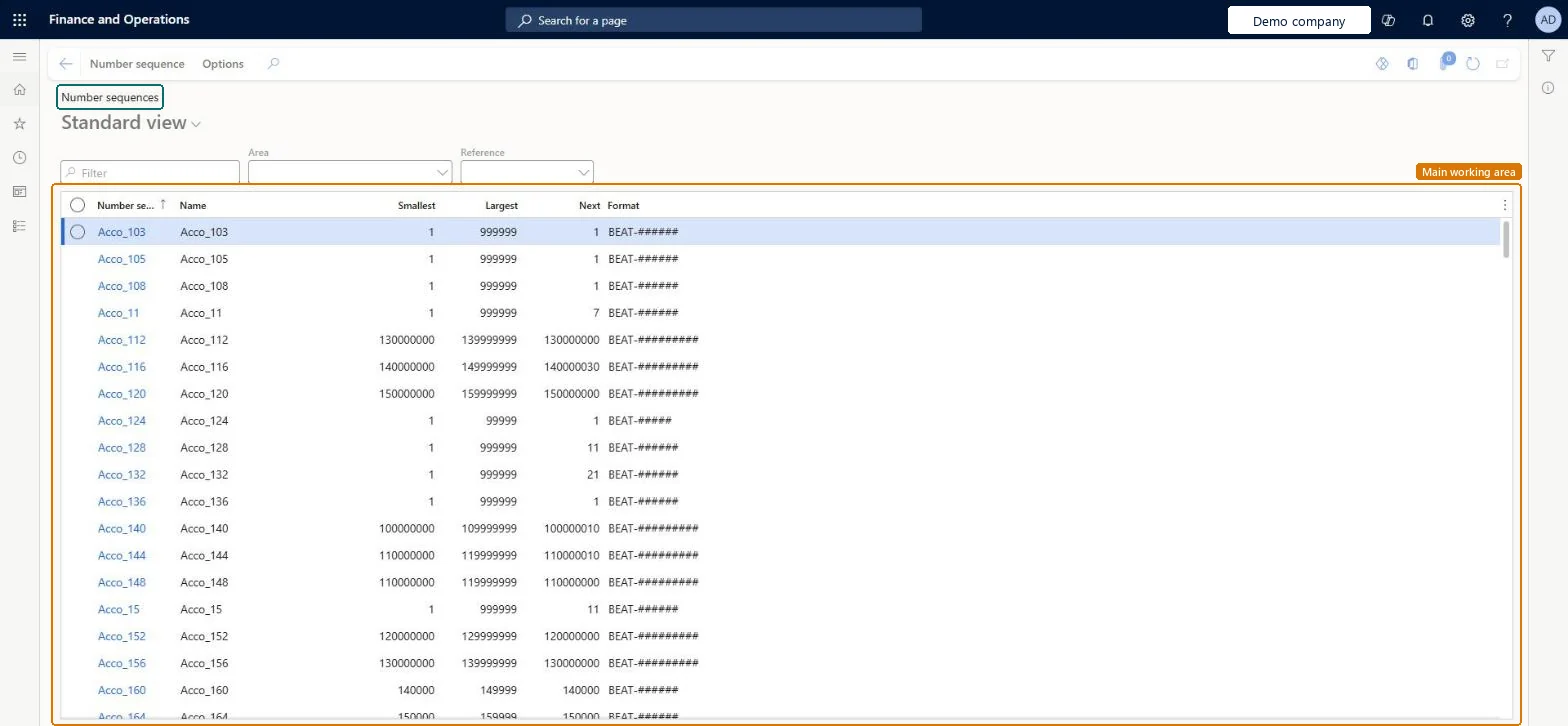
Use this page to set up each number sequence's scope, format, reference and number range, one at a time or all at once with the Generate wizard.
Screen 1
Check a number sequence
Go to Organization administration > Number sequences > Number sequences
Find the number sequence code in the list
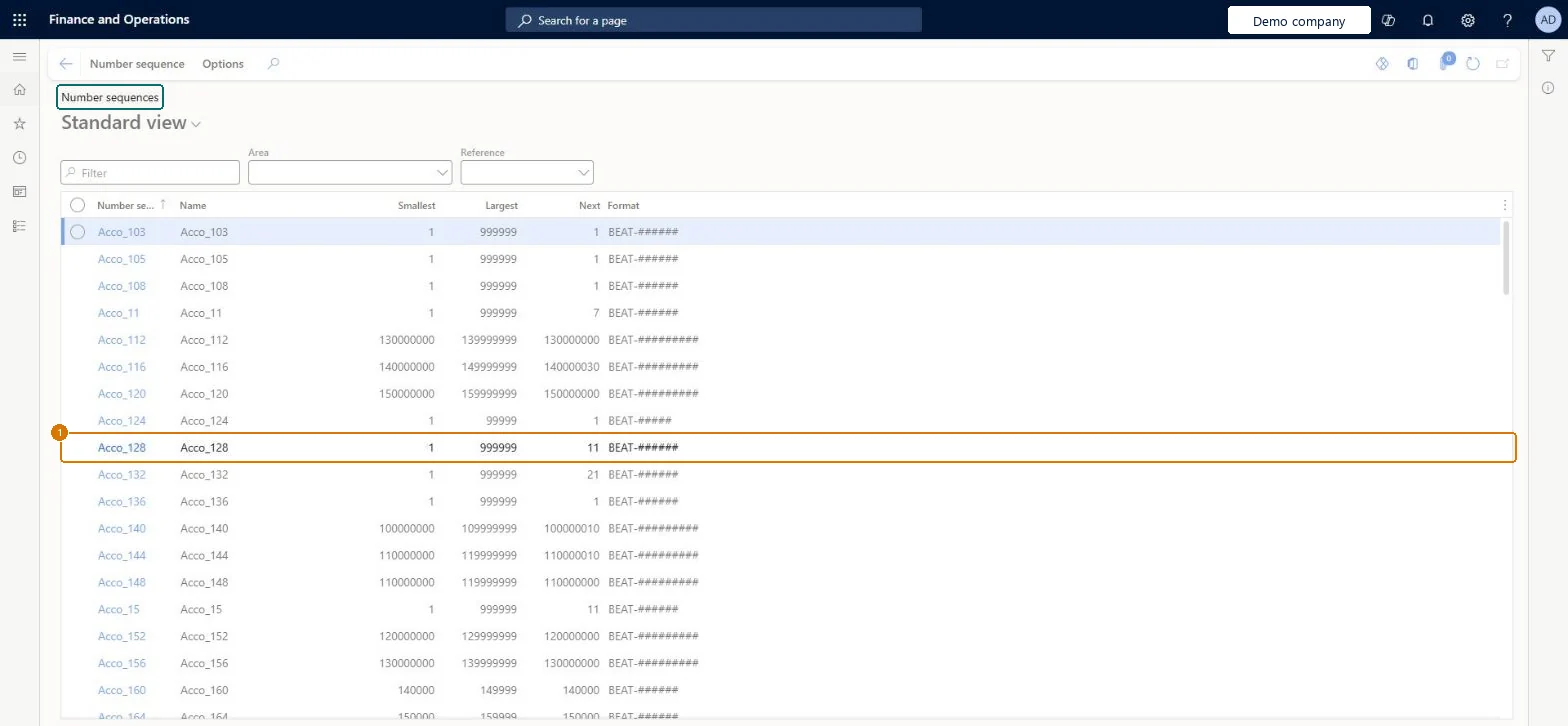
Read its smallest, largest and next number and its format
1Number sequence code
Acco_128
Smallest
1
Largest
999999
Next
11
Format
BEAT-######
Show the full screen page title tab to open what to set or check
Steps from Microsoft
Go to Organization administration > Number sequences > Number sequences.
Select Number sequence to create a new one.
In the Number sequence code field, enter a code.
In the Name field, enter a name.
On the Scope parameters FastTab, select the scope and the scope values.
On the Segments FastTab, add and arrange segments to build the format.
On the References FastTab, select the record or document the sequence is for.
On the General FastTab, choose the Manual and Continuous settings and enter the smallest and largest numbers.
Non-continuous with Preallocation for every reference, unless a legal or regulatory rule requires a gap-free series (then Continuous for that reference only)Microsoft recommends non-continuous sequences unless there is a regulatory or legal compliance requirement for continuous ones. Preallocation on the Performance FastTab keeps numbers in memory so the system calls the database less often.
Hard to reverse: Scope and format are set per sequence. Numbers already issued stay on posted records, so a later change of scope or format only affects new numbers and leaves mixed numbering in history.
If you change it later
Don't change a non-continuous sequence to continuous later: it won't be truly continuous, can cause duplicate key errors, and continuous sequences are slower. Microsoft Learn
Technical architect
6Technical
Menu item
NumberSequenceTableListPageChecked in Dynamics 365
Form
NumberSequenceTableListPageChecked in Dynamics 365
Data entities
NumberSequenceTableEntityNumber sequence code Microsoft data model NumberSequenceTableV2EntityNumber sequence code V2 Checked in Dynamics 365
Roles to set it up and use it
To set it up or change itInformation technology manager SysServerITManagerGive people one of these roles. On this system, 1 role can open this page.Checked in Dynamics 365
Actions on the page
Number sequence: New, Maintain, AdministrationOptionsChecked in Dynamics 365
Checked in a working Dynamics 365 system, version 10.0.49: the menu item, form, table and security, the page, the demo records and the values in the screenshots.
To cite this step: OA-NUMSEQ-030, Set up Number sequences. Beyond ERP Atlas Hub, 2026-11-11. https://www.beyonderp.cloud/atlas/step/OA-NUMSEQ-030