Material handling equipment interfacePeriodic tasks
WMHEOutboundQueueResetStatusJob
Business process
Manage warehouse operations
Menu item
WMHEOutboundQueueResetStatusJob
Setup steps
1 on this page
Show what matters for
SETUP GUIDEHow to set it up8 sections. Choose a role to highlight what matters to you.
Everyone
1What it is and why
What it is
A periodic job, opened as a standard batch dialog, that resets the status of the outbound queue items you select in Records to include.
What you do here
Use this page to reset the status of a filtered set of outbound queue items in one run, instead of one item at a time with Reset status on the Outbound queue page.
Example
For example, while testing a new conveyor subscription CONV-01 in a test environment, an integration consultant limits Records to include to subscription CONV-01 and warehouse 24, runs the job, and checks the Status column of those 15 items on the Outbound queue page before the conveyor polls again.
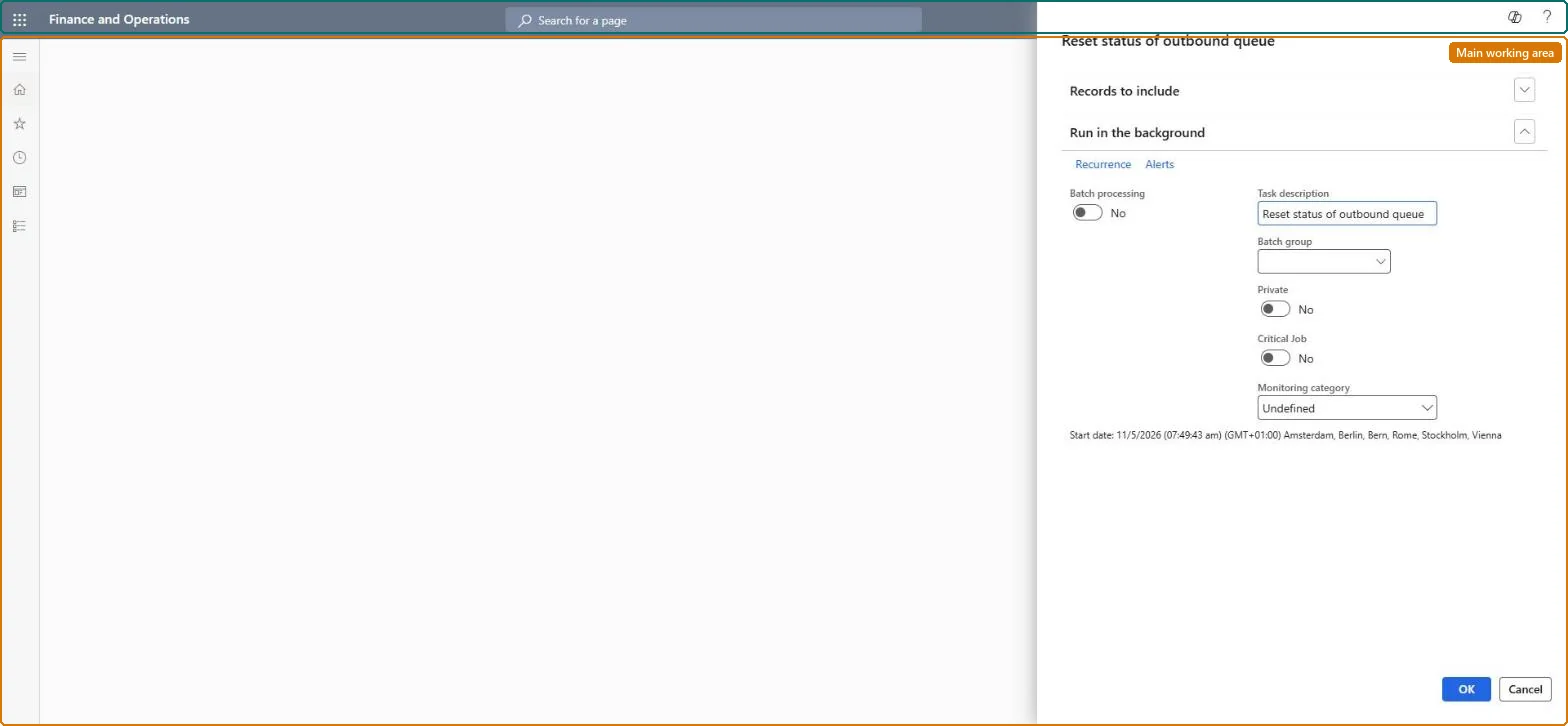
The page in Dynamics 365. page title tab to open what to set or check
About the examples: Examples and screenshots in this guide use BEAT, a demo company in a Dynamics 365 test environment. Use your own company's codes and values instead of copying them.
When to run it
When to run it
Only when outbound items must be offered again, for example during integration testing or after the material handling system lost events.
How often
On demand; don't schedule it as a recurring job.
What the output shows
The selected outbound queue items get a new status; the job prints nothing.
Reset the status of a filtered set of outbound queue items.
How to use it
Go to Material handling equipment interface > Periodic tasks > Reset status of outbound queue.
Expand Records to include and filter the outbound queue items, for example on subscription, warehouse and outbound queue ID.
Check the same filter on the Outbound queue page first, so you know which items and statuses the job will change.
Select OK to reset the status of those items, or run it in the background as a batch job.
Open the Outbound queue page and check the Status of the filtered items.
Source: Checked in Dynamics 365
Fields on the page
Field
What it means
Example
Records to include
The filter on the outbound queue that decides which items get their status reset.Checked in Dynamics 365
Subscription = CONV-01
Run in the background
Runs the job as a batch job.Checked in Dynamics 365
Common errors and fixes
Message
What to do
Items of other subscriptions or warehouses changed status
Records to include was left empty or too wide. Always filter on subscription and warehouse, and check the filter on the Outbound queue page first. Microsoft Learn
Test checklist
Note the status of 3 outbound queue items of one subscription in a test environment.
Run the job with Records to include limited to those 3 outbound queue IDs.
Check their Status on the Outbound queue page and that no other item changed.
Run it on demand only, with Records to include filtered on subscription, warehouse and outbound queue ID, after checking the same filter on the Outbound queue page.The status keeps each outbound queue ID from being sent more than once, so resetting it for the wrong items can make the material handling system act on events again.
The Material handling equipment interface configuration key (System administration > Setup > License configuration > Trade > Warehouse and Transportation management) must be on; it is turned on in maintenance mode. No Feature management feature is needed. In this system 1 role can open this page, among them Material handling manager.
Per company: the job works on the outbound queue of the current company, which the Data management outbound queue entity keeps per company. Checked in Dynamics 365
Can it be undone
Hard to reverse: Items read again by the material handling system can't be taken back.
If you change it later
The status is what makes the material handling system receive each outbound queue ID only one time (Ready until read, then Sent). Resetting it changes what the material handling system is offered, so limit Records to include to the items you mean to change. Microsoft Learn
Technical architect
6Technical
Menu item
WMHEOutboundQueueResetStatusJobChecked in Dynamics 365
Form
SysOperationTemplateFormChecked in Dynamics 365
Roles to set it up and use it
To use itMaterial handling manager WMHEMaterialHandlingManagerGive people one of these roles. On this system, 1 role can run this page.Checked in Dynamics 365
Load order: The Reset status of outbound queue job has no data entity in Data management, so it can't be loaded from a file or a configuration template. It changes the status of outbound queue records already in the system; there is nothing to load.Checked in Dynamics 365
Checked in a working Dynamics 365 system, version 10.0.49: the menu item, form, table and security, the page.
To cite this step: MHE-JOB-020, Reset the status of outbound queue items. Beyond ERP Atlas Hub, 2026-11-11. https://www.beyonderp.cloud/atlas/step/MHE-JOB-020