About the examples: Examples and screenshots in this guide use BEAT, a demo company in a Dynamics 365 test environment. Use your own company's codes and values instead of copying them.
When to run it
When to run it
After the condition that made inbound events fail has been fixed, for example a missing location or license plate.
How often
On demand after a fix, or on a schedule if temporary errors happen often.
Batch settings
Schedule it as a recurring batch job if errored events are common and their cause clears on its own.
What the output shows
Errored inbound events run again; those that succeed change status and their picks and puts are carried out. Events that stay Errored still have an unfixed cause; read their error log.
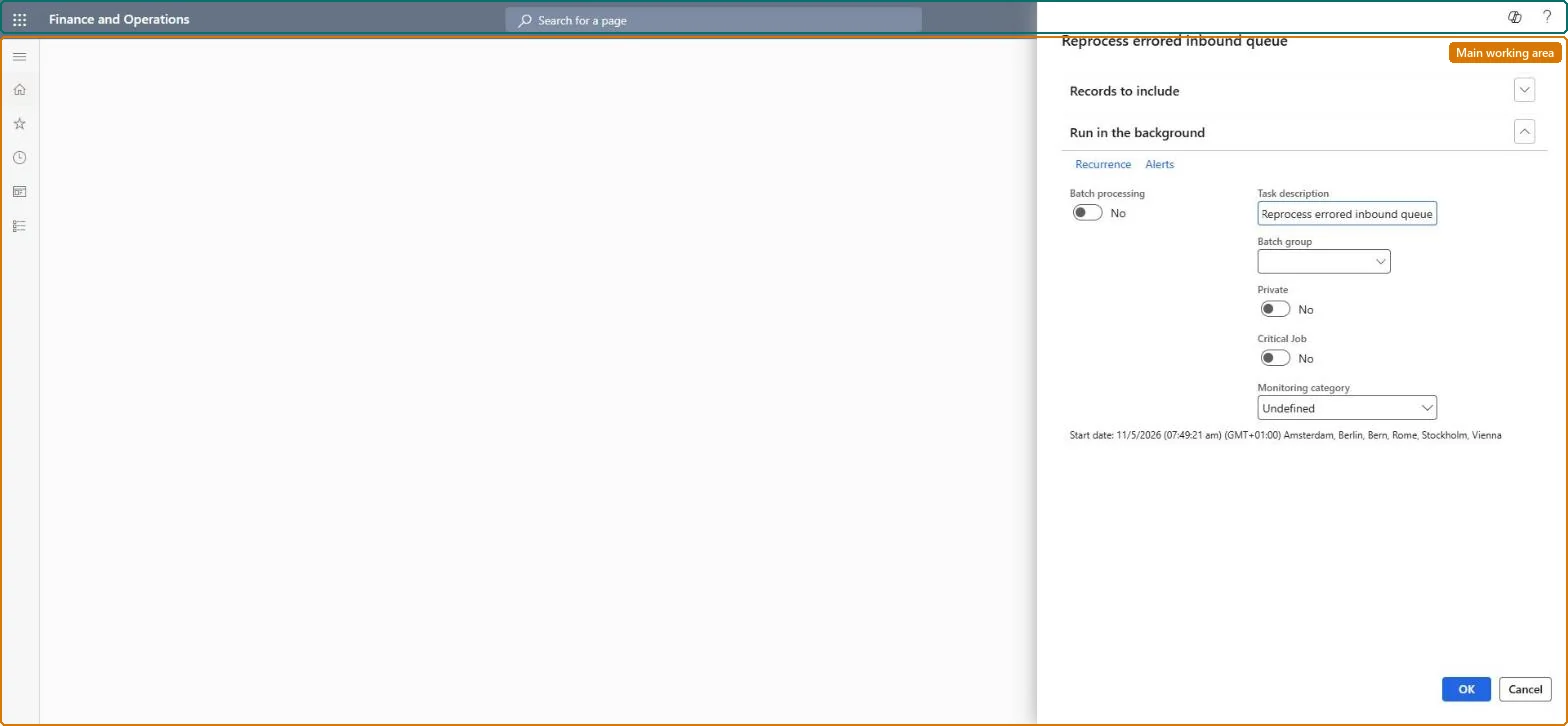
The record filter on the inbound queue: limit the job to the errored events whose cause you fixed, for example by transaction type or inbound queue ID.Microsoft Learn
Transaction type = WorkConfirm
Run in the background
Runs the job as a batch job, once or on a recurrence.Microsoft Learn
Common errors and fixes
Message
What to do
The events are Errored again after the job ran
The cause wasn't fixed. Open each event's Error log on the Inbound queue page, correct the warehouse data, and run the job again for those events. Microsoft Learn
Work runs in the wrong warehouse
The worker mapped to the calling user has a different default warehouse. Correct the worker's default warehouse or the user mapping before reprocessing. Microsoft Learn
Run it on demand with Records to include limited to the events you fixed; schedule it only for errors known to be temporary.Reprocessing runs real warehouse work as the mapped worker, so it should only run for events whose cause is fixed.
The Material handling equipment interface configuration key (System administration > Setup > License configuration > Trade > Warehouse and Transportation management) must be on; it is turned on in maintenance mode. No Feature management feature is needed. In this system 1 role can open this page, among them Material handling manager.
Per company: the job reprocesses the errored inbound events of the current company. Microsoft Learn
Can it be undone
Hard to reverse: Picks and puts done by reprocessed events are corrected with normal warehouse work.
If you change it later
Each reprocessed event runs its picks and puts as the warehouse worker mapped to the calling user in User mappings, in that worker's default warehouse. The work may be run, changed or created. Microsoft Learn
Technical architect
6Technical
Menu item
WMHEInboundQueueReprocessJobChecked in Dynamics 365
Form
SysOperationTemplateFormChecked in Dynamics 365
Roles to set it up and use it
To use itMaterial handling manager WMHEMaterialHandlingManagerGive people one of these roles. On this system, 1 role can run this page.Checked in Dynamics 365
Load order: The Reprocess errored inbound queue job has no data entity in Data management, so it can't be loaded from a file or a configuration template. It changes no setup: it reruns inbound queue records that are already in the system.Checked in Dynamics 365