PAGE GUIDEWhat the page does and how to use it8 sections. Choose a role to highlight what matters to you.
Everyone
1What it is and why
What it is
A list page that shows every outbound event that warehouse management has generated for the material handling system, with its status.
What you do here
Use this page to review outbound queue items and see each item's transaction type, the subscription it used, its data fields and its payload.
Example
For example, after releasing a wave in warehouse 24 you open the outbound queue and find 12 WorkCreation events for subscription CONV-01: 10 are Ready, and 2 are Blocked because their work header has Blocked wave = Yes until replenishment is done.
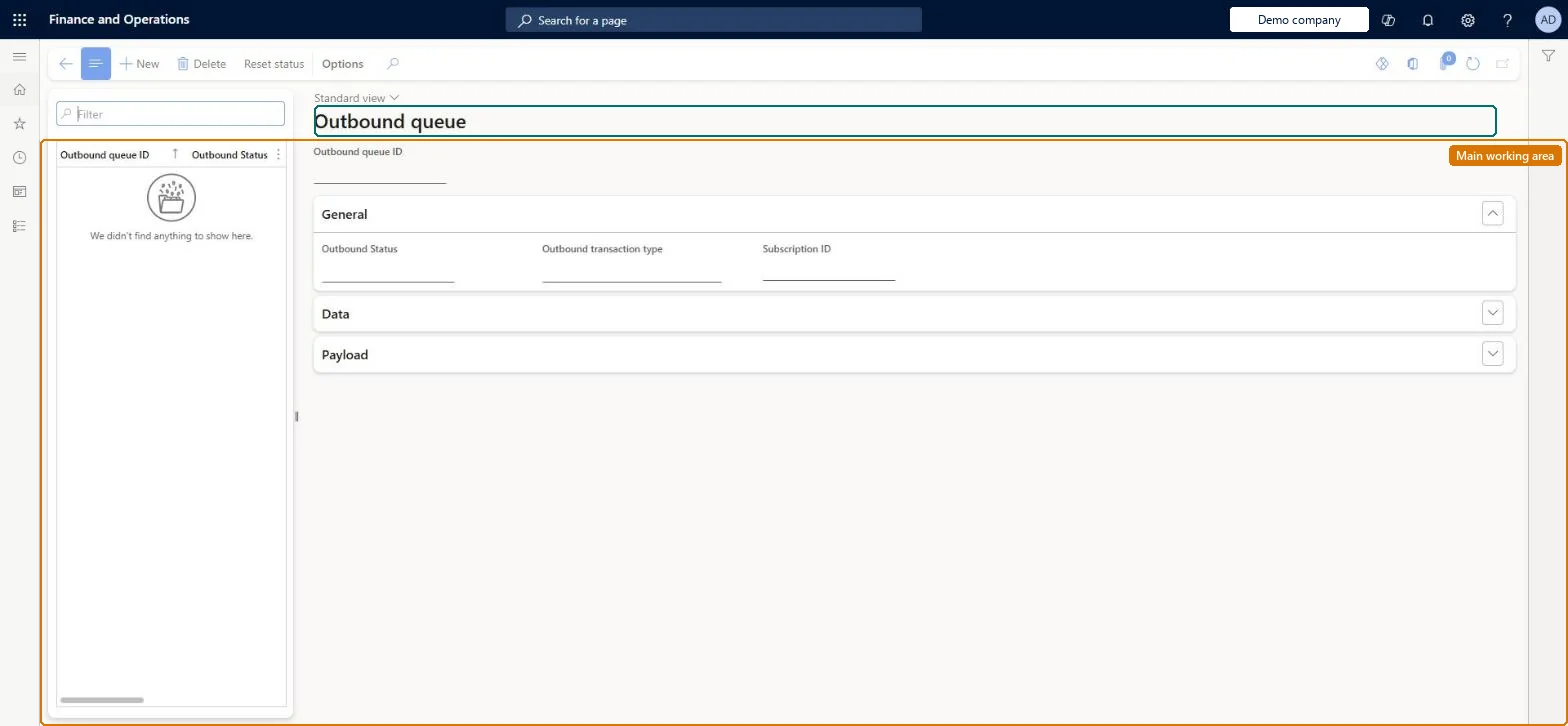
The page in Dynamics 365. page title tab to open what to set or check
About the examples: Examples and screenshots in this guide use BEAT, a demo company in a Dynamics 365 test environment. Use your own company's codes and values instead of copying them.
Setup steps on this page
Monitor the outbound queue
Check that outbound events are created for released work and are read by the material handling system.
Steps from Microsoft
Go to Material handling equipment interface > Common > Outbound queue.
Filter on Warehouse, Subscription and Status to see what the material handling system still has to read (Ready) and what is held back (Blocked).
Select a queue item to view its transaction type, subscription, data01 to data10 and payload.
For a Blocked event, open the work header and check Blocked wave; the event is released when the flag is cleared.
Check that the data fields hold the values the material handling system needs, such as the work line pair ID, before it polls.
The type of outbound event: WorkCreation (open work created), WorkInitiation (work goes from Open to In process), WorkCompletion (In process to Closed), WorkCancel (work canceled; the work header's other events are deleted from the queue for all subscriptions), PickCompletion and PutCompletion (a pick or put line is closed).Microsoft Learn
WorkCreation
Warehouse / Subscription
The warehouse and the subscription that generated the event.Microsoft Learn
24 / CONV-01
Status
Ready means the event can be read by the material handling system; Sent means it has been read. Blocked means the work header has Blocked wave = Yes: the events are released to Ready when the flag is cleared.Microsoft Learn
Ready
data01 through data10
Values copied from work header and work line fields as set up in the subscription map.Microsoft Learn
Payload
An extra data field filled by custom code called a payload generator.Microsoft Learn
Payload
Common errors and fixes
Message
What to do
Work was created but no outbound event appears
No subscription exists for the warehouse and the WorkCreation transaction type, or the subscription query excludes the work. Cycle counting work never creates events. Microsoft Learn
WorkCreation events stay Blocked
The work header has Blocked wave = Yes, for example while replenishment is unfinished. The events are released when the flag is cleared. Microsoft Learn
The material handling system can't confirm the work
The subscription map doesn't put the work line pair ID or the work line record ID in a data field. Add it to the subscription map; events already created keep their old data. Microsoft Learn
Test checklist
Make sure a subscription exists for the warehouse with Outbound transaction type WorkCreation.
Create picking or replenishment work in that warehouse that is created with status Open.
On Outbound queue, check that a WorkCreation event with status Ready exists for the work, tagged with the subscription ID, with the mapped values in data01 to data10.
Set Blocked wave to Yes on a work header and check that its events have status Blocked; clear the flag and check they become available.
Cancel the work and check that a WorkCancel event is created and the other events for that work header are removed from the queue.
Filter on Status: Ready items older than the polling interval mean the material handling system isn't reading the queue; Blocked items mean a blocked wave.Each outbound queue ID is offered once: Ready until read, then Sent. Blocked work creation events wait for the wave to be unblocked.
The Material handling equipment interface configuration key (System administration > Setup > License configuration > Trade > Warehouse and Transportation management) must be on; it is turned on in maintenance mode. No Feature management feature is needed. In this system 1 role can open this page, among them Material handling manager.
Per company: the outbound queue entity is not shared across companies in Data management. Each event records its warehouse and subscription, so several material handling systems can read the same company's queue and keep their events apart. Checked in Dynamics 365
Can it be undone
Hard to reverse: The status field makes sure the material handling system receives each outbound queue ID only one time: once an event moves from Ready to Sent it is not offered again. Work cancellation deletes all other events for that work header from the queue for all subscriptions. Outbound queue cleanup removes sent items. To get an event again you must generate new work, not reset the queue. Microsoft Learn
If you change it later
Events are created only for work that matches a subscription, at the moment the work is created or changes status. Changing a subscription changes future events only; WorkCancel removes the work's other queued events for all subscriptions. Microsoft Learn
Technical architect
6Technical
Menu item
WMHEOutboundQueueChecked in Dynamics 365
Form
WMHEOutboundQueueChecked in Dynamics 365
Table
WMHEOutboundQueueShown as “OUTBOUND QUEUE” in Record infoKey field: OutboundQueueIdChecked in Dynamics 365
Data entities
WMHEOutboundQueueEntityOutbound queue (The outbound events with their status, transaction type, subscription and data fields.) Checked in Dynamics 365
Who can open it
PrivilegesMaintain outbound queue WMHEOutboundQueueMaintainView outbound queue WMHEOutboundQueueViewDutiesInquire into material handling execution WMHEInquireIntoMaterialHandlingExecutionMaintain material handling execution WMHEMaintainMaterialHandlingExecution1 security roleMaterial handling manager WMHEMaterialHandlingManagerChecked in Dynamics 365
Roles to set it up and use it
To set it up or change itMaterial handling manager WMHEMaterialHandlingManagerGive people one of these roles. On this system, 1 role can open this page.Checked in Dynamics 365
Actions on the page
(Action Pane without tabs): Reset statusChecked in Dynamics 365
Developer
7Developer
Open it by URL
https://<your-environment>/?mi=WMHEOutboundQueue
Data migration
WMHEOutboundQueueEntity Holds the events that warehouse management creates from subscriptions; queue history is not migrated.Load order: Don't migrate queue records: outbound events are created by warehouse management when work is created or changes status. The material handling system reads them with readOutboundSubscriptionQueue (by subscription) or readOutboundWarehouseQueue (by event type and warehouse across subscriptions). The material handling system reaches these queues through the custom service WMHEServices, on the SOAP endpoint /soap/services/WMHEServices and the REST endpoint /api/services/WMHEServices/WMHEService.Load first: SubscriptionsMicrosoft Learn