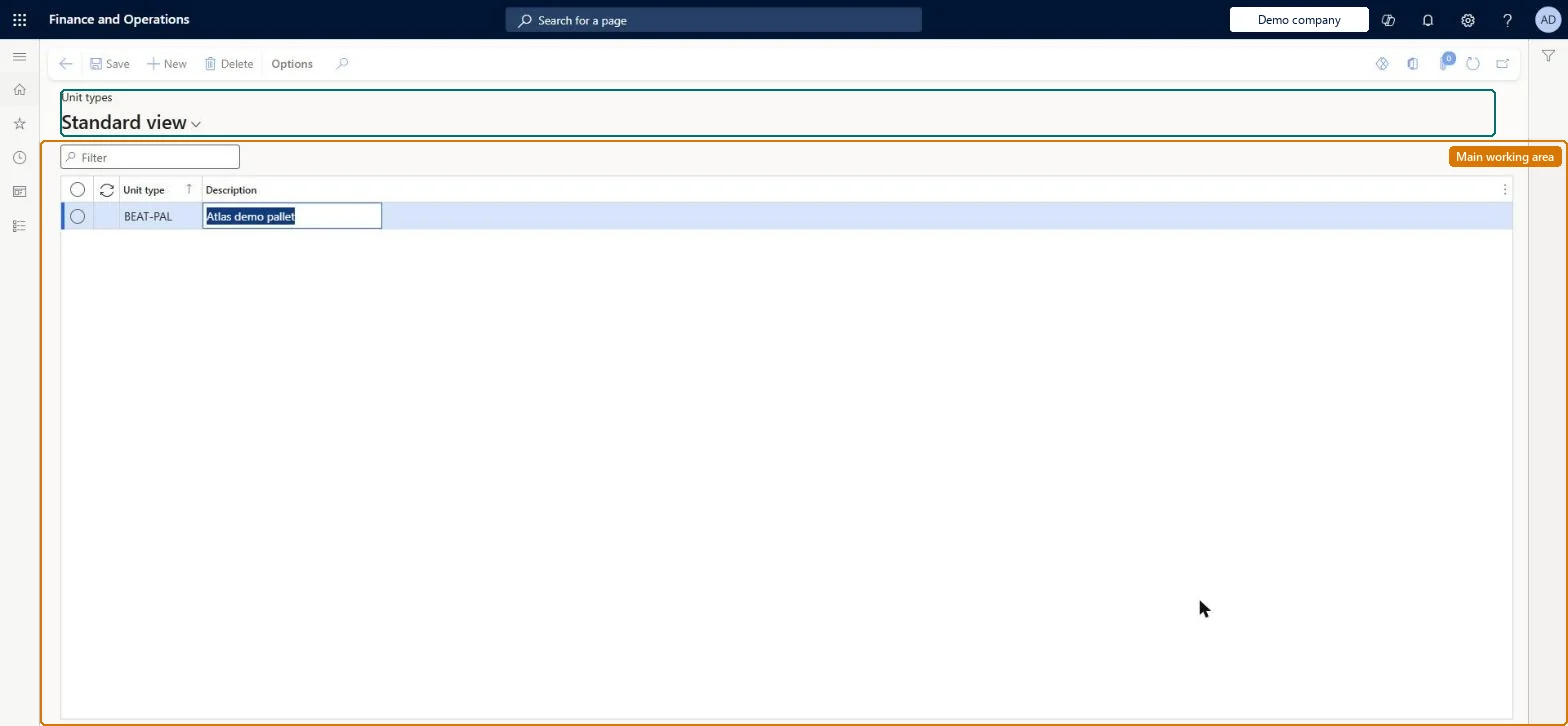
Use this page to view, add and remove unit type records. A unit type is then selected on the shipping container when it is set up on the All shipping containers page.
SETUP GUIDEHow to set it up8 sections. Choose a role to highlight what matters to you.
Everyone
1What it is and why
What it is
A setup page where you define unit types, an extra grouping that identifies how goods are packaged inside a shipping container, such as pallets or drums.
What you do here
Use this page to view, add and remove unit type records. A unit type is then selected on the shipping container when it is set up on the All shipping containers page.
Example
For example, you create unit types Pallet and Drum so that each container record shows how the goods inside it are packed.
The page in Dynamics 365. page title tab to open what to set or check
About the examples: Examples and screenshots in this guide use BEAT, a demo company in a Dynamics 365 test environment. Use your own company's codes and values instead of copying them.
Setup steps on this page
Set up Unit types
Use this page to view, add and remove unit type records. A unit type is then selected on the shipping container when it is set up on the All shipping containers page.
Steps from Microsoft
Go to Landed cost > Containers setup > Unit types.
Select New to add a record.
In Unit type, enter a unique identification name or number.
In Description, enter a description of the unit type.
One unit type per packaging form, such as pallets or drumsLearn describes the unit type as the way to identify the type of container that goods are packaged in, such as pallets or drums.
Expecting unit types in Transportation management. They exist only in Landed cost.
Solution architect
5Design impact
Can it be undone
Reversible: Records can be added and removed at any time; they are only a grouping on shipping containers.
If you change it later
Unit types exist only in Landed cost, so changes here have no effect in Transportation management. Microsoft Learn
Technical architect
6Technical
Menu item
ITMContainerUnitTypeTableChecked in Dynamics 365
Form
ITMContainerUnitTypeTableChecked in Dynamics 365
Table
ITMContainerUnitTypeTableShown as “UNIT TYPES” in Record infoKey field: UnitTypeIdChecked in Dynamics 365
Data entities
ITMShippingContainerUnitTypeEntityUnit types Checked in Dynamics 365
Who can open it
PrivilegesMaintain shipping container unit types ITMContainerUnitTypeTableMaintainDutiesMaintain Landed cost setup ITMSetupMaintain1 security roleLanded cost manager ITMManagerChecked in Dynamics 365
Roles to set it up and use it
To set it up or change itLanded cost manager ITMManagerGive people one of these roles. On this system, 1 role can open this page.Checked in Dynamics 365