| What it is | A setup page that lists the standard transportation commodity codes (STCC), each with a name. |
|---|---|
| What you do here | Use this page to maintain the standard transportation commodity codes that are available in Transportation management. |
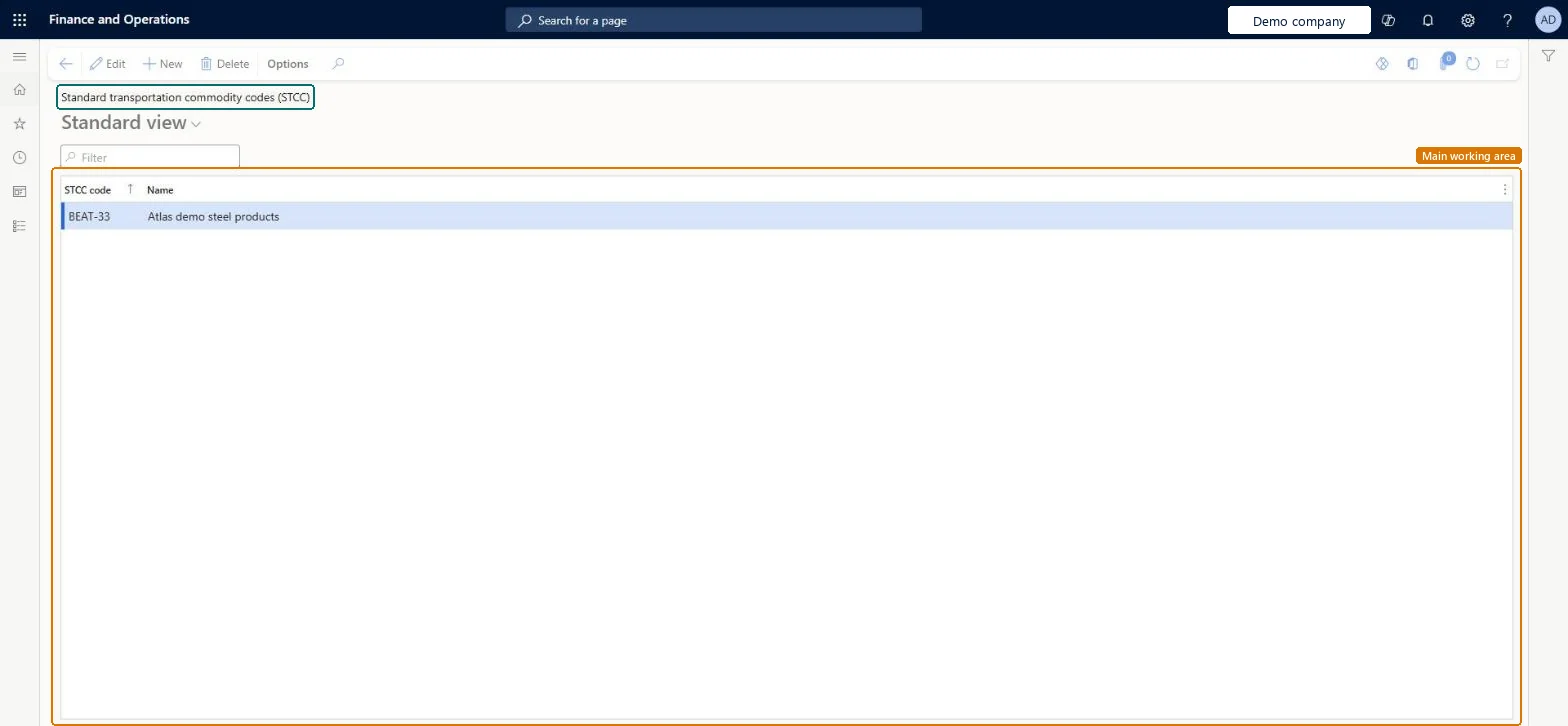
Setup step on the STCC codes page · Transportation management
Use this page to maintain the standard transportation commodity codes that are available in Transportation management.
WHSSTCCWHSSTCCTMSStandardTransportationCommodityCodeEntity| What it is | A setup page that lists the standard transportation commodity codes (STCC), each with a name. |
|---|---|
| What you do here | Use this page to maintain the standard transportation commodity codes that are available in Transportation management. |
| Business process | Manage freight and transportation |
|---|---|
| Menu path | Transportation management › Setup › Transportation standards › STCC codes |
| In this process | Set up Transportation status masters · Set up Unit types |
About the examples: Examples and screenshots in this guide use BEAT, a demo company in a Dynamics 365 test environment. Use your own company's codes and values instead of copying them.
Use this page to maintain the standard transportation commodity codes that are available in Transportation management.
Source: Checked in Dynamics 365
| Shared or per company | Shared: the same records are used by every legal entity. Microsoft data model |
|---|
| Menu item | WHSSTCC Checked in Dynamics 365 |
|---|---|
| Form | WHSSTCC Checked in Dynamics 365 |
| Table | WHSSTCCShown as “STCC CODES” in Record infoKey field: STCCCodeChecked in Dynamics 365 |
| Data entities | TMSStandardTransportationCommodityCodeEntityStandard transportation commodity codes Microsoft data model |
| Who can open it | PrivilegesMaintain STCC WHSSTCCMaintainView STCC information WHSSTCCViewDutiesInquire into carrier master and network planning information TMSCarrierMasterInquireMaintain carrier and network planning master TMSCarrierMasterMaintainInquire into warehouse operation master WMSWarehouseOperationMasterInquireMaintain warehouse operation master WMSWarehouseOperationMasterMaintain8 security rolesField Service Integration UserFieldServiceIntegrationUserProduction supervisor ProdProductionSupervisorProcess engineer RouteProcessEngineerProcess engineering manager RouteProcessEngineeringManagerLogistics manager TMSLogisticsManagerTransportation coordinator TMSTransportationCoordinatorWarehouse planner WHSWarehousePlannerWarehouse manager WMSWarehouseManager |
| Roles to set it up and use it | To set it up or change itLogistics manager TMSLogisticsManagerWarehouse manager WMSWarehouseManagerProcess engineer RouteProcessEngineerTo use itTransportation coordinator TMSTransportationCoordinatorWarehouse planner WHSWarehousePlannerProcess engineering manager RouteProcessEngineeringManagerField Service Integration User FieldServiceIntegrationUserProduction supervisor ProdProductionSupervisorGive people one of these roles. On this system, 8 roles can open this page.Checked in Dynamics 365 |
| Open it by URL | https://<your-environment>/?mi=WHSSTCC |
|---|---|
| Integrate with | TMSStandardTransportationCommodityCodeEntity data entity Microsoft data model |
| Data migration | TMSStandardTransportationCommodityCodeEntity (Standard transportation commodity codes): shared by all companies, in Microsoft's default template 405 - Transportation management.Load order: Microsoft's default template 405 - Transportation management loads Standard transportation commodity codes at execution unit 1, level 30, sequence 10. Lower levels load first, and entities at the same level load in sequence order.Load first: the default templates at lower levels (System setup to General ledger)Microsoft Learn |
| Table definition | WHSSTCC columns and relations Microsoft data model |
To cite this step: TM-STD-020, Set up STCC codes. Beyond ERP Atlas Hub, 2026-11-11. https://www.beyonderp.cloud/atlas/step/TM-STD-020