Setup step on the Product safety data sheet validity page · Inventory management
Set up Product safety data sheet validity
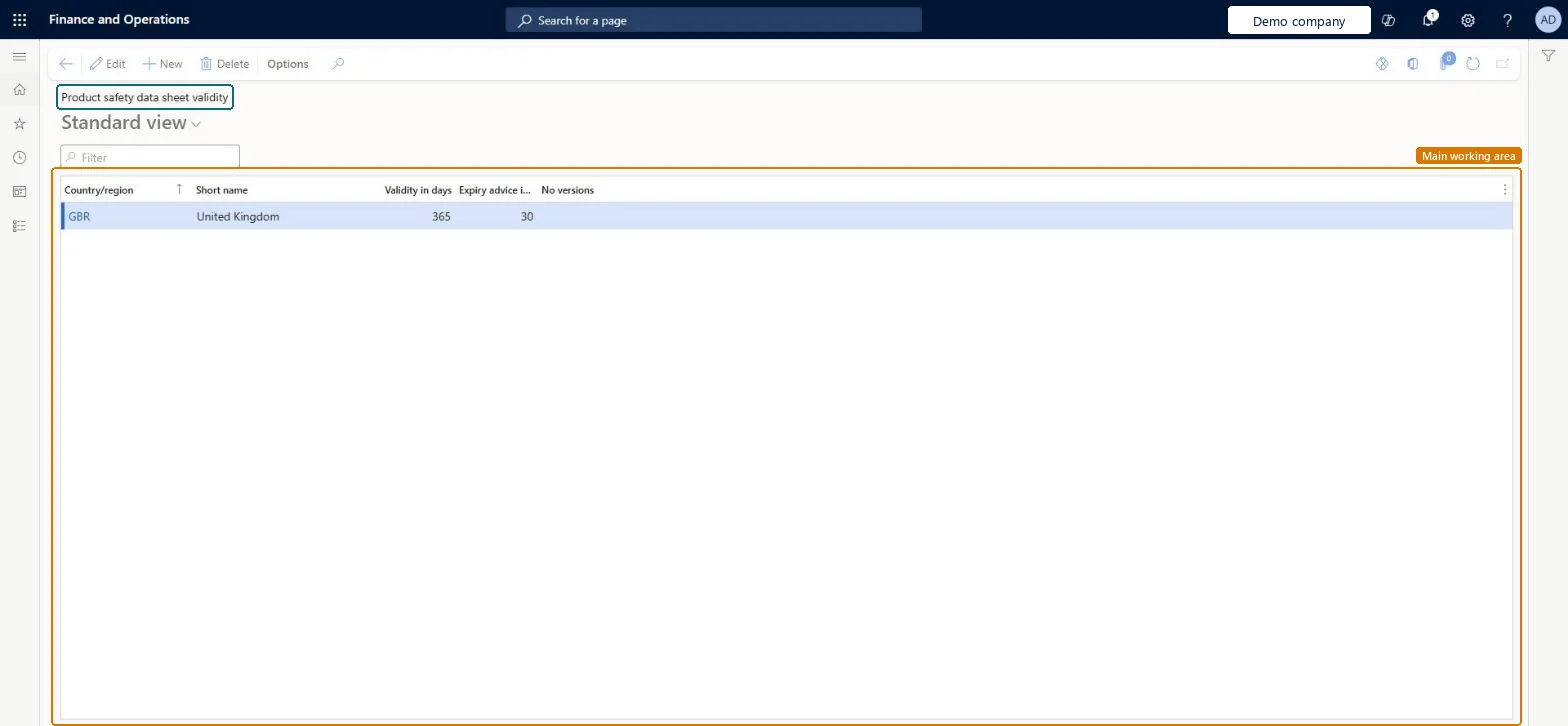
Use this page to set how long safety data sheets are valid in each area, so the system can warn users when a PSDS expires or must be sent to a customer.
Product designer, Product design manager, Materials manager and 9 more roles
Business process
Maintain inventory levels
Menu item
PdsMRCValidityIntervalByCountry
Main table
PdsMRCValidityIntervalByCountry
Data entity
PdsProductSafetyDataSheetValidityEntity
Setup steps
1 on this page
Show what matters for
SETUP GUIDEHow to set it up8 sections. Choose a role to highlight what matters to you.
Everyone
1What it is and why
What it is
A setup page where you create product safety data sheet (PSDS) lists for a country or region, or a country and state, that control PSDS expiration and advice dates.
What you do here
Use this page to set how long safety data sheets are valid in each area, so the system can warn users when a PSDS expires or must be sent to a customer.
Example
For example, a company creates a PSDS list for the USA before it records a new safety data sheet for sulfur dioxide that is valid for one year.
The page in Dynamics 365. page title tab to open what to set or check
About the examples: Examples and screenshots in this guide use BEAT, a demo company in a Dynamics 365 test environment. Use your own company's codes and values instead of copying them.
Step by step, with screenshots
Set up Product safety data sheet validity1 screen
Use this page to set how long safety data sheets are valid in each area, so the system can warn users when a PSDS expires or must be sent to a customer.
Screen 1
Set how long product safety data sheets are valid
Go to Inventory management > Setup > Product compliance > Product safety data sheet validity
Select New
Select the country or region
Enter how many days a safety data sheet stays valid there
Enter how many days before expiry users are warned
Optionally select No versions
Select Save
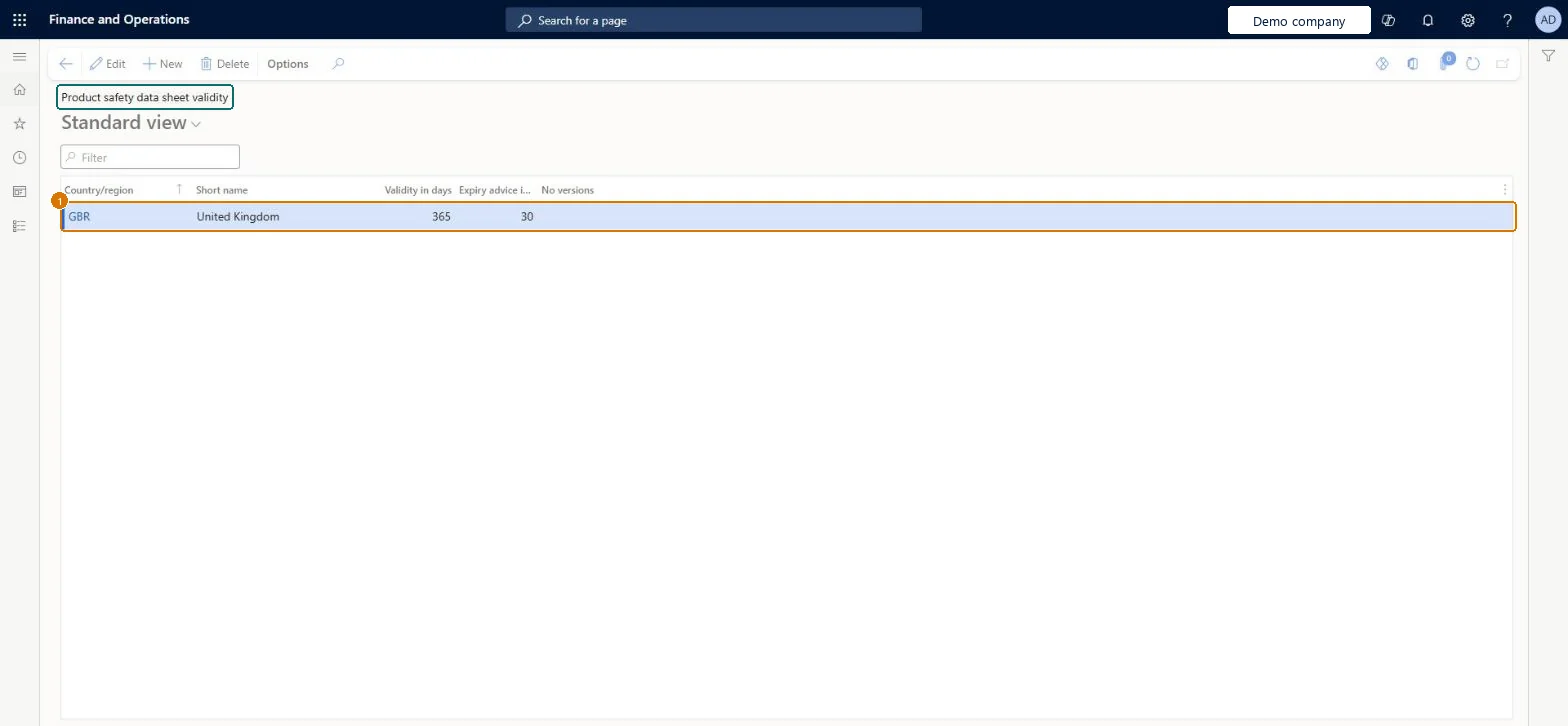
1Country/region
GBR
Validity in days
365
Expiry advice in days
30
Show the full screen page title tab to open what to set or check
Steps from Microsoft
Go to Inventory management > Setup > Product compliance > Product safety data sheet validity.
Select New.
In the Country/region field, enter the country, such as USA.
One PSDS validity list for each country/region (or country and state) that appears on your purchase and sales order addressesPSDS notifications at purchasing and shipping only work when a PSDS list exists for the country or country/state of the order address; the list's dates override the default parameter dates.
Not creating a list for a delivery country. Without it, users get no expiry or advice warnings for orders to that address, and an expired PSDS can go unnoticed.
Reversible: Validity and advice days can be changed; they drive the warnings shown on later purchase and sales transactions.
Technical architect
6Technical
Menu item
PdsMRCValidityIntervalByCountryChecked in Dynamics 365
Form
PdsMRCValidityIntervalbyCountryChecked in Dynamics 365
Table
PdsMRCValidityIntervalByCountryShown as “Product safety data sheet validity” in Record infoChecked in Dynamics 365
Data entities
PdsProductSafetyDataSheetValidityEntityProduct safety data sheet validity Microsoft data model
Who can open it
PrivilegesMaintain MRC interval by country/region PdsMRCValidityIntervalByCountryMaintainView MRC interval by country/region PdsMRCValidityIntervalByCountryViewDutiesInquire into products for operations master EcoResProductForOperationsMasterInquireEnable the logistic process InventLogisticProcessEnableMaintain products for operations master InventProductsForOperationsMasterMainta12 security rolesProduct designer BOMProductDesignerProduct design manager BOMProductDesignManagerMaterials manager InventMaterialsManagerQuality control manager InventQualityControlManagerLanded cost agent ITMAgentLanded cost manager ITMManagerShop supervisor JmgShopSupervisorProduction manager ProdProductionManagerProduction supervisor ProdProductionSupervisorProcess engineer RouteProcessEngineerProcess engineering manager RouteProcessEngineeringManagerWarehouse manager WMSWarehouseManagerChecked in Dynamics 365
Roles to set it up and use it
To set it up or change itWarehouse manager WMSWarehouseManagerMaterials manager InventMaterialsManagerProduction manager ProdProductionManagerTo use itQuality control manager InventQualityControlManagerProduction supervisor ProdProductionSupervisorProcess engineer RouteProcessEngineerProduct design manager BOMProductDesignManagerProcess engineering manager RouteProcessEngineeringManagerGive people one of these roles. On this system, 12 roles can open this page.Checked in Dynamics 365
Actions on the page
Options: Personalize, Page options, ShareChecked in Dynamics 365
PdsProductSafetyDataSheetValidityEntity (Product safety data sheet validity): loaded for each company, in Microsoft's default template 395 - Quality management.Load order: Microsoft's default template 395 - Quality management loads Product safety data sheet validity at execution unit 1, level 30, sequence 10. Lower levels load first, and entities at the same level load in sequence order.Load first: the default templates at lower levels (System setup to General ledger)Microsoft Learn
Checked in a working Dynamics 365 system, version 10.0.49: the menu item, form, table and security, the page, the demo records and the values in the screenshots.
To cite this step: IM-SETUP-500, Set up Product safety data sheet validity. Beyond ERP Atlas Hub, 2026-11-11. https://www.beyonderp.cloud/atlas/step/IM-SETUP-500