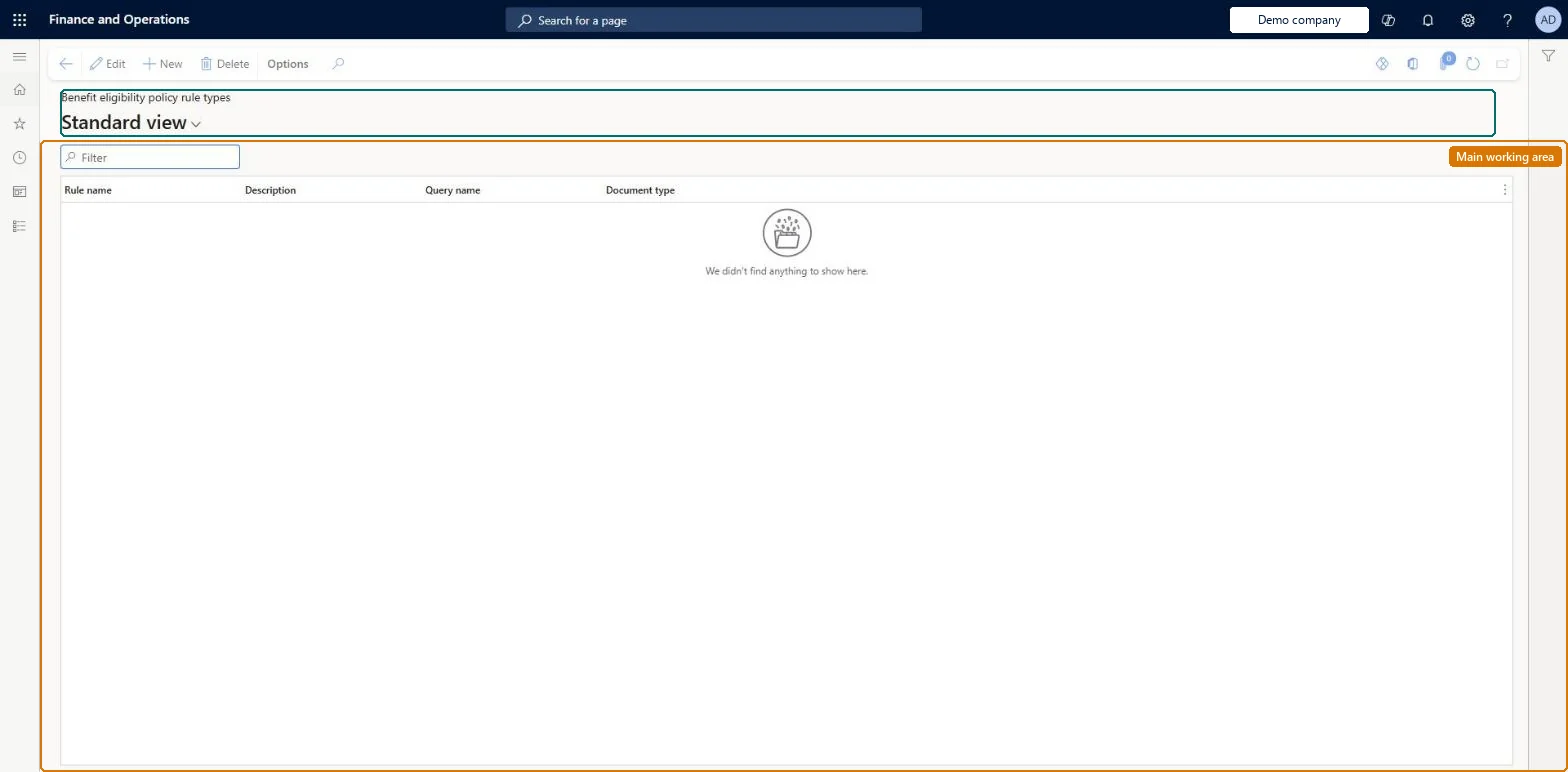
Setup step on the Benefit eligibility policy rule types page · Human resources
Set up Benefit eligibility policy rule types
Use this page to create the rule types (such as Executive) that benefit eligibility policies use to hold rule conditions and that benefits refer to when eligibility is rule based.
Compensation and benefits manager, Human resource assistant, Human resource manager and 3 more roles
Business process
Develop people strategy
Menu item
HcmBenefitEligibilityPolicyRuleType
Main table
SysPolicySourceDocumentR
Data entity
HcmBenefitEligibilityPolicyRuleTypeEntity
Setup steps
1 on this page
Show what matters for
SETUP GUIDEHow to set it up8 sections. Choose a role to highlight what matters to you.
Everyone
1What it is and why
What it is
A setup page where you define benefit eligibility policy rule types, each of which names a query whose parameters are later used to build eligibility rules.
What you do here
Use this page to create the rule types (such as Executive) that benefit eligibility policies use to hold rule conditions and that benefits refer to when eligibility is rule based.
Example
For example, BEAT creates the rule types Executive and Full-time; the benefit Executive life uses Executive and Basic life uses Full-time, so of BEAT's 140 workers the 6 in executive jobs are offered Executive life and the other full-time workers Basic life.
The page in Dynamics 365. page title tab to open what to set or check
About the examples: Examples and screenshots in this guide use BEAT, a demo company in a Dynamics 365 test environment. Use your own company's codes and values instead of copying them.
Setup steps on this page
Set up Benefit eligibility policy rule types
Use this page to create the rule types (such as Executive) that benefit eligibility policies use to hold rule conditions and that benefits refer to when eligibility is rule based.
Steps from Microsoft
Go to Human resources > Benefits > Eligibility > Benefit eligibility policy rule types.
Select New.
In the Rule name field, enter a value.
In the Description field, enter a value.
In the Query name field, open the lookup and select a query.
The query whose parameters the rules of this type use.Microsoft Learn
Common errors and fixes
Message
What to do
A rule-based benefit finds no eligible workers
The rule type has no policy rule in the benefit eligibility policy of the legal entity, or the rule's effective date is after the coverage start date. Create the policy rule with Create policy rule and an effective date on or before the coverage start date. Microsoft Learn
The page opens read-only and Edit isn't available
Benefits management is turned on, which makes the legacy Benefits pages read-only. It can be turned off only in a Sandbox environment; in Production keep working in the Benefits management workspace. Microsoft Learn
Test checklist
Create a rule type with Rule name, Description and Query name.
On Benefit eligibility policies, create a policy rule for that rule type with an effective date and a condition.
On a benefit, set Eligibility to Rule based and select the rule type.
Process an eligibility event and check the results follow the condition.
One rule type per eligibility group you need to tell apart (for example Executive and Full-time), each with the query that holds the fields the conditions will use.Rule types are what benefits point to when eligibility is Rule based; Learn's example separates executives from all other full-time employees with two rules applied to two life insurance benefits.
This page is part of the legacy Benefits workspace. Turning on Benefits management in Feature management makes it read-only, and in a Production environment Benefits management can't be turned off again; Microsoft recommends enabling and testing it in a Sandbox first. Benefits are kept by the Compensation and benefits manager and the Payroll administrator; HR managers and assistants, recruiters and payroll managers read them.
Shared: rule types are not per company. Data management lists the Benefit eligibility policy rule types entity as shared, and every benefit eligibility policy shows all rule types. Checked in Dynamics 365
Can it be undone
Reversible: Rule types can be added and edited while Benefits management is off. When Benefits management is on, this page is read-only.
If you change it later
A new rule type appears in every benefit eligibility policy, where it gets its dated rules and conditions; a benefit set to Rule based points to one rule type, so changing the rule type on a benefit changes who the next eligibility event finds eligible. Microsoft Learn
Technical architect
6Technical
Menu item
HcmBenefitEligibilityPolicyRuleTypeChecked in Dynamics 365
Form
SysPolicySourceDocumentRuleTypeChecked in Dynamics 365
Table
SysPolicySourceDocumentRShown as “POLICY SOURCE DOCUMENT RULE TYPE” in Record infoChecked in Dynamics 365
Data entities
HcmBenefitEligibilityPolicyRuleTypeEntityBenefit eligibility policy rule types Checked in Dynamics 365
Who can open it
PrivilegesMaintain benefit setup HcmBenefitElementSetupMaintainView benefit setup HcmBenefitElementSetupViewDutiesInquire into benefits process HcmBenefitInquireEnable benefits process HcmBenefitProcessEnableMaintain worker master HcmWorkerMaintainInquire into payroll master data PayrollMasterDataInquireSet up payroll master data PayrollMasterDataMaintainSet up payroll positions and workers PayrollPositionWorkerSetupMaintain6 security rolesCompensation and benefits manager HcmCompensationAndBenefitsManagerHuman resource assistant HcmHumanResourceAssistantHuman resource manager HcmHumanResourceManagerPayroll administrator HcmPayrollAdministratorPayroll manager HcmPayrollManagerRecruiter HcmRecruiterChecked in Dynamics 365
Roles to set it up and use it
To set it up or change itCompensation and benefits manager HcmCompensationAndBenefitsManagerPayroll administrator HcmPayrollAdministratorTo use itHuman resource manager HcmHumanResourceManagerHuman resource assistant HcmHumanResourceAssistantRecruiter HcmRecruiterPayroll manager HcmPayrollManagerGive people one of these roles. On this system, 6 roles can open this page.Checked in Dynamics 365
HcmBenefitEligibilityPolicyRuleTypeEntity data entity Checked in Dynamics 365
Data migration
HcmBenefitEligibilityPolicyRuleTypeEntity Benefit eligibility policy rule types. Shared by all companies.Load order: Not in a default template. Load the rule types before the benefit eligibility policies and before benefits that name a rule type.Microsoft Learn
Checked in a working Dynamics 365 system, version 10.0.49: the menu item, form, table and security, the page.
To cite this step: HR-BEN-020, Set up Benefit eligibility policy rule types. Beyond ERP Atlas Hub, 2026-11-11. https://www.beyonderp.cloud/atlas/step/HR-BEN-020