Budget clerk, Budget manager, Chief financial officer and 4 more roles
Business process
Adjust budget entries in the Fixed asset budget journal in Dynamics 365 Finance
Menu item
LedgerJournalTableAssetsBudget
Main table
LedgerJournalTable
Data entity
None for this page's own settings
Setup steps
1 on this page
Show what matters for
SETUP GUIDEHow to set it up8 sections. Choose a role to highlight what matters to you.
Everyone
1What it is and why
What it is
A journal for entering and managing budget transactions for fixed assets, laid out like the Fixed assets journal.
What you do here
Use this journal to budget fixed asset acquisitions, depreciation and other transactions, and then transfer them to the fixed asset budget only or to the ledger budget as well.
Example
For example, the budget controller enters a planned 60,000.00 truck in the budget model FY27 and posts with Transfer to fixed asset and ledger budget, so the truck shows in the fixed asset budget and in the ledger budget accounts.
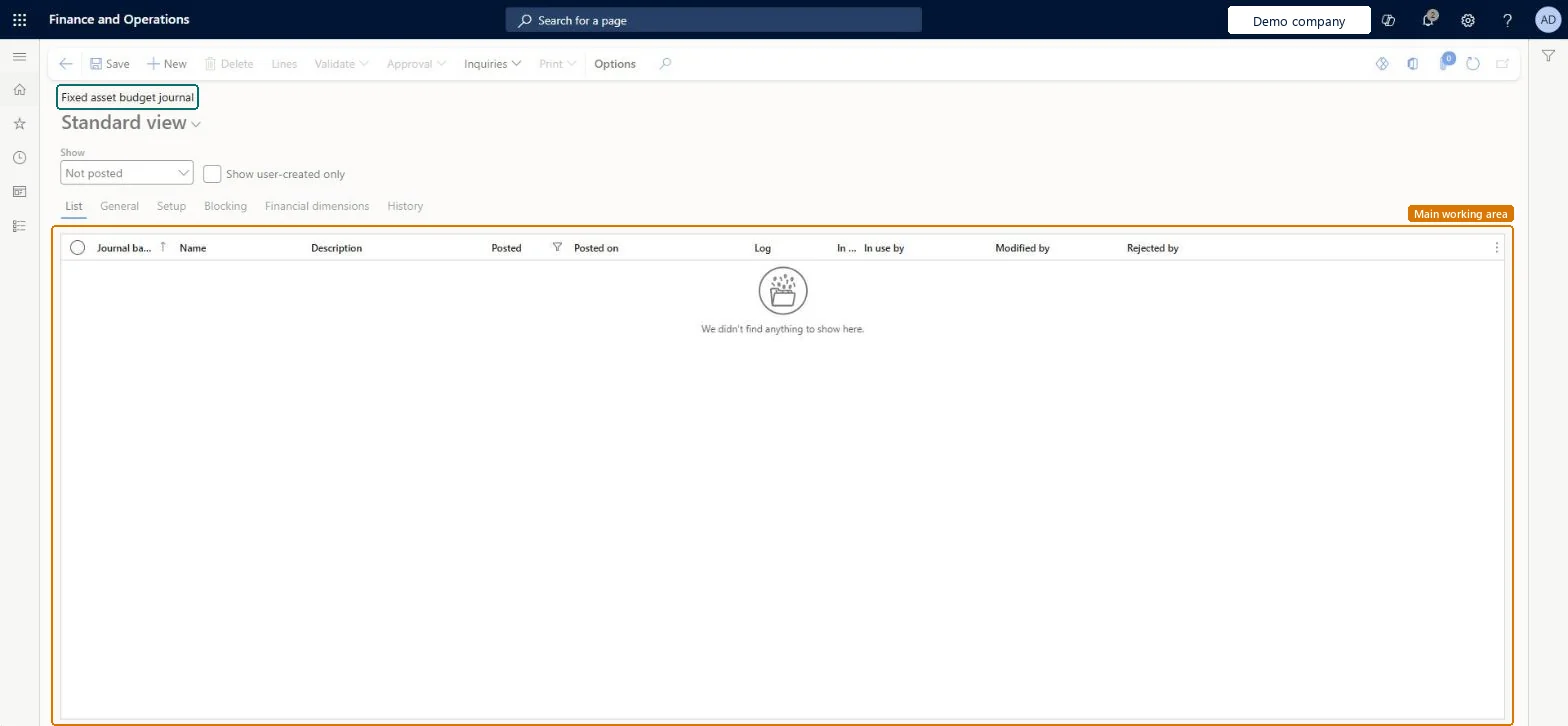
The page in Dynamics 365. page title tab to open what to set or check
About the examples: Examples and screenshots in this guide use BEAT, a demo company in a Dynamics 365 test environment. Use your own company's codes and values instead of copying them.
Setup steps on this page
Enter a fixed asset budget
Budget acquisitions, depreciation or disposals per asset and budget model.
Steps from Microsoft
Go to Fixed assets > Budget > Fixed asset budget journal.
Select New and, in the Name field, select a journal name.
Select Lines.
In the Budget model field, select the budget model.
In the Transaction type field, select the type of transaction.
Enter the Date and select the fixed asset in the Account field.
Enter the amount in the Debit or Credit field.
Select Post, and then select Transfer to fixed asset budget or Transfer to fixed asset and ledger budget.
Enter the asset budget in this journal per budget model, and post with Transfer to fixed asset and ledger budget when the asset budget must be part of the financial budget.Entering the budget on the asset only allows manual entries; the journal also offers proposals and decides whether ledger budget accounts are updated.
Fixed assets is part of Dynamics 365 Finance. Budget controllers and fixed asset accountants enter asset budgets. On this system the roles that open the page include Accountant, Budget manager, Budget clerk, Accounting supervisor. No Feature management feature needs to be turned on for this page.
Hard to reverse: Transferred entries are removed with Delete fixed asset budgets.
If you change it later
Posting transfers the lines as budget register entries to the fixed asset budget, or also to the ledger budget; it doesn't change actual asset values. The same accounts as for actual transactions are used. Microsoft Learn
Technical architect
6Technical
Menu item
LedgerJournalTableAssetsBudgetChecked in Dynamics 365
Form
LedgerJournalTableChecked in Dynamics 365
Table
LedgerJournalTableShown as “Ledger journal table” in Record infoKey field: JournalNumChecked in Dynamics 365
Data entities
AssetJournalV2EntityFixed asset journal V2 (fixed asset journals in general; budget journals are entered here or created by the budget depreciation proposal) Microsoft data model
To set it up or change itAccountant LedgerAccountantBudget manager BudgetBudgetManagerBudget clerk BudgetBudgetClerkTo use itAccounting supervisor LedgerAccountingSupervisorAccounting manager LedgerAccountingManagerChief financial officer CompanyChiefFinancialOfficerFinancial controller LedgerFinancialControllerGive people one of these roles. On this system, 7 roles can open this page.Checked in Dynamics 365
Actions on the page
Options: Personalize, Page options, Edit, ShareChecked in Dynamics 365
AssetJournalV2Entity (Fixed asset journal V2): can load journal lines; budget register entries themselves have no data entity.Load order: The budget register has no data entity in Data management; load or enter the budget journal and post it in the new environment.Load first: Budget models, Fixed assetsMicrosoft data model