SETUP GUIDEHow to set it up8 sections. Choose a role to highlight what matters to you.
Everyone
1What it is and why
What it is
A list page where employees create and track their own cash advance requests, whether draft, submitted, under review or paid.
What you do here
Use this page to request money from the company before a business trip and follow the request through approval and payment.
Example
For example, a clerk approved to attend a conference can't pay the estimated USD 1,900 up front, so they request a cash advance that their supervisor can check against the budget.
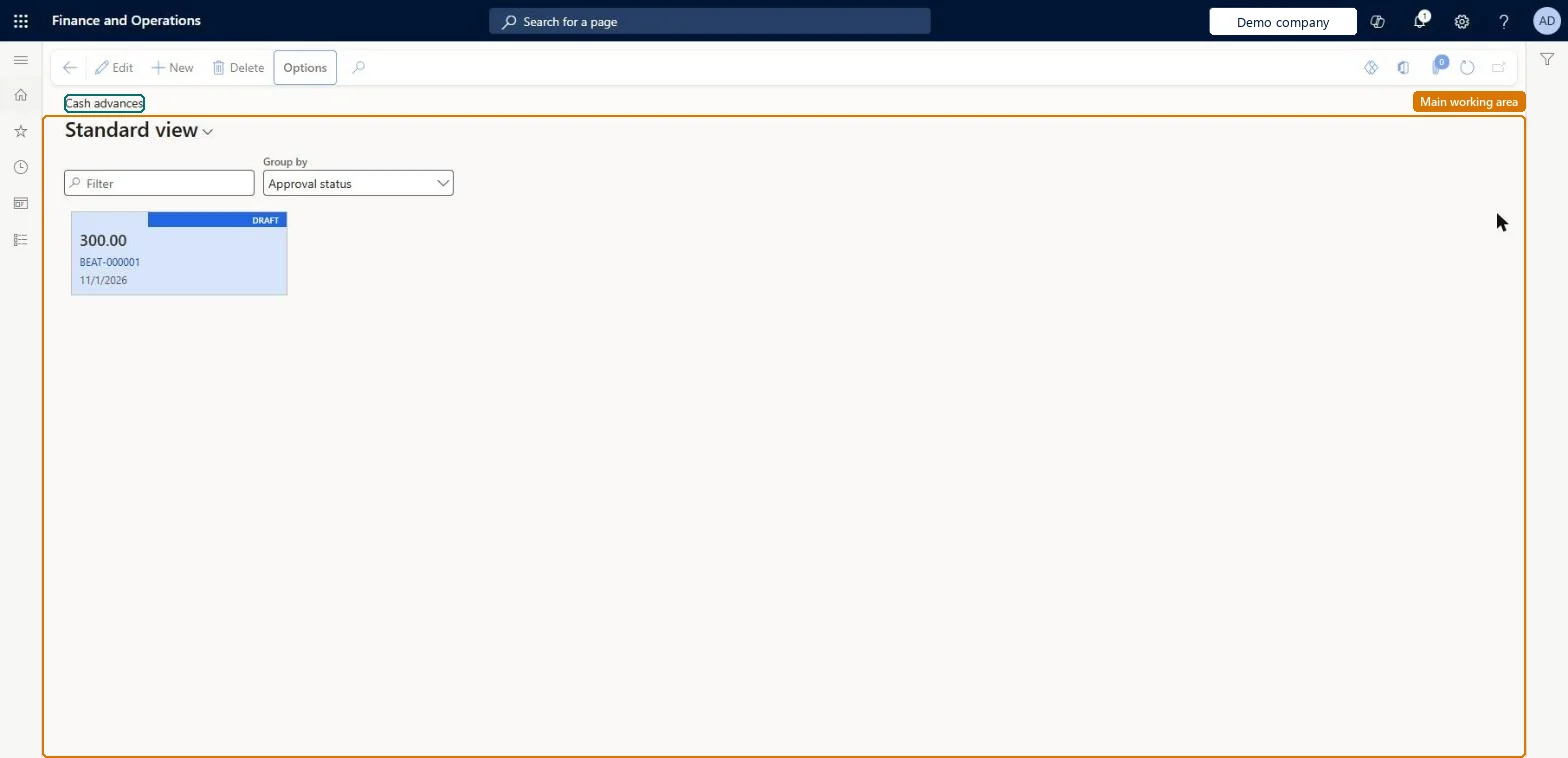
The page in Dynamics 365. page title tab to open what to set or check
About the examples: Examples and screenshots in this guide use BEAT, a demo company in a Dynamics 365 test environment. Use your own company's codes and values instead of copying them.
Setup steps on this page
Request a cash advance before a trip
Ask for money before the trip and settle it later against the expense report.
Steps from Microsoft
Go to Expense management > My expenses > Cash advances.
Select New. The Requested date defaults to today.
In the Location field, enter where the expenses will happen.
In the Purpose field, enter the purpose of the business trip.
In the Note field, add any notes your company policy needs.
In the Amount field, enter the amount you are requesting.
The currency of the request; any balance returned with Return cash must be in this currency.Microsoft Learn
USD
Common errors and fixes
Message
What to do
You do not have access to enter cash advances because you are not mapped to an employee record. Contact your manager or support team for assistance.
Link the user to an employee with active employment and set a company on the user account. In the live system the pages under My expenses, Process expense reports and Process cash advances showed this message for a user with no employee record. Checked in Dynamics 365
Submit is not available on the document
No active workflow exists for this document type. Create and activate the matching workflow on Expense management > Setup > General > Expense management workflows. Microsoft Learn
The advance isn't reduced by the expense report
Cash advances work only with a payment method whose expense owner is the employee. Use such a payment method (for example Cash) on the expense lines. Microsoft Learn
Return cash is refused
Return cash must be made in the currency of the cash advance request with the same exchange rate. Microsoft Learn
Test checklist
Under My expenses > Cash advances, select New, enter the purpose, location, amount and currency, and save.
Edit the draft and save again to confirm it can still be changed.
Select Workflow > Submit and check the request shows as submitted and can no longer be edited.
After approval and Pay and transfer, check the request shows as paid in the list.
Create an expense report with payment method Cash for less than the advance and check the advance is reduced, leaving a balance to return with Return cash.
Request the advance in the currency the employee will spend, for the estimated out-of-pocket amount only, and settle it on the expense report with a payment method whose expense owner is the employee.Submitted expenses are set off against the paid advance automatically; a remaining balance is returned with the Return cash category, in the advance currency and at the same rate.
Per company: a cash advance belongs to the employee's legal entity and is paid in the requested currency. Microsoft Learn
Can it be undone
Hard to reverse: The request can be edited only until it is submitted.
If you change it later
A cash advance request can be edited only until it is submitted for approval. Microsoft Learn
Technical architect
6Technical
Menu item
TrvCashAdvancesChecked in Dynamics 365
Data entities
TrvCashAdvanceEntityCash advances Checked in Dynamics 365
Roles to set it up and use it
To set it up or change itExpense administrator ExpenseAdministratorContractor HcmContractorEmployee HCMEmployeeGive people one of these roles. On this system, 3 roles can open this page.Checked in Dynamics 365
Developer
7Developer
Open it by URL
https://<your-environment>/?mi=TrvCashAdvances
Integrate with
TrvCashAdvanceEntity data entity Checked in Dynamics 365
Data migration
TrvCashAdvanceEntity (Cash advances): loads cash advance requests for each company.Load order: Pay out and settle open cash advances before cutover; load only advances that are still open, after employees and cash advance accounts.Load first: Employees, Cash advance accounts, Payment methodsMicrosoft Learn