PAGE GUIDEWhat the page does and how to use it8 sections. Choose a role to highlight what matters to you.
Everyone
1What it is and why
What it is
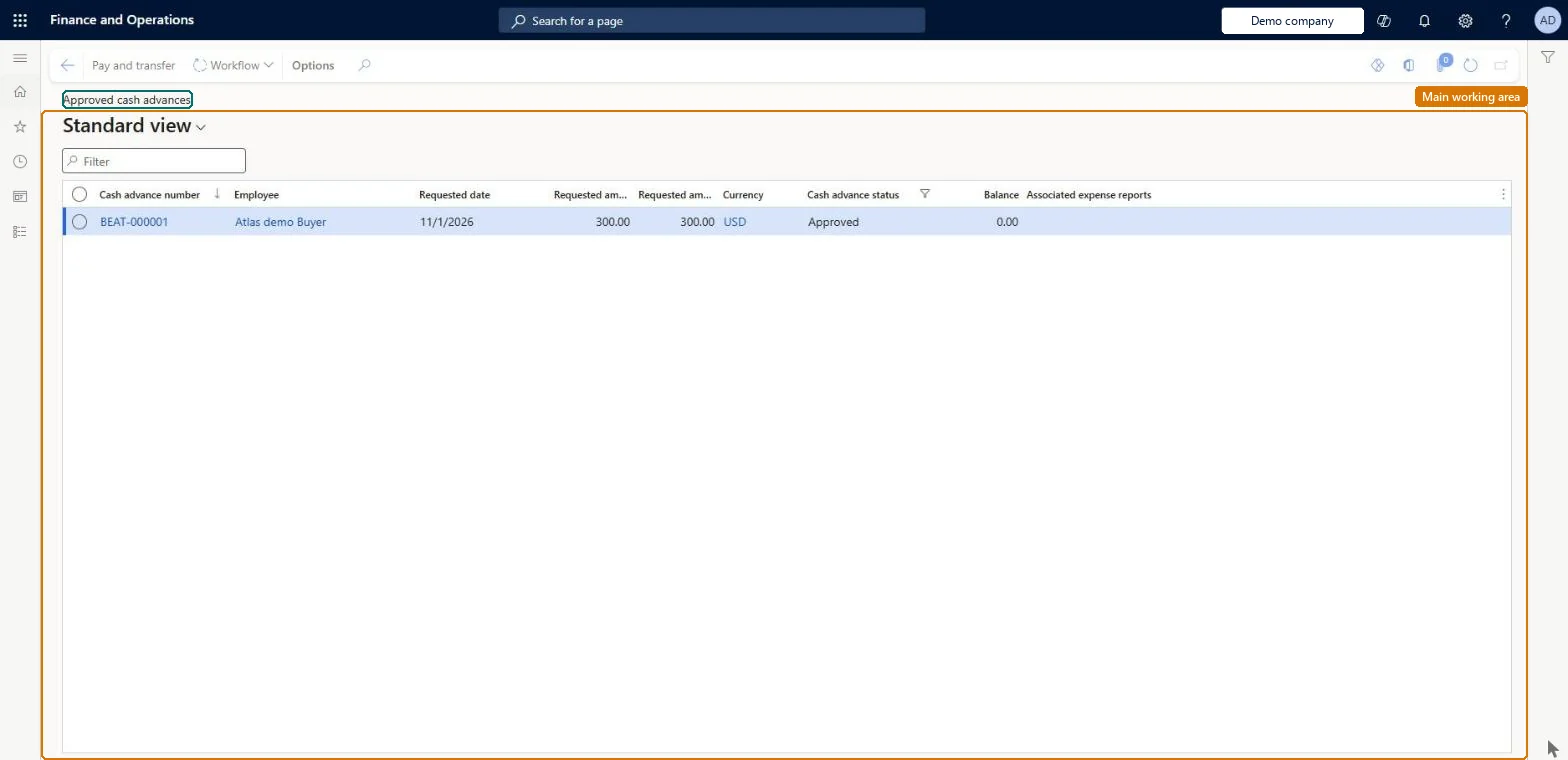
A list page of approved cash advance requests that are waiting to be paid.
What you do here
Use this page to pay approved cash advances and transfer them to the general journal.
Example
For example, an accountant selects an approved 1,900.00 USD conference advance, runs Pay and transfer with the TrvExp journal name, and the payment is posted at once because Post cash advances immediately is on.
The page in Dynamics 365. page title tab to open what to set or check
About the examples: Examples and screenshots in this guide use BEAT, a demo company in a Dynamics 365 test environment. Use your own company's codes and values instead of copying them.
When to run it
When to run it
When approved advances must be paid before the trip.
How often
Daily, or with each payment run.
What the output shows
Paid advances moved to Approved and paid cash advances, with a posted voucher or an unposted general journal, depending on Post cash advances immediately.
The date the journal will be posted; it defaults to today.Microsoft Learn
Common errors and fixes
Message
What to do
You do not have access to enter cash advances because you are not mapped to an employee record. Contact your manager or support team for assistance.
Link the user to an employee with active employment and set a company on the user account. In the live system the pages under My expenses, Process expense reports and Process cash advances showed this message for a user with no employee record. Checked in Dynamics 365
Pay and transfer creates a journal but nothing is posted
Post cash advances immediately is off in the parameters. Post the general journal, or turn the parameter on. Microsoft Learn
Test checklist
Check the Post cash advances immediately setting on the Financial tab of Expense management parameters.
Approve a test cash advance, then open Approved cash advances and select Pay and transfer.
Enter the journal name and posting date and select OK.
If the parameter is on, check the voucher is posted; if it is off, check an unposted general journal was created and post it.
Check the request now shows as paid on the employee's My expenses > Cash advances list.
Run Pay and transfer for each approved advance before the trip, with a dedicated journal name, and decide once whether advances post immediately.Pay and transfer posts the advance at once when Post cash advances immediately is on; otherwise it creates an unposted general journal that someone must post.
In this system Employee and Contractor enter their own expenses, and Expense administrator sets up the module and processes documents. The expense mobile app needs the Employee role, a company on the user account and a link to an employee with active employment. An accountant or accounts payable clerk pays advances; no Feature management feature is needed.
Per company: advances are paid from the legal entity of the employee. Microsoft Learn
Can it be undone
Hard to reverse: Pay and transfer posts the cash advance straight away when Post cash advances immediately is on in Expense management parameters. When it is off, Pay and transfer only creates an unposted general journal that you can review before posting. Microsoft Learn
If you change it later
If Post cash advances immediately is off in the parameters, Pay and transfer creates an unposted general journal instead of posting. Microsoft Learn
Technical architect
6Technical
Menu item
TrvCashAdvancesConfirmedChecked in Dynamics 365
Data entities
TrvCashAdvanceEntityCash advances Checked in Dynamics 365
Roles to set it up and use it
To set it up or change itExpense administrator ExpenseAdministratorGive people one of these roles. On this system, 1 role can open this page.Checked in Dynamics 365
TrvCashAdvanceEntity data entity Checked in Dynamics 365
Data migration
Load order: The approved advance list has no data entity in Data management, so it can't be loaded from a file or a configuration template. Pay or cancel approved advances before cutover.Microsoft Learn