Cash and bank managementInquiries and reportsBank reconciliation reports
output:BankAccountStatement
Business process
Reconcile bank accounts
Menu item
output:BankAccountStatement
Setup steps
1 on this page
Show what matters for
SETUP GUIDEHow to set it up8 sections. Choose a role to highlight what matters to you.
Everyone
1What it is and why
What it is
A report that shows the bank statement for a bank account.
What you do here
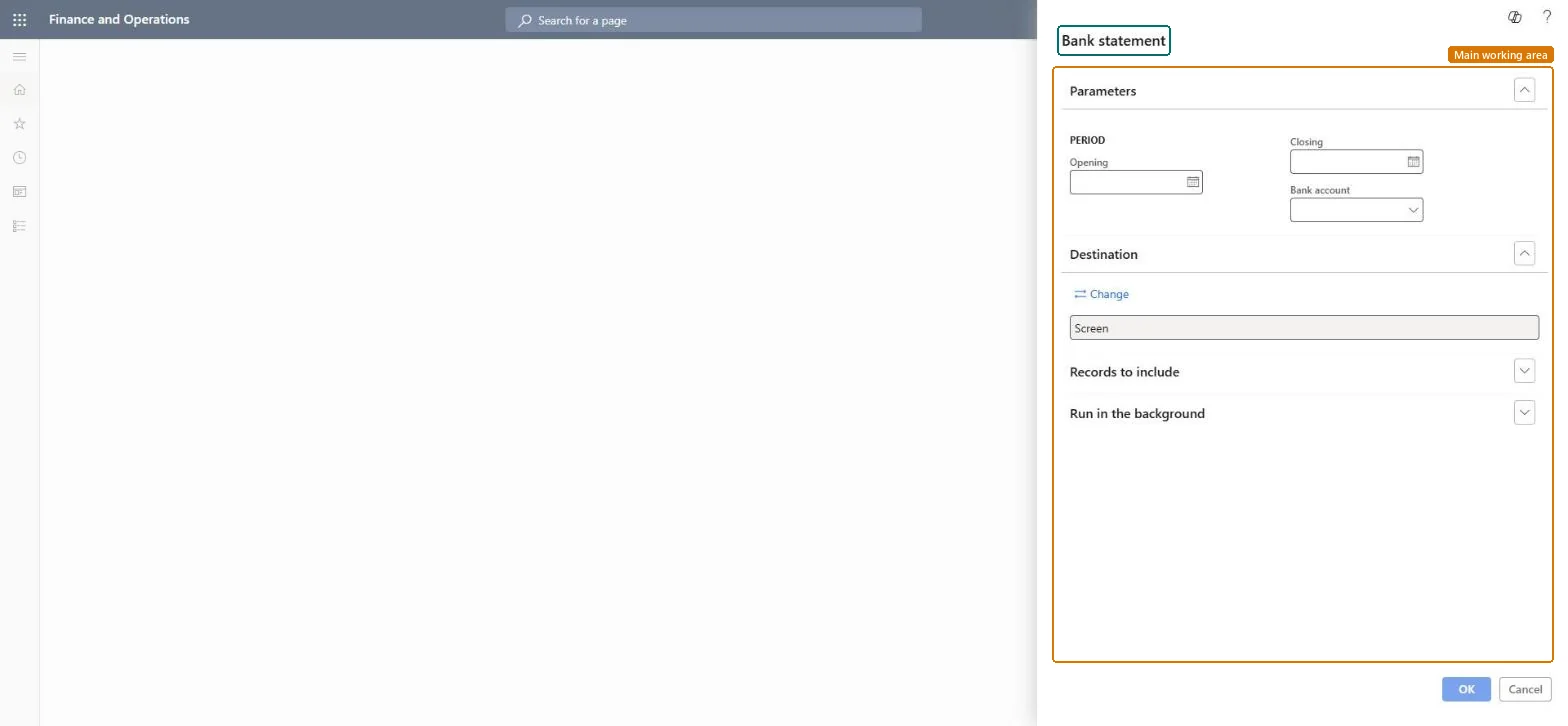
Use this report to show and print the bank transactions of one bank account for a period, for example to compare them with the statement the bank sent.
Example
For example, BEAT's auditor asks for the transactions of the operating account from 1 to 31 March: the report lists the 286 bank transactions with the closing figure, which is compared with the bank's March statement.
The page in Dynamics 365. page title tab to open what to set or check
About the examples: Examples and screenshots in this guide use BEAT, a demo company in a Dynamics 365 test environment. Use your own company's codes and values instead of copying them.
When to run it
When to run it
After you reconcile a bank account, to view the bank statement for that account and period.
How often
On demand, usually once per bank statement period.
What the output shows
The bank transactions of the selected bank account between the Opening and Closing dates. A figure that differs from the bank's own statement usually means transactions are dated outside the period or haven't been posted yet.
Set Opening and Closing to the bank's statement period and select one bank account.The report is compared line by line with the bank's statement for the same dates.
In this system 11 roles can open this page, among them Treasurer, Chief financial officer, Accounting manager and Financial controller.
Checked in Dynamics 365
Solution architect
5Design impact
Shared or per company
Per company: one bank account of the current legal entity. Microsoft Learn
Can it be undone
Reversible: The report changes no data.
If you change it later
The report reads posted bank transactions; it changes nothing. Microsoft Learn
Technical architect
6Technical
Menu item
output:BankAccountStatementChecked in Dynamics 365
Form
SysOperationTemplateFormChecked in Dynamics 365
Roles to set it up and use it
To use itTreasurer PaymTreasurerChief financial officer CompanyChiefFinancialOfficerAccounting manager LedgerAccountingManagerFinancial controller LedgerFinancialControllerAccountant LedgerAccountantGive people one of these roles. On this system, 11 roles can run this page.Checked in Dynamics 365
Load order: The Bank statement report has no data entity in Data management, so it can't be loaded from a file or a configuration template. It reads posted bank transactions.Microsoft Learn
Checked in a working Dynamics 365 system, version 10.0.49: the menu item, form, table and security, the page.
To cite this step: CB-RPT-130, Print the bank statement for a period. Beyond ERP Atlas Hub, 2026-11-11. https://www.beyonderp.cloud/atlas/step/CB-RPT-130