Setup step on the Budget codes page · Budgeting
Set up Budget codes
Used to keep an audit trail of approved budget changes throughout the budget cycle.
- Used by
- Auditor, Budget clerk, Budget contributor and 6 more roles
- Business process
- Create procurement budgets with Dynamics 365 Finance
- Menu item
BudgetTransactionCode- Main table
BudgetTransactionCode- Data entity
BudgetCodeEntity- Setup steps
- 1 on this page
Show what matters for
Everyone
1What it is and why
| What it is | A setup page where you create budget codes that identify the type of budget transaction and any related workflow. |
|---|---|
| What you do here | Used to keep an audit trail of approved budget changes throughout the budget cycle. |
| Example | For example, a public sector organization can create several codes for the preliminary budget type to track different categories of preliminary budget entries. |
Functional consultant · Solution architect
2Where it fits
| Business process | Develop procurement and sourcing strategy › Develop spend strategy › Create procurement budgets with Dynamics 365 Finance |
|---|---|
| Menu path | Budgeting › Setup › Basic budgeting › Budget codes |
| Set up first | Budgeting workflows Microsoft Learn ↗ |
| Used next by | Budget register entries Microsoft Learn ↗Set up Budgeting workflows |
| Related pages | Budget transfer rules Microsoft Learn ↗ |
| In this process | ← Set up Dimensions for budgeting · Set up Budget cycles → |
End user · Functional consultant
3How to do it
Step by step, with screenshots
Set up Budget codes1 screen
Used to keep an audit trail of approved budget changes throughout the budget cycle.
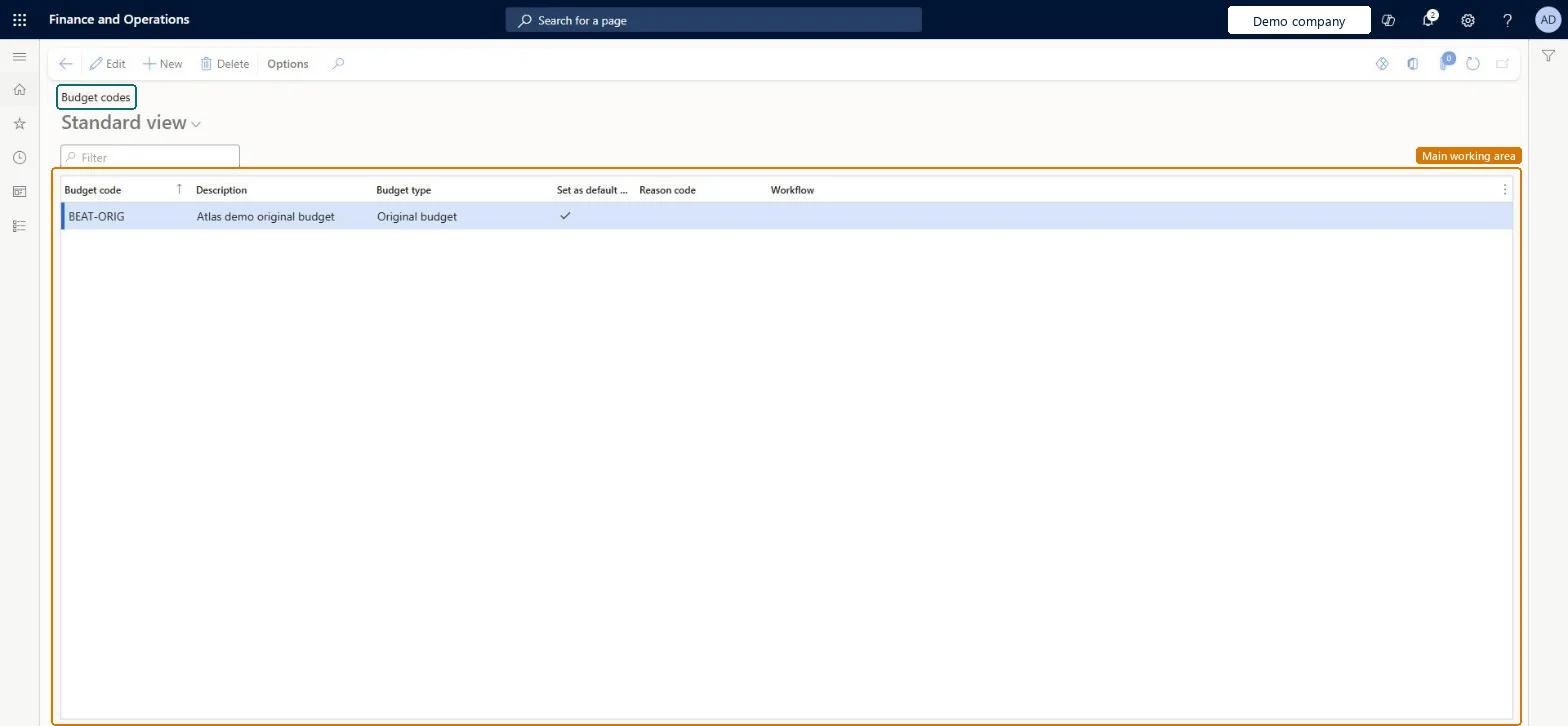
Screen 1
Create the budget code
Go to Budgeting > Setup > Basic budgeting > Budget codes
- Select New
- Enter the Budget code and Description
- Select the Budget type and mark Set as default code
- Select Save
1Budget code BEAT-ORIG Description Atlas demo original budget Budget type Original budget Set as default code Yes 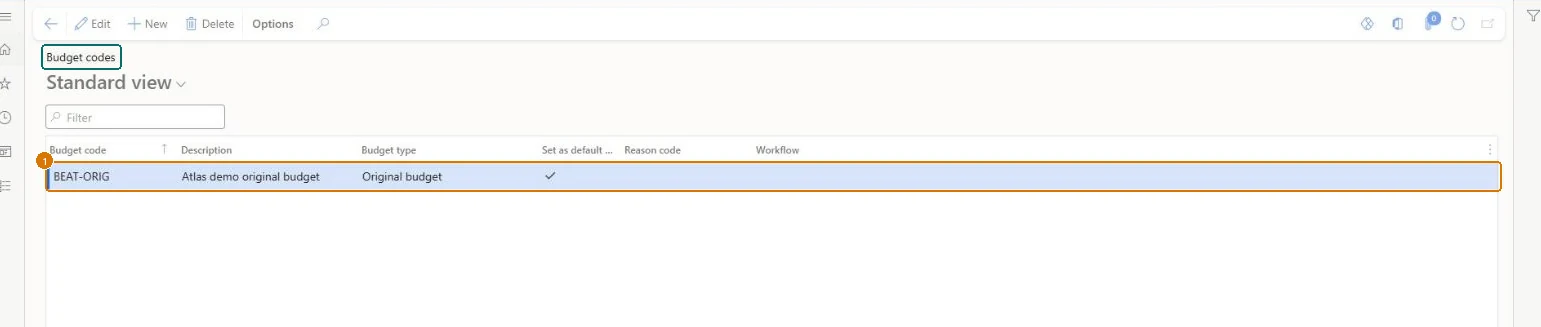
Show the full screen
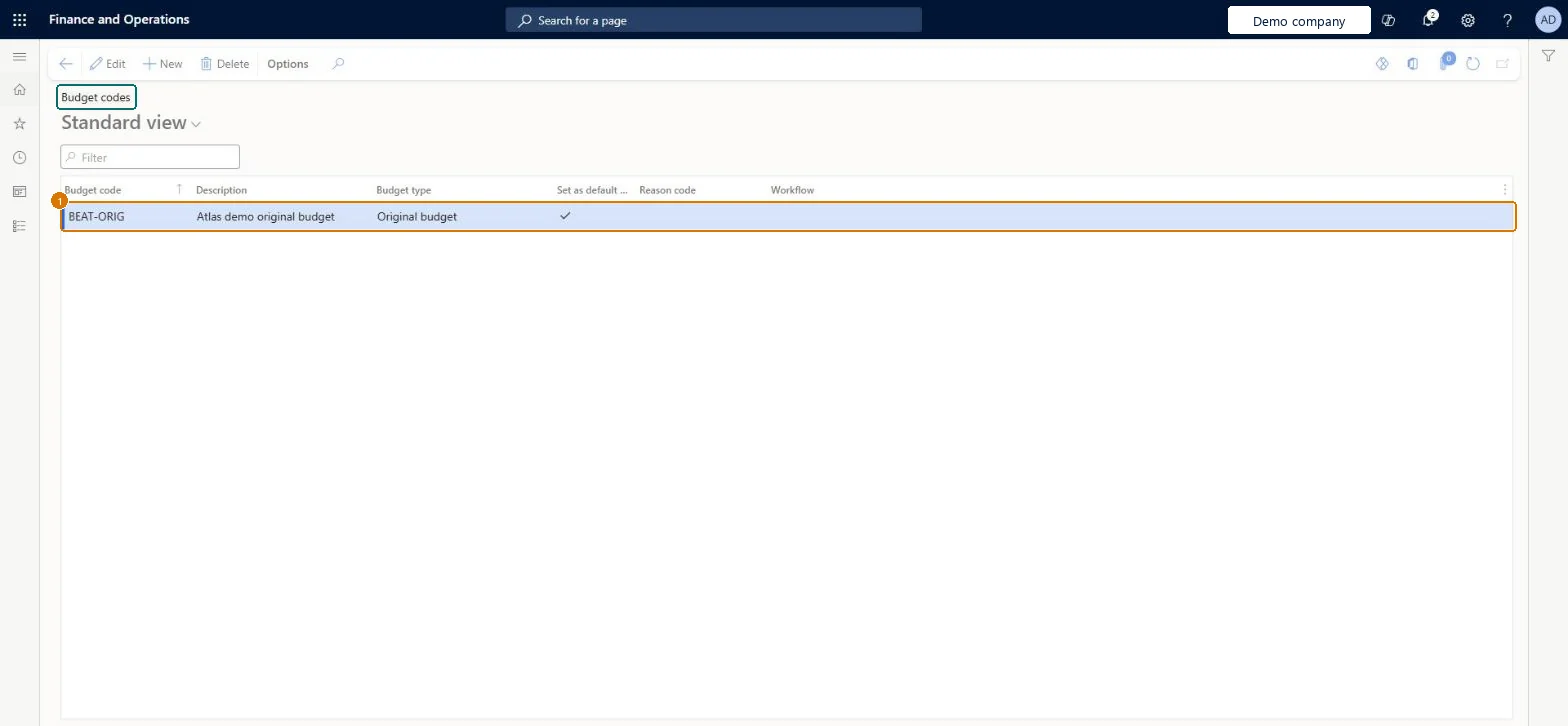
page title tab to open what to set or check
Microsoft's steps
- Go to Budgeting > Setup > Basic budgeting > Budget codes.
- Select New and enter a code and a description.
- Select a budget type, such as Original budget, Revision or Transfer.
- Select Set as default code if this code should be used when the system creates documents of that type.
- Optionally, select a reason code.
- Optionally, select a workflow.
Source: Microsoft Learn ↗
Field guide
| Field | What it means | Worked example | Table column |
|---|---|---|---|
| Budget type | The kind of budget transaction, such as original budget, transfer, revision, encumbrance, pre-encumbrance or carry-forward budget.Microsoft Learn ↗ | Original budget | — |
| Set as default code | Makes this the default code when the system creates documents of the selected budget type.Microsoft Learn ↗ | Yes | IsDefault |
| Reason code | An optional reason code for entries that use the budget code.Microsoft Learn ↗ | — | — |
| Workflow | Sends every budget register entry that uses this code to the selected workflow.Microsoft Learn ↗ | — | WorkflowTableSequenceNumber |
| Budget code | — | BEAT-ORIG | — |
| Description | — | Atlas demo original budget | Description |
Functional consultant
4Setup decisions
| Setup step | Recommended value and why | Decision · common mistake · test |
|---|---|---|
| Set up Budget codes | — | — |
Solution architect
5Design impact
| Shared or per company | Per company: each legal entity has its own records. Microsoft data model ↗ |
|---|---|
| Can it be undone | — |
| Feature or country | — |
| If you change it later | Adding a workflow to a budget code turns it on for every budget register entry that uses the code, and its steps must finish before the entry can be completed. Microsoft Learn ↗ |
Technical architect
6Technical
| Menu item | BudgetTransactionCode Checked in Dynamics 365 |
|---|---|
| Form | BudgetTransactionCode Checked in Dynamics 365 |
| Table | BudgetTransactionCodeShown as “Budget codes” in Record infoChecked in Dynamics 365 |
| Data entities | BudgetCodeEntityBudget codes Microsoft data model ↗ |
| Who can open it | PrivilegesMaintain budget codes BudgetTransactionCodeMaintainView budget codes BudgetTransactionCodeViewDutiesEnable budget process BudgetBudgetProcessEnableInquire into budget process policies BudgetBudgetProcessPoliciesInquireInquire into budget master BudgetBudgetsInquireMaintain budget master BudgetBudgetsMaintainInquire into budget register entry status BudgetBudgetTransStatusInquire9 security rolesAuditorAuditPolicyManagerBudget clerk BudgetBudgetClerkBudget contributor BudgetBudgetContributorBudget manager BudgetBudgetManagerChief financial officer CompanyChiefFinancialOfficerAccountant LedgerAccountantAccounting manager LedgerAccountingManagerAccounting supervisor LedgerAccountingSupervisorFinancial controller LedgerFinancialController |
| Actions on the page | Options: Personalize, Page options, ShareChecked in Dynamics 365 |
Developer
7Developer
| Open it directly | https://<your-environment>/?mi=BudgetTransactionCode |
|---|---|
| Integrate with | BudgetCodeEntity data entity Microsoft data model ↗ |
| Table definition | BudgetTransactionCode columns and relations Microsoft data model ↗ |
Everyone
8Sources and checks
- learn.microsoft.com/dynamics365/finance/budgeting/basic-budgeting-overview-configuration
- learn.microsoft.com/training/modules/setup-use-basic-budgeting-finance/exercise-set-up-components
- learn.microsoft.com/common-data-model/schema/core/operationscommon/tables/finance/budget/group/budgettransactioncode
- learn.microsoft.com/dynamics365/finance/budgeting/budget-register-entries
- Checked in a working Dynamics 365 system, version 10.0.49: the menu item, form, table and security, the page, the demo records and the values in the screenshots.
BUD-SETUP-040 — Set up Budget codes. Beyond ERP Atlas Hub, snapshot 2026-10-16, partly verified. https://www.beyonderp.cloud/atlas/step/BUD-SETUP-040