BeyondERP.Newsletter
Menu

Setup step on the Fault symptoms page · Asset management

Set up Fault symptoms

Use this page to define the symptoms, such as noise or leaks, that workers select when they register a fault on an asset.

Business process
Perform corrective maintenance
Menu item
EntAssetFaultSymptom
Main table
EntAssetFaultSymptom
Data entity
EntAssetMaintenanceFaultSymptomEntity
Setup steps
1 on this page
Show what matters for
SETUP GUIDEHow to set it up8 sections. Choose a role to highlight what matters to you.
Everyone

1What it is and why

What it isA setup page where you create the list of fault symptoms that can be used in the fault designer.
What you do hereUse this page to define the symptoms, such as noise or leaks, that workers select when they register a fault on an asset.
ExampleFor example, you create symptoms such as Unbalanced voltages, Short circuit, Noise, Leak, and Vibrations.
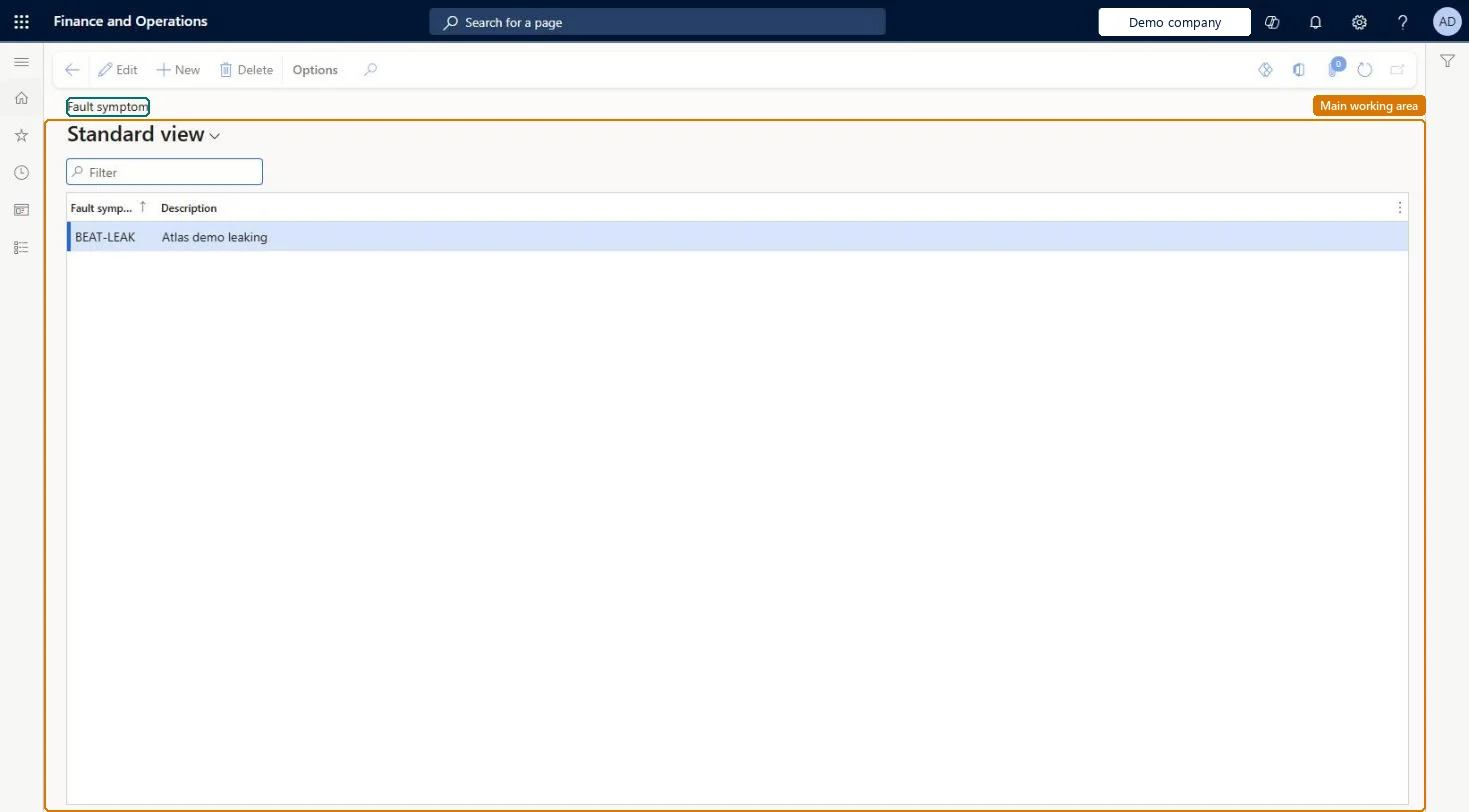
Fault symptoms page in Dynamics 365
The page in Dynamics 365. page title tab to open what to set or check
Functional consultant · Solution architect

2Where it fits

End user · Functional consultant

3How to do it

About the examples: Examples and screenshots in this guide use BEAT, a demo company in a Dynamics 365 test environment. Use your own company's codes and values instead of copying them.

Setup steps on this page

Set up Fault symptoms

Use this page to define the symptoms, such as noise or leaks, that workers select when they register a fault on an asset.

Steps from Microsoft

  1. Go to Asset management > Setup > Fault > Fault symptoms.
  2. Select New.
  3. In the Fault symptom field, enter a name.
  4. In the Description field, enter a description.
  5. Select Save.

Source: Microsoft Learn

Fields on the page

FieldWhat it meansTable column
Fault symptomName of the fault symptom.Microsoft Learn FaultSymptomId
DescriptionDescription of the fault symptom.Microsoft Learn Description

Test checklist

  1. Create fault symptom Leak.
  2. Link it to an asset type in Fault designer.
  3. Record a fault with symptom Leak on a work order for an asset of that type.
  4. Rename the symptom and check the registration shows the new name.

Source: Microsoft Learn

Functional consultant

4Setup decisions

Setup stepRecommended value and whyDecision, common mistake and test
Set up Fault symptomsA short list of observable symptoms such as Noise, Leak, Vibrations, Short circuitLearn uses these as fault symptom examples: what the worker sees or hears, separate from the area and the type of fault.Renaming a symptom to reuse it for something else. The new name shows on all existing fault registrations, which changes the history.
Solution architect

5Design impact

Can it be undoneReversible: Names can be changed any time; the change shows on related fault registrations automatically.
If you change it laterYou can rename a fault symptom at any time; the new name is shown automatically on the related fault registrations. Microsoft Learn
Technical architect

6Technical

Menu itemEntAssetFaultSymptom Checked in Dynamics 365
FormEntAssetFaultSymptom Checked in Dynamics 365
TableEntAssetFaultSymptomShown as “FAULT SYMPTOM” in Record infoKey field: FaultSymptomIdChecked in Dynamics 365
Data entitiesEntAssetMaintenanceFaultSymptomEntityAsset management fault symptom Checked in Dynamics 365
Roles to set it up and use itTo set it up or change itMaintenance manager EntAssetMaintenanceManagerTo use itMaintenance clerk EntAssetMaintenanceClerkGive people one of these roles. On this system, 2 roles can open this page.Checked in Dynamics 365
Developer

7Developer

Open it by URLhttps://<your-environment>/?mi=EntAssetFaultSymptom
Integrate withEntAssetMaintenanceFaultSymptomEntity data entity Checked in Dynamics 365
Everyone

8Sources

To cite this step: AM-FAULT-020, Set up Fault symptoms. Beyond ERP Atlas Hub, 2026-11-11. https://www.beyonderp.cloud/atlas/step/AM-FAULT-020