PAGE GUIDEWhat the page does and how to use it6 sections. Choose a role to highlight what matters to you.
Everyone
1What it is and why
What it is
An inquiry page that analyzes asset fault registrations to show the total number of faults registered during a period.
What you do here
Use this page to analyze fault registrations from different angles, such as asset, asset type, functional location, fault symptom, or fault type, and to see the probability of each.
Example
For example, a reliability engineer groups the results by Symptom and looks for a symptom with a high Probability % to examine more closely.
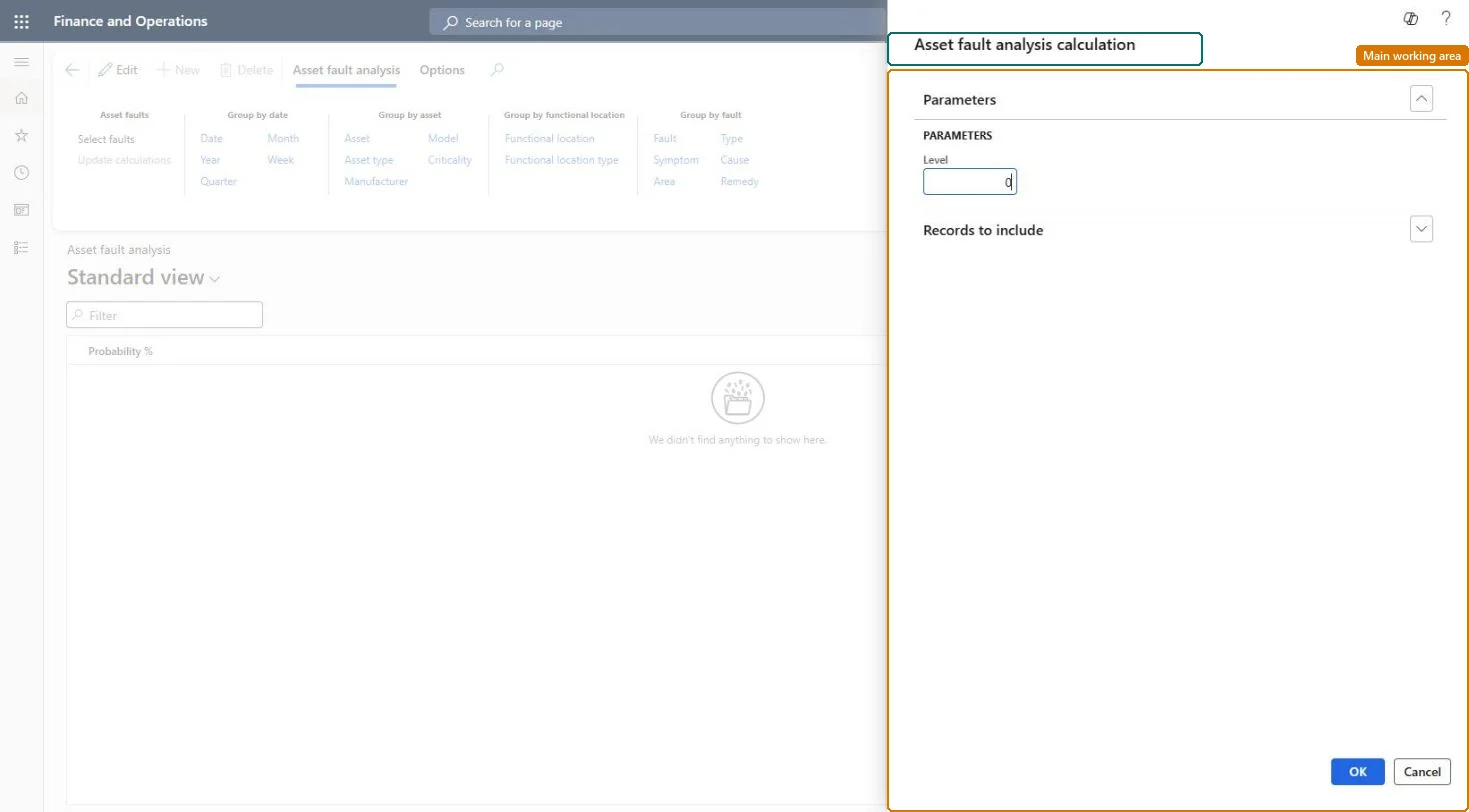
The page in Dynamics 365. page title tab to open what to set or check
About the examples: Examples and screenshots in this guide use BEAT, a demo company in a Dynamics 365 test environment. Use your own company's codes and values instead of copying them.
Steps from Microsoft
Go to Asset management > Inquiries > Asset fault > Asset fault analysis.
In the Asset fault analysis calculation dialog, enter a value in the Level field.
On the Records to include FastTab, select specific assets, fault dates, fault causes, or fault remedies to limit the search.
Select OK.
On the Asset fault analysis tab, select one or more Group by buttons.
How detailed the fault lines are for functional locations; 0 shows every level.Microsoft Learn
Probability %
Share of the fault registrations in the analysis; the percentages add up to 100%.Microsoft Learn
Technical architect
4Technical
Menu item
EntAssetObjectFaultCalculateChecked in Dynamics 365
Form
DialogChecked in Dynamics 365
Roles to set it up and use it
To set it up or change itMaintenance manager EntAssetMaintenanceManagerMaintenance clerk EntAssetMaintenanceClerkMaintenance worker EntAssetMaintenanceWorkerGive people one of these roles. On this system, 3 roles can open this page.Checked in Dynamics 365