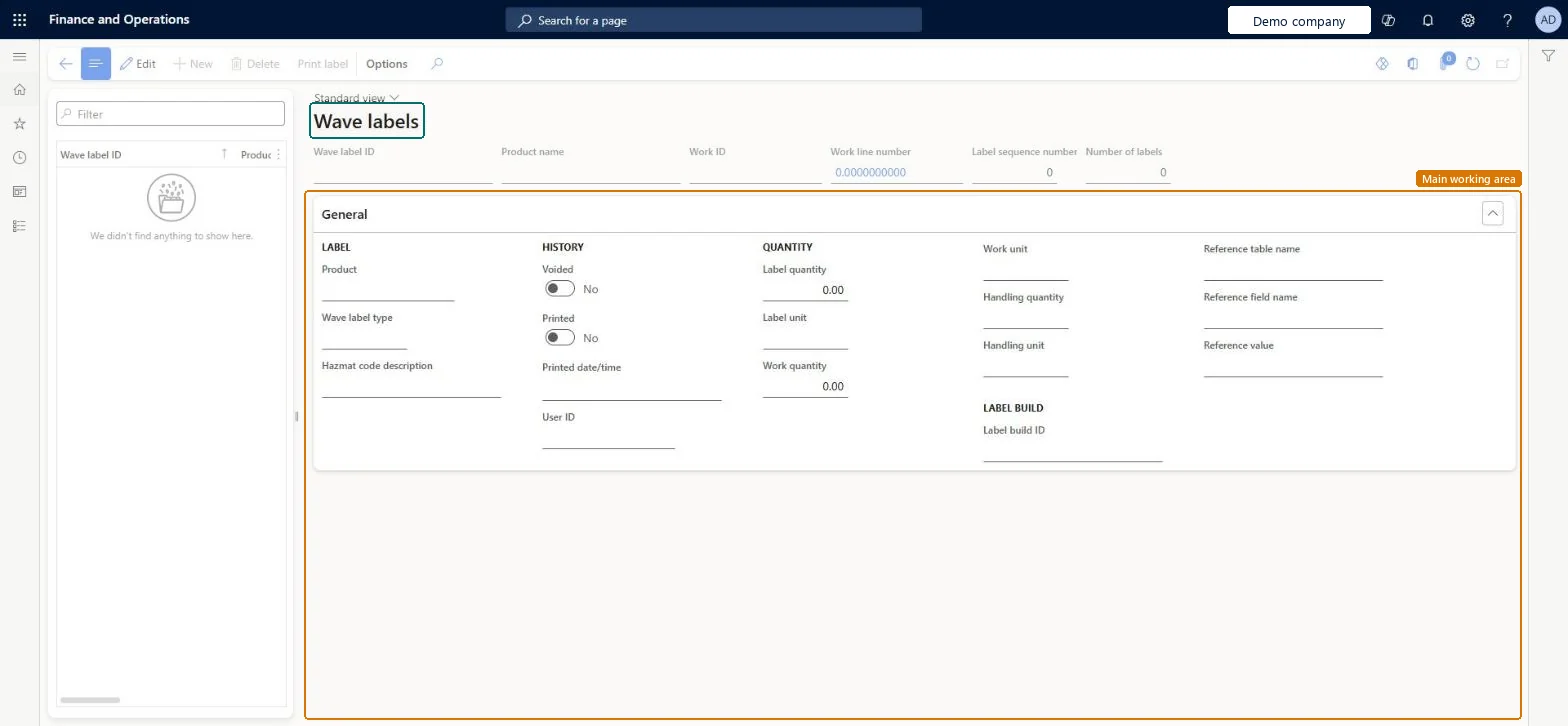
A details page that shows the labels created by wave label printing, one record for each wave label, with its type, quantity, printed and voided status and label build ID.
Field Service Integration User, Production supervisor, Process engineer and 3 more roles
Business process
Pick goods
Menu item
WHSWaveLabel
Main table
WHSWaveLabel
Show what matters for
PAGE GUIDEWhat the page does and how to use it7 sections. Choose a role to highlight what matters to you.
Everyone
1What it is and why
What it is
A details page that shows the labels created by wave label printing, one record for each wave label, with its type, quantity, printed and voided status and label build ID.
What you do here
Use this page to look up a wave label and print it again when a label is lost or damaged.
The page in Dynamics 365. page title tab to open what to set or check
About the examples: Examples and screenshots in this guide use BEAT, a demo company in a Dynamics 365 test environment. Use your own company's codes and values instead of copying them.
How to use it
Go to Warehouse management > Inquiries and reports > Wave labels.
Type in the Filter box above the list on the left to find a wave label ID.
Select the label and review the Label, History, Quantity and Label build details on the General FastTab.
Use the Print label button on the Action Pane when you need to print the selected label again.
Source: Checked in Dynamics 365
Fields on the page
Field
What it means
Table column
Wave label type
Links the label to a wave label template and to a unit on the unit sequence group lines.Microsoft Learn
WaveLabelType
Voided
Marks a label that is no longer needed, for example because the related work lines were cancelled or changed. Voided labels are not reprinted.Microsoft Learn
Voided
Label build ID
Identifies the label roll sequence that is recalculated when the quantity of a work line changes.Microsoft Learn
WHSWaveLabelShown as “WAVE LABEL” in Record infoKey field: WaveLabelIdChecked in Dynamics 365
Who can open it
PrivilegesMaintain wave labels WHSWaveLabelMaintainView wave labels WHSWaveLabelViewDutiesInquire into warehouse operation master WMSWarehouseOperationMasterInquireMaintain warehouse operation master WMSWarehouseOperationMasterMaintain6 security rolesField Service Integration User FieldServiceIntegrationUserProduction supervisor ProdProductionSupervisorProcess engineer RouteProcessEngineerProcess engineering manager RouteProcessEngineeringManagerWarehouse planner WHSWarehousePlannerWarehouse manager WMSWarehouseManagerChecked in Dynamics 365
Roles to set it up and use it
To set it up or change itWarehouse manager WMSWarehouseManagerProcess engineer RouteProcessEngineerTo use itWarehouse planner WHSWarehousePlannerProduction supervisor ProdProductionSupervisorProcess engineering manager RouteProcessEngineeringManagerField Service Integration User FieldServiceIntegrationUserGive people one of these roles. On this system, 6 roles can open this page.Checked in Dynamics 365
Actions on the page
(Action Pane without tabs): Print labelChecked in Dynamics 365