BeyondERP.Newsletter
Menu

Job page · Retail and Commerce

Process continuity payments

A periodic job page that processes billing and payment notifications for continuity sales orders, for a chosen date or continuity item.

Business process
Add continuity subscription to a call center order with Dynamics 365 Commerce
Menu item
MCRContinuityBilling
Show what matters for
PAGE GUIDEWhat the page does and how to use it7 sections. Choose a role to highlight what matters to you.
Everyone

1What it is and why

What it isA periodic job page that processes billing and payment notifications for continuity sales orders, for a chosen date or continuity item.
What you do hereUse this page to bill the payments due on continuity orders (for example, charging the stored card or generating on-account bills) and send the related notifications, on demand or as a recurring batch job.
ExampleFor example, after selling continuity item 88000 to a customer, run the job for that item so the first payment is processed before the child order ships.
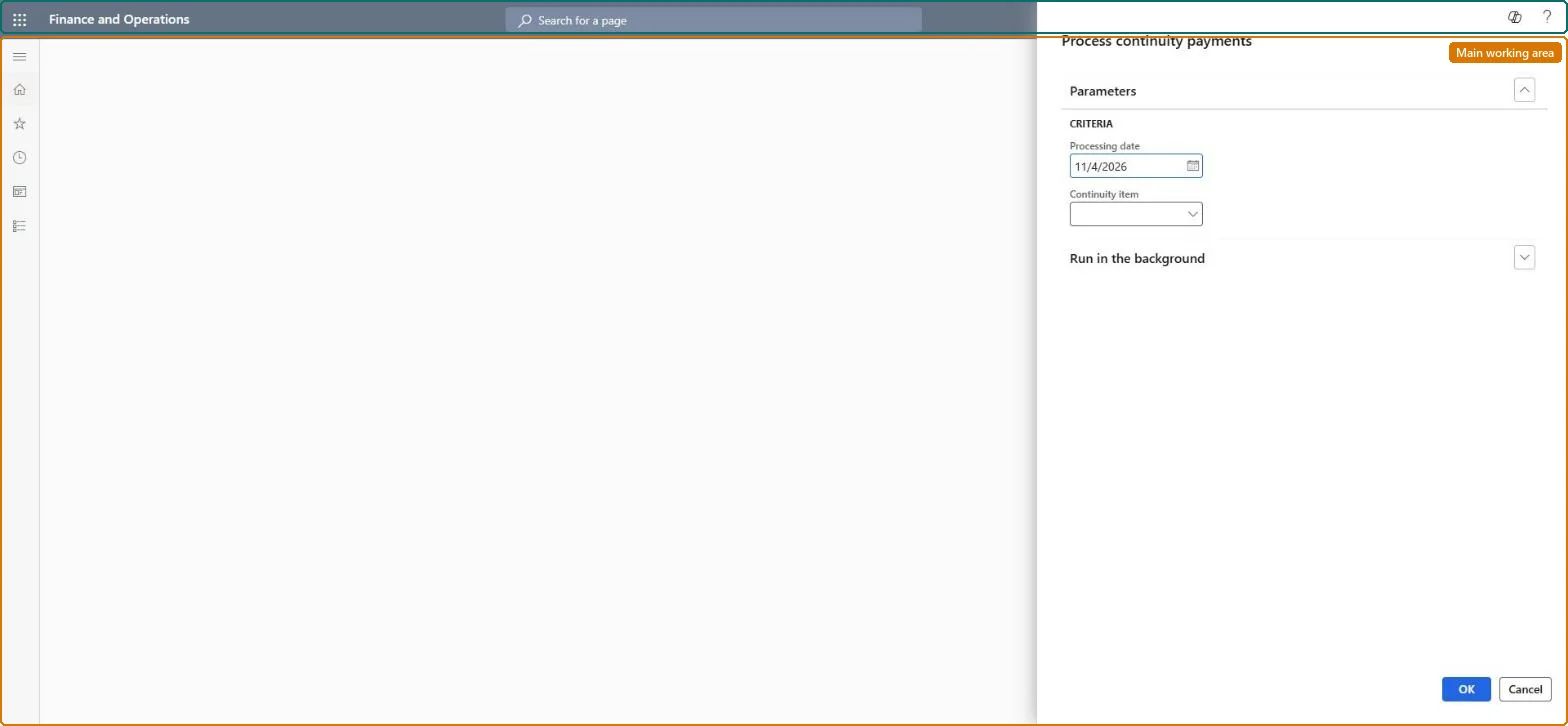
Process continuity payments page in Dynamics 365
The page in Dynamics 365. page title tab to open what to set or check
Functional consultant · Solution architect

2Where it fits

End user · Functional consultant

3How to do it

About the examples: Examples and screenshots in this guide use BEAT, a demo company in a Dynamics 365 test environment. Use your own company's codes and values instead of copying them.

When to run it

When to run itWhen payments on continuity orders fall due, before you create the child orders for the next shipment.
How oftenAt each billing date of your continuity programs, on demand or as a recurring batch job.
Batch settingsRecurring batch job on the billing dates.
What the output showsBilling and payment notifications processed for continuity sales orders, such as charges to the stored card or on-account bills. A payment that wasn't processed usually falls outside the date or item you entered.
Source: Microsoft Learn

Steps from Microsoft

  1. Go to Retail and Commerce > Continuity > Process continuity payments.
  2. In Continuity item, enter the continuity item whose payments are due, or set a date to process all payments due by then.
  3. Use the criteria to combine a date and a continuity item when you only want part of the payments.
  4. Optionally, fill in the Batch tab to run payment processing on a schedule, then select OK.
  5. Afterwards, open the continuity sales orders: payments due by the date are billed and their notifications are sent.

Source: Microsoft Learn

Fields on the page

FieldWhat it means
Continuity itemThe continuity item whose payments are processed.Microsoft Learn
Criteria (date / continuity item)Limits processing to a date, a continuity item, or both.Microsoft Learn
BatchSettings to run payment processing as a recurring batch job.Microsoft Learn

Test checklist

  1. Payments due by the date are processed.
  2. Notifications are sent.
  3. Payments not yet due are untouched.

Source: Microsoft Learn

Solution architect

4Design impact

Can it be undoneNo: Processed payments and sent notifications stay; correct them on the sales order. Microsoft Learn
If you change it laterProcesses billing and payment notifications for continuity orders, which can charge customers' stored payment methods. Microsoft Learn
Technical architect

5Technical

Menu itemMCRContinuityBilling Checked in Dynamics 365
FormDialog Checked in Dynamics 365
Roles to set it up and use itTo use itSales manager TradeSalesManagerGive people one of these roles. On this system, 1 role can run this page.Checked in Dynamics 365
Developer

6Developer

Open it by URLhttps://<your-environment>/?mi=MCRContinuityBilling
Everyone

7Sources