About the examples: Examples and screenshots in this guide use BEAT, a demo company in a Dynamics 365 test environment. Use your own company's codes and values instead of copying them.
How to use it
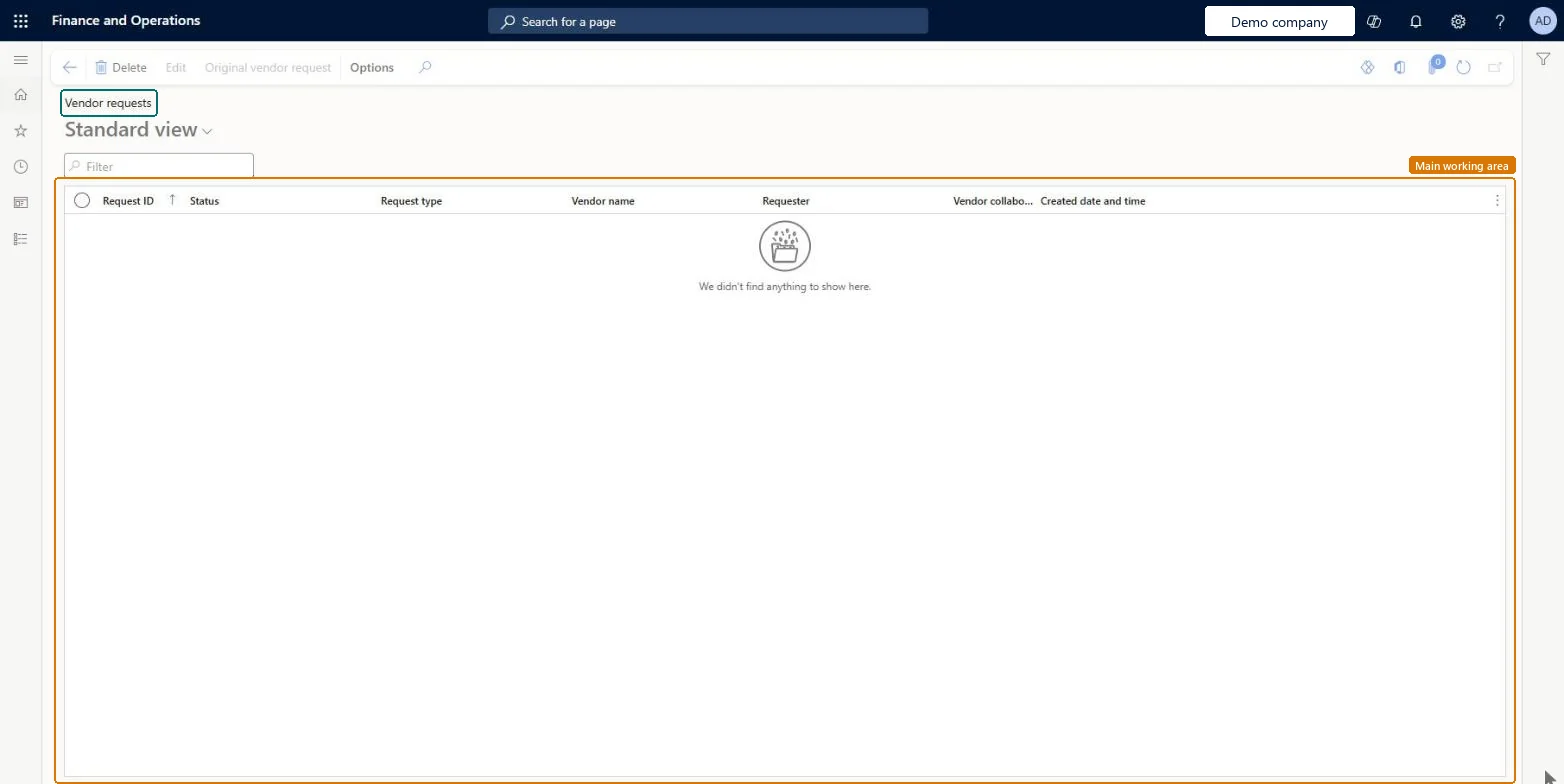
Go to Procurement and sourcing > Vendors > Vendor collaboration requests > Vendor requests.
Type in the Filter box to narrow the list by request ID or vendor name.
Check the Request ID, Status, Request type, Vendor name, Requester and Created date and time columns.
Select a request, then select Edit to open it.
Select Original vendor request to see the original request.
Source: Checked in Dynamics 365
Fields on the page
Field
What it means
Table column
Status
Shows where the vendor request is in its review and approval workflow, from Draft to Request approved or Request rejected.Microsoft Learn
RequestStatus
Vendor group
The vendor group to select on the New vendor page before you approve the request.Microsoft Learn
Test checklist
Make sure the number sequence for vendors created from vendor requests is set to Auto and a Vendor add application workflow is active.
Complete the vendor registration wizard as a test prospective vendor so a vendor request is created.
Open the request, select a Vendor group and set vendor collaboration access to Yes.
Approve the request through the workflow and check a vendor account is created and the status shows Approved on both the vendor request and the prospective vendor registration request.
One-way: Warning: Request approved and Request rejected are final states. Approval creates the vendor account and changes or deactivates the registering user; rejection submits a request to deactivate the user. Neither can be reopened, so select the Vendor group and the vendor collaboration access permission before you approve. Microsoft Learn
If you change it later
A vendor account is created on approval only when the number sequence for vendors created from vendor requests is set to Auto. Microsoft Learn
Technical architect
5Technical
Menu item
VendRequestListPageChecked in Dynamics 365
Form
VendRequestListPageChecked in Dynamics 365
Table
VendVendorRequestShown as “Vendor requests” in Record infoChecked in Dynamics 365
Data entities
VendVendorRequestNewCategoryEntityVendor requests Checked in Dynamics 365
Who can open it
PrivilegesManage all vendor requests VendRequestListPageMaintainView all vendor requests VendRequestListPageViewMaintain vendor request for adding a new vendor VendVendorRequestNewVendorMaintainDutiesInquire into employee-initiated vendor request status VendRequestEmployeeVendorRequestInquireMaintain employee-initiated vendor requests VendRequestEmployeeVendorRequestMaintainInquire into vendor-initiated request status VendRequestVendorInitiateRequestInquireMaintain vendor request VendVendorRequestMaintain5 security rolesEmployee HCMEmployeePurchasing manager TradePurchasingManagerPurchasing agent VendPurchasingAgentPurchasing Agent - Public Sector VendPurchasingAgent_PSNVendor account manager VendVendorAccountManagerChecked in Dynamics 365
Roles to set it up and use it
To set it up or change itPurchasing manager TradePurchasingManagerPurchasing agent VendPurchasingAgentPurchasing Agent - Public Sector VendPurchasingAgent_PSNVendor account manager VendVendorAccountManagerEmployee HCMEmployeeGive people one of these roles. On this system, 5 roles can open this page.Checked in Dynamics 365
Actions on the page
Options: Personalize, Page options, ShareChecked in Dynamics 365