About the examples: Examples and screenshots in this guide use BEAT, a demo company in a Dynamics 365 test environment. Use your own company's codes and values instead of copying them.
Step by step, with screenshots
Set up Organization hierarchies1 screen
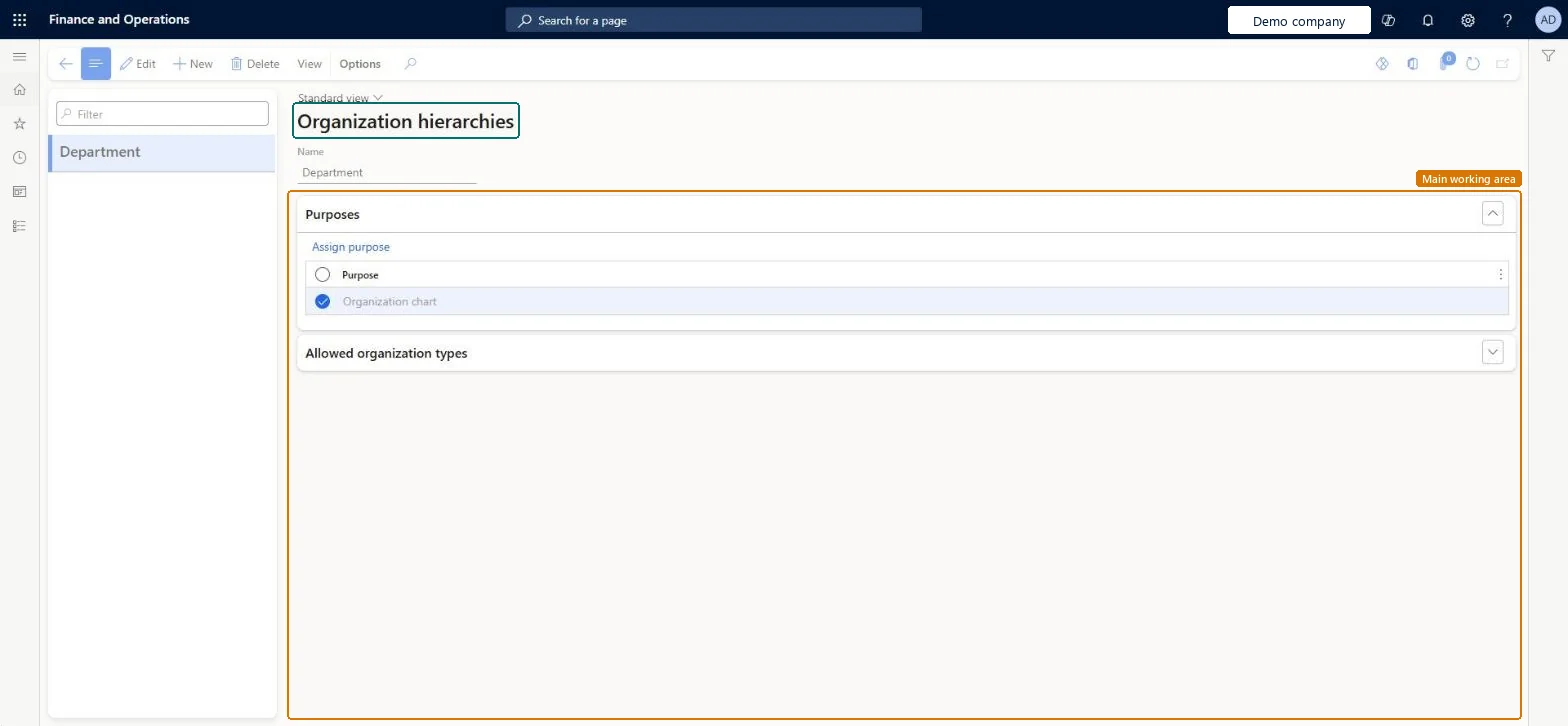
Use this page to build hierarchies that let you view and report on the business from different angles, such as tax, legal or internal control.
Screen 1
Create an organization hierarchy
Go to Organization administration > Organizations > Organization hierarchies
Select New
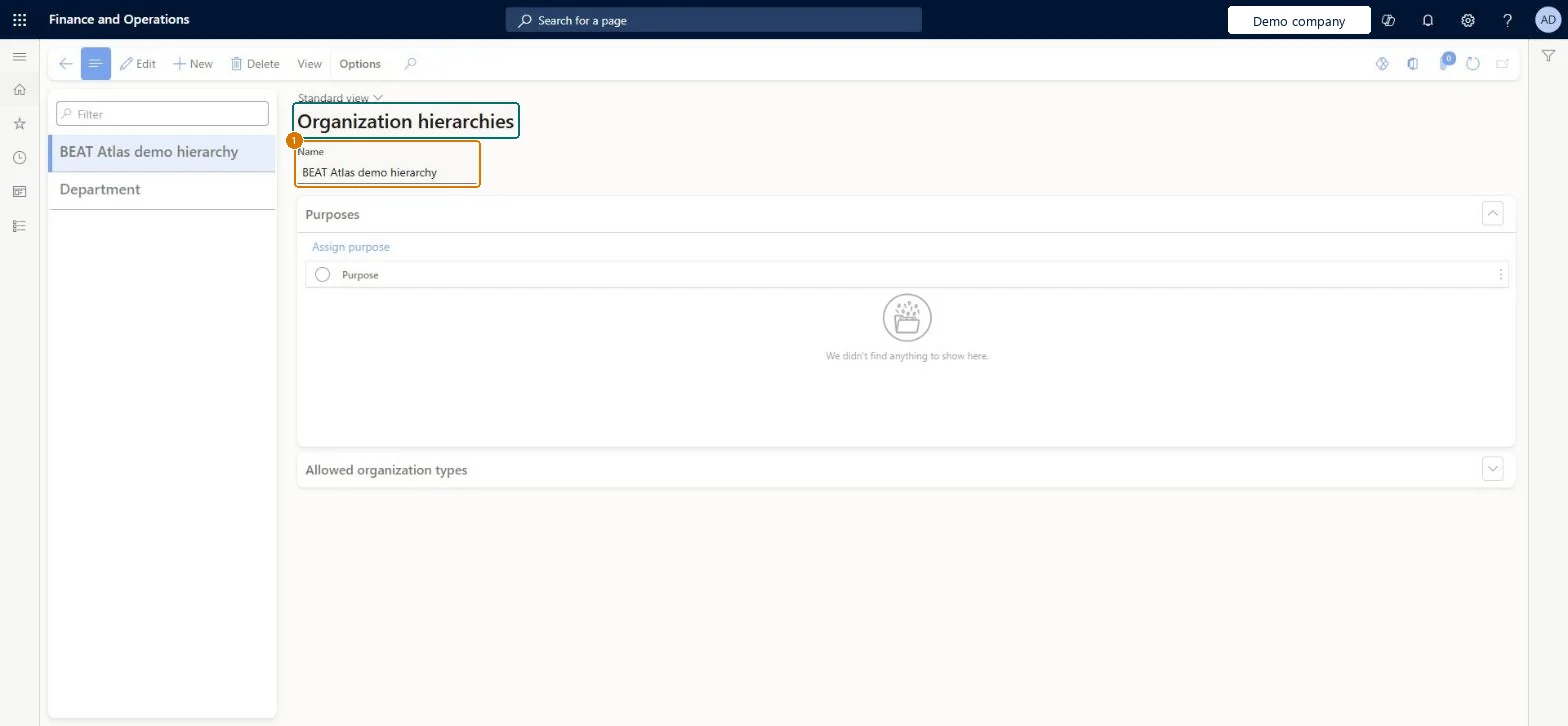
Enter the hierarchy name
Select Save
Assign a purpose when the hierarchy is ready to use
1Name
Organization hierarchy
Show the full screen page title tab to open what to set or check
Steps from Microsoft
Go to Organization administration > Organizations > Organization hierarchies.
Select New.
In the Name field, enter a name.
In the Purpose section, select Assign purpose and pick a purpose.
In the Assigned hierarchies section, select Add, select your new hierarchy, and select OK.
Decides which types of organizations the hierarchy can include and where it can be used.Microsoft Learn
Publish
Makes your hierarchy changes take effect; you can also save them as a draft first.Microsoft Learn
Name
The name of the organization hierarchy.Checked in Dynamics 365
Organization hierarchy
Name
Common errors and fixes
Message
What to do
The Organization doesn't exist
When importing a multilevel hierarchy with data entities, import from the top down: the highest parent node first, then each level of child nodes in a separate import. Microsoft Learn
Test checklist
Create a hierarchy, assign a purpose, and add it under Assigned hierarchies.
Select View hierarchy, Edit, insert organizations, then Save the draft.
Publish with today's effective date in your usual time zone.
If the hierarchy is linked to an account structure, post a journal with a valid and an invalid dimension combination and check that only the valid one passes (allow up to 24 hours after publishing).
Few, balanced hierarchies: one operating-unit hierarchy reused for all policy purposes, no second hierarchy for the same purpose in a legal entity, and every change made in draft before publishing.Learn's best practices: don't create a hierarchy for every purpose, don't model several hierarchies for the same purpose in one legal entity, keep hierarchies balanced, and use draft mode before publishing a new version.
Hard to reverse: Published versions are effective-dated; changes need a new draft and publish (once per calendar day per time zone), and up to 24 hours can pass before account structure validation uses the new version. Operating units in a hierarchy can't be deleted. Microsoft Learn
If you change it later
Change a hierarchy in draft mode and publish it as a new version; an operating unit that is in a hierarchy can't be deleted. Microsoft Learn
Technical architect
6Technical
Menu item
OMHierarchyListChecked in Dynamics 365
Form
OMHierarchyManagerChecked in Dynamics 365
Data entities
OMOrganizationHierarchyPurposeEntityOrganization hierarchy purposes Checked in Dynamics 365OMOrganizationHierarchyTypeEntityOrganization hierarchy type Checked in Dynamics 365
Roles to set it up and use it
To set it up or change itInformation technology manager SysServerITManagerProduction manager ProdProductionManagerAccounting manager LedgerAccountingManagerHuman resource assistant HcmHumanResourceAssistantRental manager RentalManagerTo use itHuman resource manager HcmHumanResourceManagerRental purchasing manager RentalPurchasingManagerRental sales manager RentalSalesManagerRental coordinator agent RentalCoordinatorAgentRental clerk RentalClerkGive people one of these roles. On this system, 18 roles can open this page.Checked in Dynamics 365
Actions on the page
OptionsChecked in Dynamics 365
Developer
7Developer
Open it by URL
https://<your-environment>/?mi=OMHierarchyList
Integrate with
OMOrganizationHierarchyPurposeEntity data entity Checked in Dynamics 365
Checked in a working Dynamics 365 system, version 10.0.49: the menu item, form, table and security, the page, the demo records and the values in the screenshots.