About the examples: Examples and screenshots in this guide use BEAT, a demo company in a Dynamics 365 test environment. Use your own company's codes and values instead of copying them.
Step by step, with screenshots
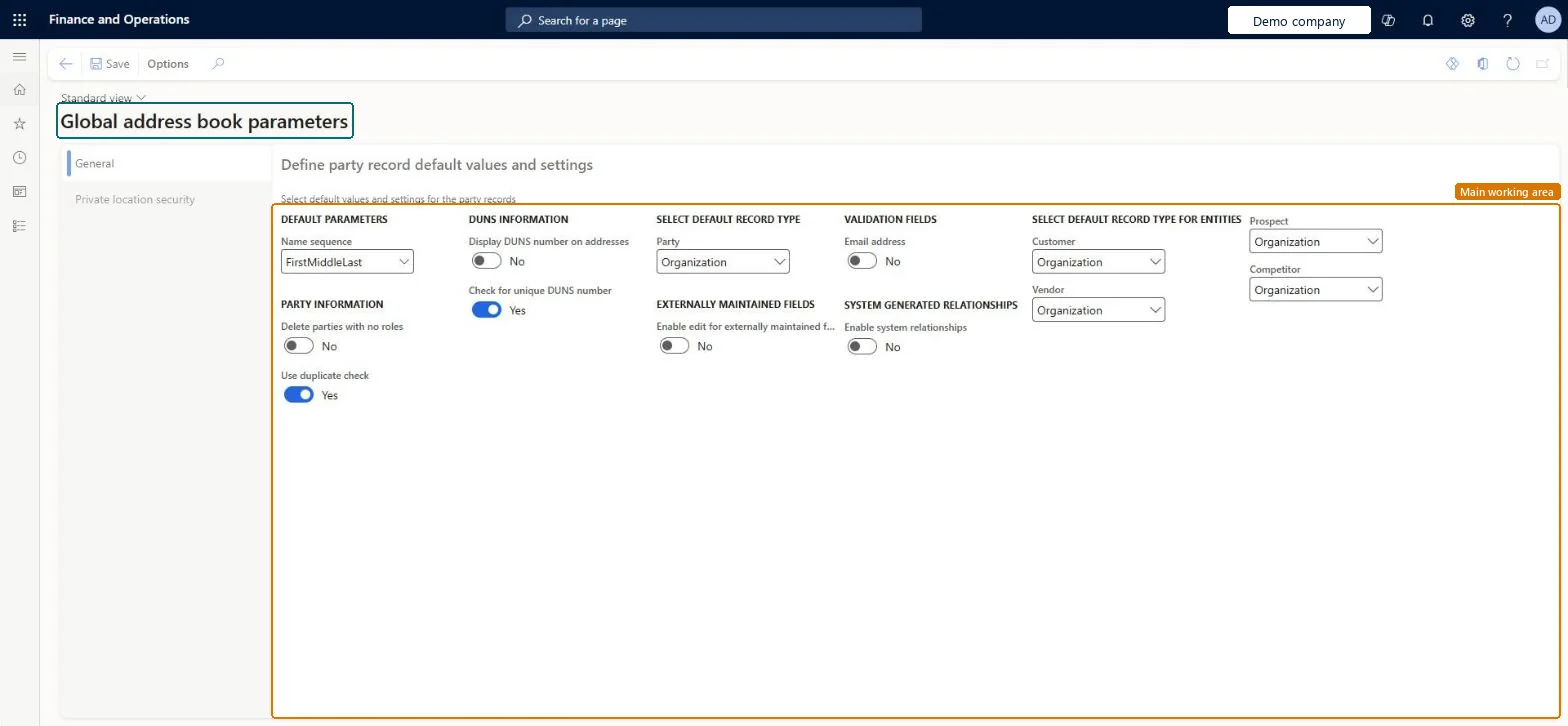
Set up Global address book parameters1 screen
Use this page to decide how names are shown, whether to check for duplicates, the default party types, and which roles can see private addresses.
Screen 1
Review the global address book parameters
Go to Organization administration > Global address book > Global address book parameters
Open the General tab
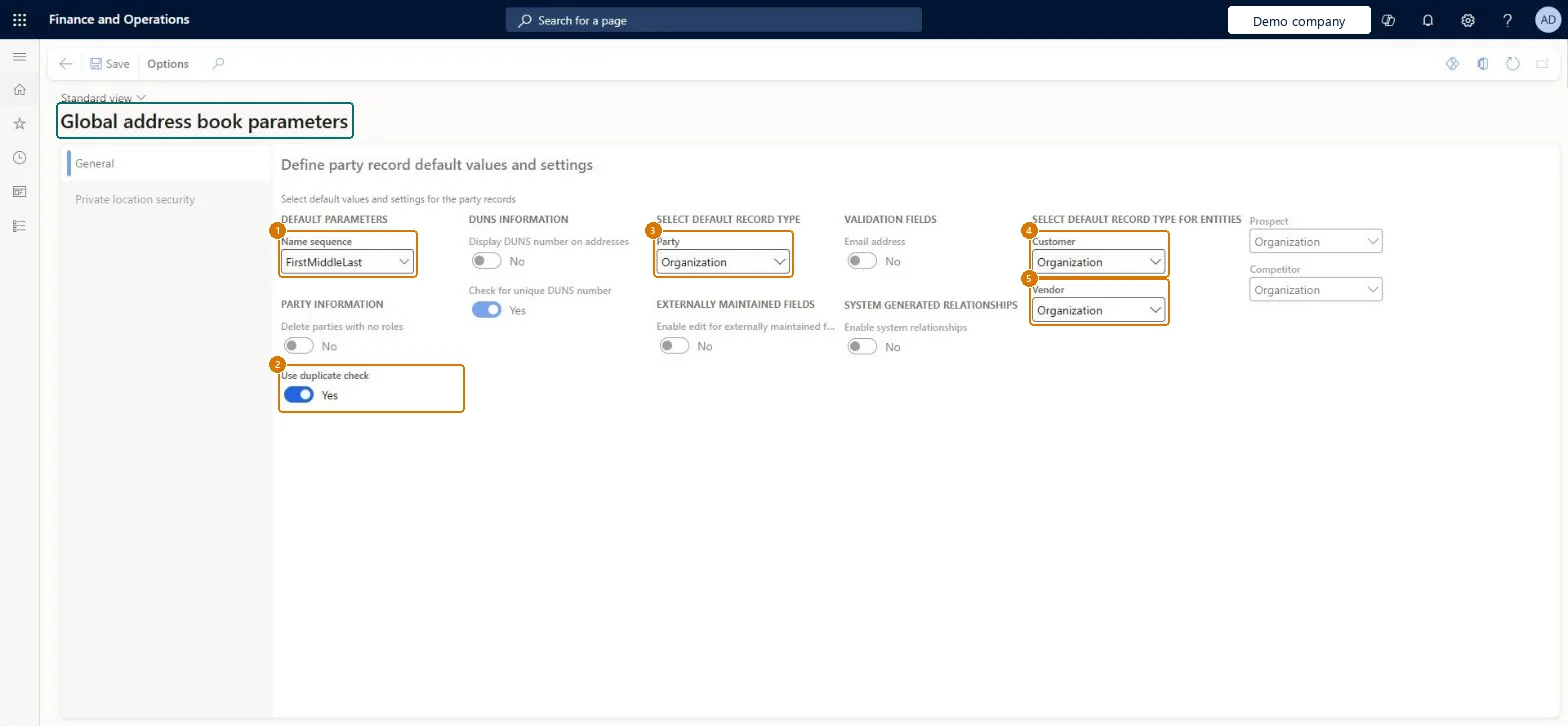
Review the default name sequence, the duplicate check and the default record types
1Name sequence
FirstMiddleLast
2Use duplicate check
Yes
3Party
Organization
4Customer
Organization
5Vendor
Organization
Show the full screen page title tab to open what to set or check
Steps from Microsoft
Go to Organization administration > Global address book > Global address book parameters.
In the Name sequence field, select how names are shown.
Choose whether to Delete parties with no roles.
Choose whether to Use duplicate check.
Set Display DUNS number on addresses and Check for unique DUNS number.
In the Party, Customer, Vendor, Prospect and Competitor fields, select the default options.
On the Private location security tab, move the roles that may see private addresses to the selected roles.
Hard to reverse: The parameters can be changed at any time. But a party deleted while Delete parties with no roles was on is gone with its addresses and contacts, so switching the option back does not restore it. Microsoft Learn
Technical architect
6Technical
Menu item
DirParametersChecked in Dynamics 365
Form
DirParametersChecked in Dynamics 365
Data entities
DirParametersEntityGlobal address book parameters Checked in Dynamics 365
Roles to set it up and use it
To set it up or change itInformation technology manager SysServerITManagerAccounting manager LedgerAccountingManagerHuman resource manager HcmHumanResourceManagerHuman resource assistant HcmHumanResourceAssistantGive people one of these roles. On this system, 4 roles can open this page.Checked in Dynamics 365
Actions on the page
OptionsChecked in Dynamics 365
Developer
7Developer
Open it by URL
https://<your-environment>/?mi=DirParameters
Integrate with
DirParametersEntity data entity Checked in Dynamics 365
Checked in a working Dynamics 365 system, version 10.0.49: the menu item, form, table and security, the page, the demo records and the values in the screenshots.