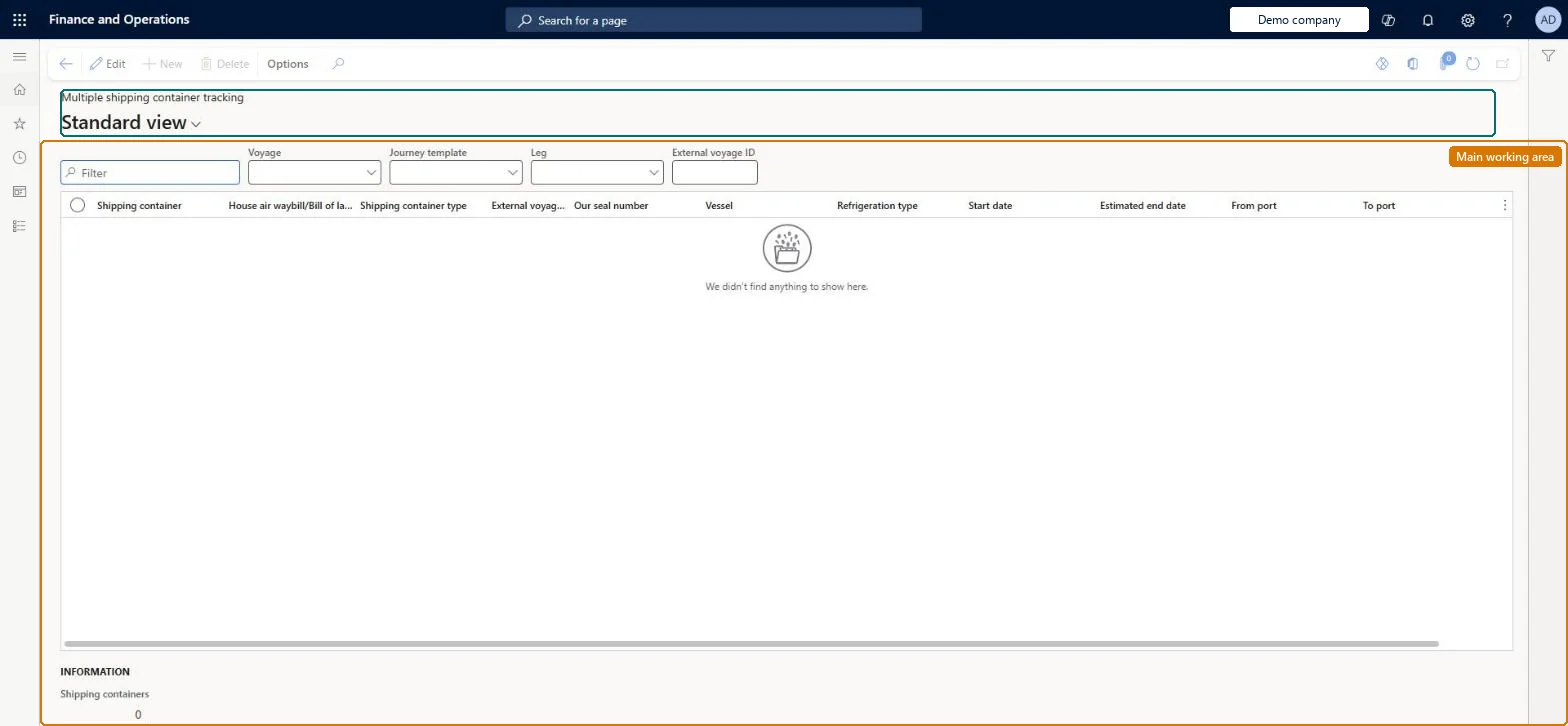
An inquiry that lists the shipping containers of a voyage, journey template or leg, with each container's type, seal number, vessel, refrigeration type, dates and ports.
Plan inbound transportation loads in Dynamics 365 Supply Chain Management
Menu item
ITMContainerTracking
Main table
ITMContainers
Data entity
ITMContainersEntity
Show what matters for
PAGE GUIDEWhat the page does and how to use it6 sections. Choose a role to highlight what matters to you.
Everyone
1What it is and why
What it is
An inquiry that lists the shipping containers of a voyage, journey template or leg, with each container's type, seal number, vessel, refrigeration type, dates and ports.
What you do here
Use this page to review several containers at once, for example every container on one voyage, before you open one to follow its journey.
Example
For example, filter on one voyage to see all its containers with their estimated end dates and destination ports.
The page in Dynamics 365. page title tab to open what to set or check
About the examples: Examples and screenshots in this guide use BEAT, a demo company in a Dynamics 365 test environment. Use your own company's codes and values instead of copying them.
How to use it
Go to Landed cost > Inquiries > Tracking > Multiple shipping container tracking.
Use the Filter box, or the Voyage, Journey template, Leg and External voyage ID filters, to choose the shipping containers to show.
Review the Shipping container, House air waybill/Bill of lading, Shipping container type, External voyage ID, Our seal number, Vessel, Refrigeration type, Start date, Estimated end date, From port and To port columns.
Read the Shipping containers count in the Information section at the bottom.
Source: Checked in Dynamics 365
Technical architect
4Technical
Menu item
ITMContainerTrackingChecked in Dynamics 365
Form
ITMContainerTrackingChecked in Dynamics 365
Table
ITMContainersShown as “VOYAGE CONTAINERS” in Record infoKey field: ShipId, ShipContainerIdChecked in Dynamics 365
Data entities
ITMContainersEntityShipping containers Checked in Dynamics 365