A setup page where you define flexible sampling plans, which set how many units of a lot are inspected and change that over time based on test results.
Create flexible sampling plans in Dynamics 365 Supply Chain Management
Menu item
QMSInventFlexSamplingPlan
Main table
QMSInventFlexSamplingPlanTable
Data entity
QMSFlexibleSamplingPlanEntity
Setup steps
1 on this page
Show what matters for
PAGE GUIDEWhat the page does and how to use it8 sections. Choose a role to highlight what matters to you.
Everyone
1What it is and why
What it is
A setup page where you define flexible sampling plans, which set how many units of a lot are inspected and change that over time based on test results.
What you do here
Use this page to vary the item sampling and test group by level and to skip lots, so testing effort follows the supplier's or process's track record.
Example
For example, a quality manager inspects 10 units from a long-time supplier with very good quality and then skips the next 10 units.
The page in Dynamics 365. page title tab to open what to set or check
About the examples: Examples and screenshots in this guide use BEAT, a demo company in a Dynamics 365 test environment. Use your own company's codes and values instead of copying them.
Step by step, with screenshots
Set up Flexible sampling plans1 screen
Use this page to vary the item sampling and test group by level and to skip lots, so testing effort follows the supplier's or process's track record.
Screen 1
Create a flexible sampling plan
Go to Inventory management > Setup > Quality control > Flexible sampling plans
Make sure the item sampling and test groups that each level uses exist
Select New
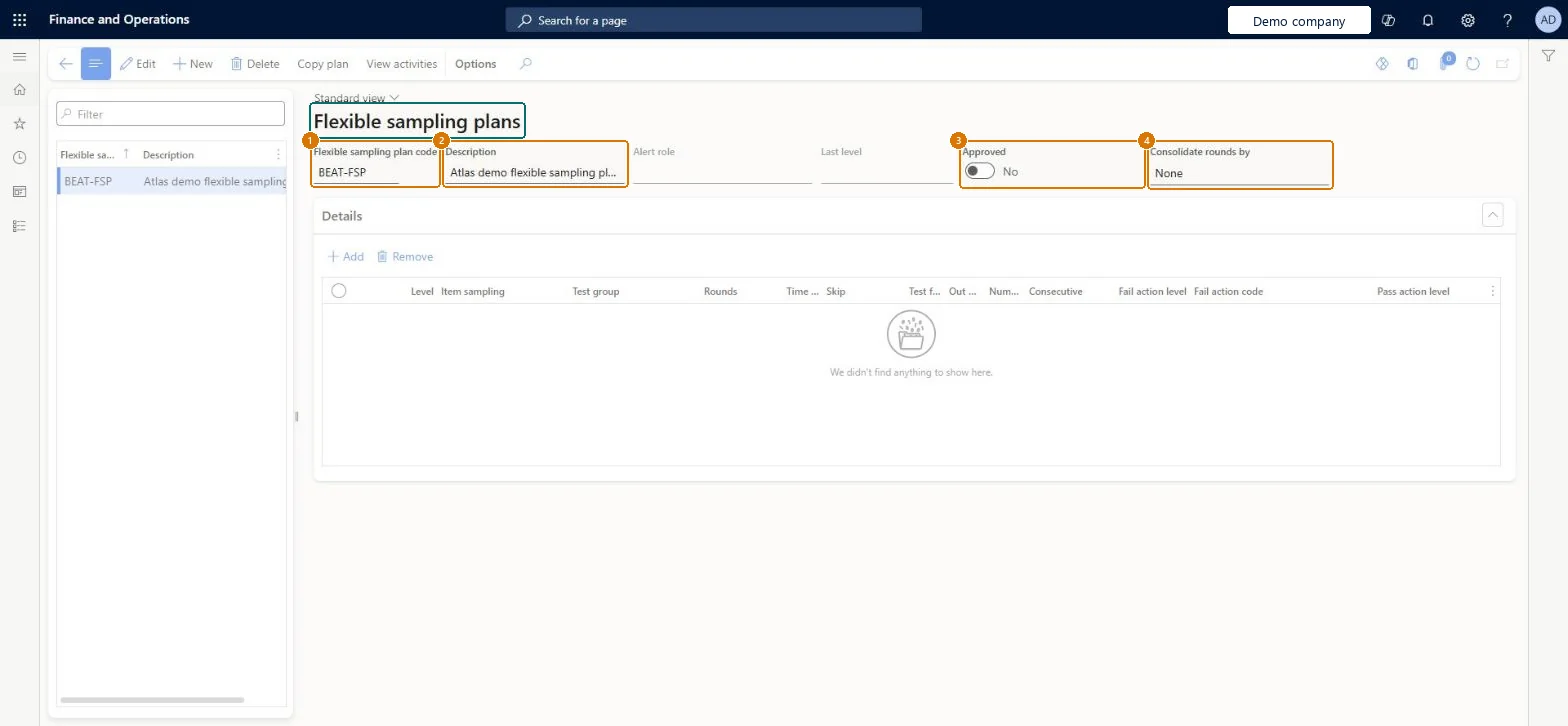
Enter the flexible sampling plan code and a description
Optionally choose how rounds are consolidated
Select Save
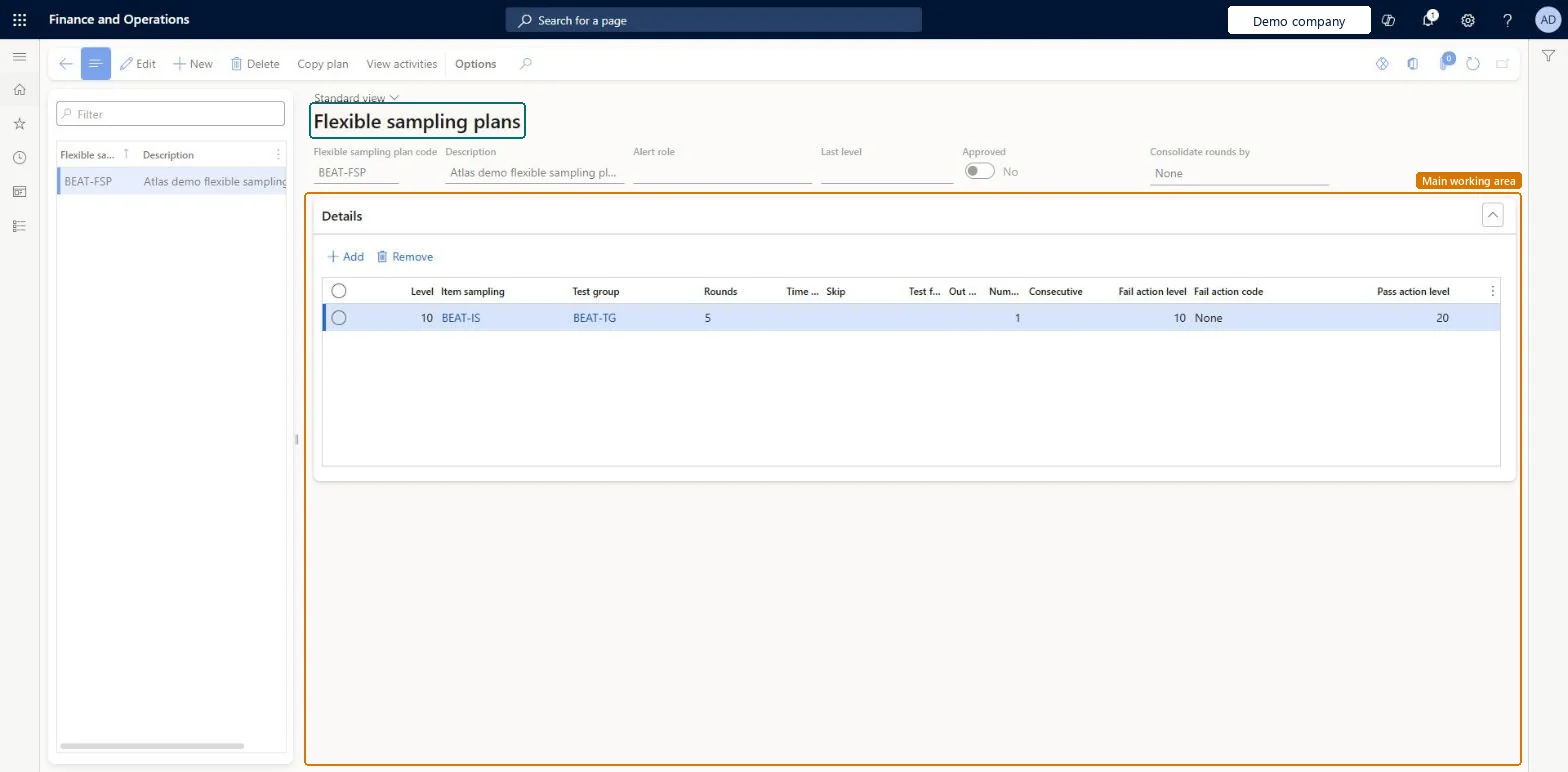
Under Details, select Add for each level and choose its item sampling, test group, rounds and the levels to move to on pass or fail
Turn on Approved when the plan is ready to use
1Flexible sampling plan code
BEAT-FSP
2Description
Flexible sampling plan
3Approved
No
4Consolidate rounds by
None
Show the full screen page title tab to open what to set or check
Steps from Microsoft
Go to Inventory management > Setup > Quality control > Flexible sampling plans.
On the Action Pane, select Add.
Enter the Flexible sampling plan code and Name.
Select the Alert role to notify and the Last level of the plan.
On the Details FastTab, add a line for each level with its Item sampling and Test group.
Set the Rounds and, optionally, the Time span (days) for each level.
To skip lots, select Skip and enter the Test frequency and Out of frequency.
Set the Number of fails, Fail action level and Fail action code.
Levels that move from heavier to lighter sampling, with Rounds on every level except the Last level, and Number of fails with a Fail action level to step back after failuresRounds decide when testing moves on; the last level has no rounds so it continues until failures send the plan back to a stricter level.
Expecting to delete a plan after use: a plan can't be deleted once quality orders use it or activities are tracked against it.
Feature management and licence
Feature to turn on
Advanced quality management (Mandatory, on by default)
Hard to reverse: A used plan can't be deleted. To stop it, set Flexible sampling to No or choose another plan on the quality association. Microsoft Learn
If you change it later
A plan can't be deleted once quality orders use it or activities are tracked against it. Microsoft Learn
Technical architect
6Technical
Menu item
QMSInventFlexSamplingPlanChecked in Dynamics 365
Form
QMSInventFlexSamplingPlanChecked in Dynamics 365
Table
QMSInventFlexSamplingPlanTableShown as “Flexible sampling plans” in Record infoChecked in Dynamics 365
Data entities
QMSFlexibleSamplingPlanEntityFlexible sampling plans Checked in Dynamics 365
Who can open it
PrivilegesMaintain information about flexible sampling plans and activities QMSInventFlexSamplingInfoMaintainDutiesView and maintain flexible sampling information QMSInventFlexSamplingInfoMaintain2 security rolesQuality control clerk InventQualityControlClerkQuality control manager InventQualityControlManagerChecked in Dynamics 365
Roles to set it up and use it
To set it up or change itQuality control manager InventQualityControlManagerQuality control clerk InventQualityControlClerkGive people one of these roles. On this system, 2 roles can open this page.Checked in Dynamics 365
Checked in a working Dynamics 365 system, version 10.0.49: the menu item, form, table and security, the page, the demo records and the values in the screenshots.