BeyondERP.Newsletter
Menu

Job page · Inventory management

Flexible sampling plan activities

A list page that gives an overview of the quality associations where flexible sampling plans are used.

Used by
Quality control clerk, Quality control manager
Business process
Build a quality plan for a product
Menu item
QMSInventFlexSamplingTrackingListPage
Main table
QMSInventFlexSamplingActivityTable
Show what matters for
PAGE GUIDEWhat the page does and how to use it7 sections. Choose a role to highlight what matters to you.
Everyone

1What it is and why

What it isA list page that gives an overview of the quality associations where flexible sampling plans are used.
What you do hereUse this page to follow how inspections move through the levels of each flexible sampling plan, with summaries, details and charts.
ExampleFor example, a red color on the activity details shows that a quality order failed.
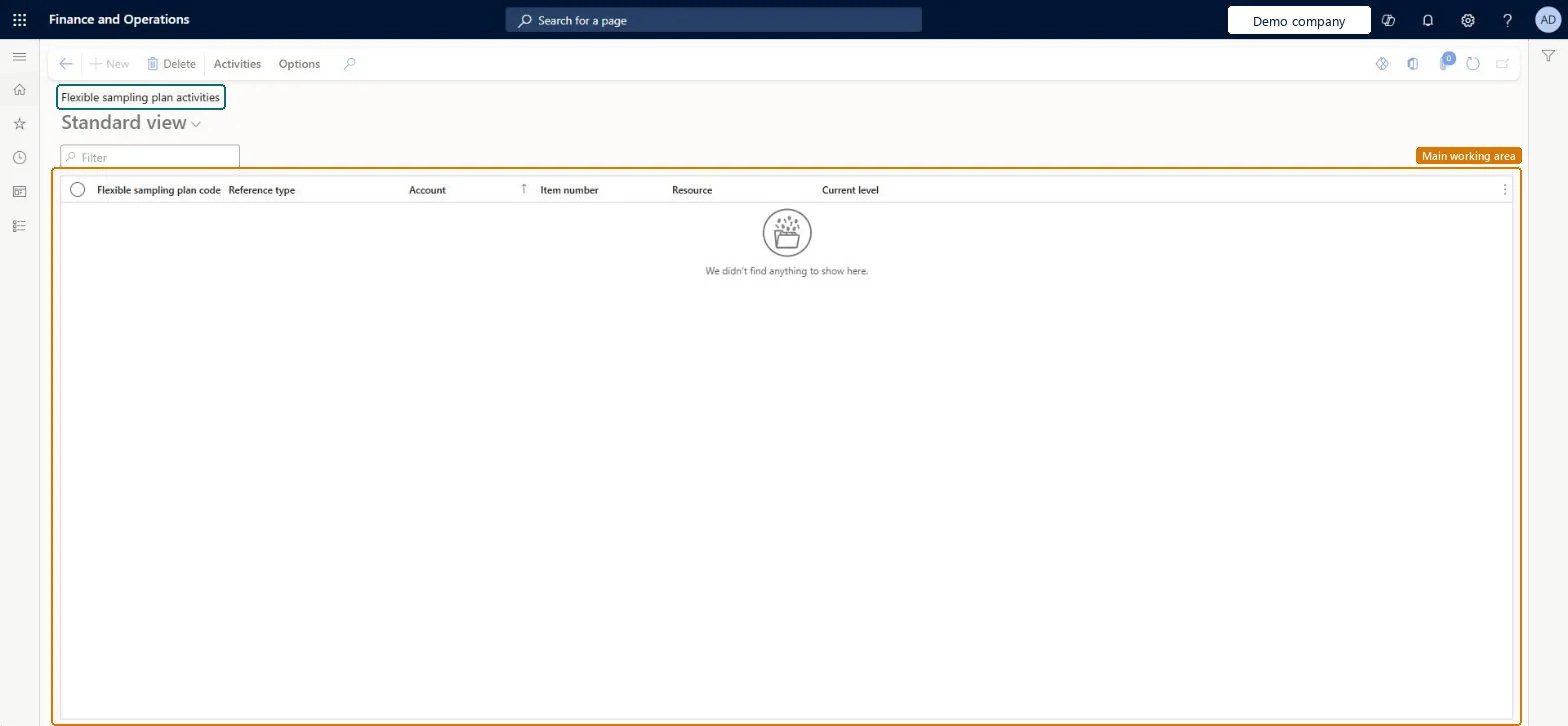
Flexible sampling plan activities page in Dynamics 365
The page in Dynamics 365. page title tab to open what to set or check
Functional consultant · Solution architect

2Where it fits

Business processManage inventory quality › Build a quality plan for a product
Menu pathInventory management › Periodic tasks › Quality management › Flexible sampling plan activities
Set up firstFlexible sampling plans Microsoft Learn Quality associations Microsoft Learn
End user · Functional consultant

3How to do it

About the examples: Examples and screenshots in this guide use BEAT, a demo company in a Dynamics 365 test environment. Use your own company's codes and values instead of copying them.

When to run it

When to run itWhen you follow how inspections move between the levels of flexible sampling plans for vendors, items or resources.
How oftenOn demand, for example when reviewing supplier quality.
What the output showsOne activity per quality association that uses a flexible sampling plan, with its Current level and activity history.

Source: Microsoft Learn

Steps from Microsoft

  1. Go to Inventory management > Periodic tasks > Quality management > Flexible sampling plan activities.
  2. Use the Filter box to find an activity.
  3. Check the Flexible sampling plan code, Reference type, Account, Item number, Resource and Current level columns to see where each association stands.
  4. Select Activities on the Action Pane to open View for the activity summary, details and charts, or Setup.
  5. Select Delete only for an activity you no longer need to track, then confirm the list.

Source: Microsoft Learn

Fields on the page

FieldWhat it means
Flexible sampling plan activity summaryShows a summary of activity for the selected plan.Microsoft Learn
Flexible sampling plan activity detailsShows the detailed progress of the selected plan through its levels.Microsoft Learn
Solution architect

4Design impact

Can it be undoneNo: Deleting an activity can't be undone. Delete only activities you no longer need to follow. Microsoft Learn
If you change it laterDeleting an activity removes it from the overview of flexible sampling plan progress. Microsoft Learn
Technical architect

5Technical

Menu itemQMSInventFlexSamplingTrackingListPage Checked in Dynamics 365
FormQMSInventFlexSamplingTrackingListPage Checked in Dynamics 365
TableQMSInventFlexSamplingActivityTableShown as “Flexible sampling plan activities” in Record infoChecked in Dynamics 365
Who can open itPrivilegesView information about flexible sampling activities QMSInventFlexSamplingActivitiesInfoViewDutiesInquire about flexible sampling activities information QMSInventFlexSamplingInfoInquire
2 security rolesQuality control clerk InventQualityControlClerkQuality control manager InventQualityControlManager
Checked in Dynamics 365
Roles to set it up and use itTo use itQuality control manager InventQualityControlManagerQuality control clerk InventQualityControlClerkGive people one of these roles. On this system, 2 roles can open this page.Checked in Dynamics 365
Actions on the pageActivities: View, SetupOptions: Personalize, Page options, ShareChecked in Dynamics 365
Developer

6Developer

Open it by URLhttps://<your-environment>/?mi=QMSInventFlexSamplingTrackingListPage
Everyone

7Sources