BeyondERP.Newsletter
Menu

Job page · Inventory management

My CAPA cases

A list page that shows only the corrective and preventive action (CAPA) cases that you're responsible for.

Used by
CAPA administrator, CAPA updater, CAPA viewer
Business process
Use corrective and preventative (CAPA) management module to enter and record details about CAPA cases in Dynamics 365 Supply Chain Management
Menu item
QMSCaseListPage_MyOpenCases
Main table
CaseDetailBase
Data entity
CaseDetailBaseEntity
Show what matters for
PAGE GUIDEWhat the page does and how to use it7 sections. Choose a role to highlight what matters to you.
Everyone

1What it is and why

What it isA list page that shows only the corrective and preventive action (CAPA) cases that you're responsible for.
What you do hereUse this page to work on your own CAPA cases and to create new ones.
ExampleFor example, when a case starts its first stage, such as Definition, the system can create a single activity named Identify the problem.
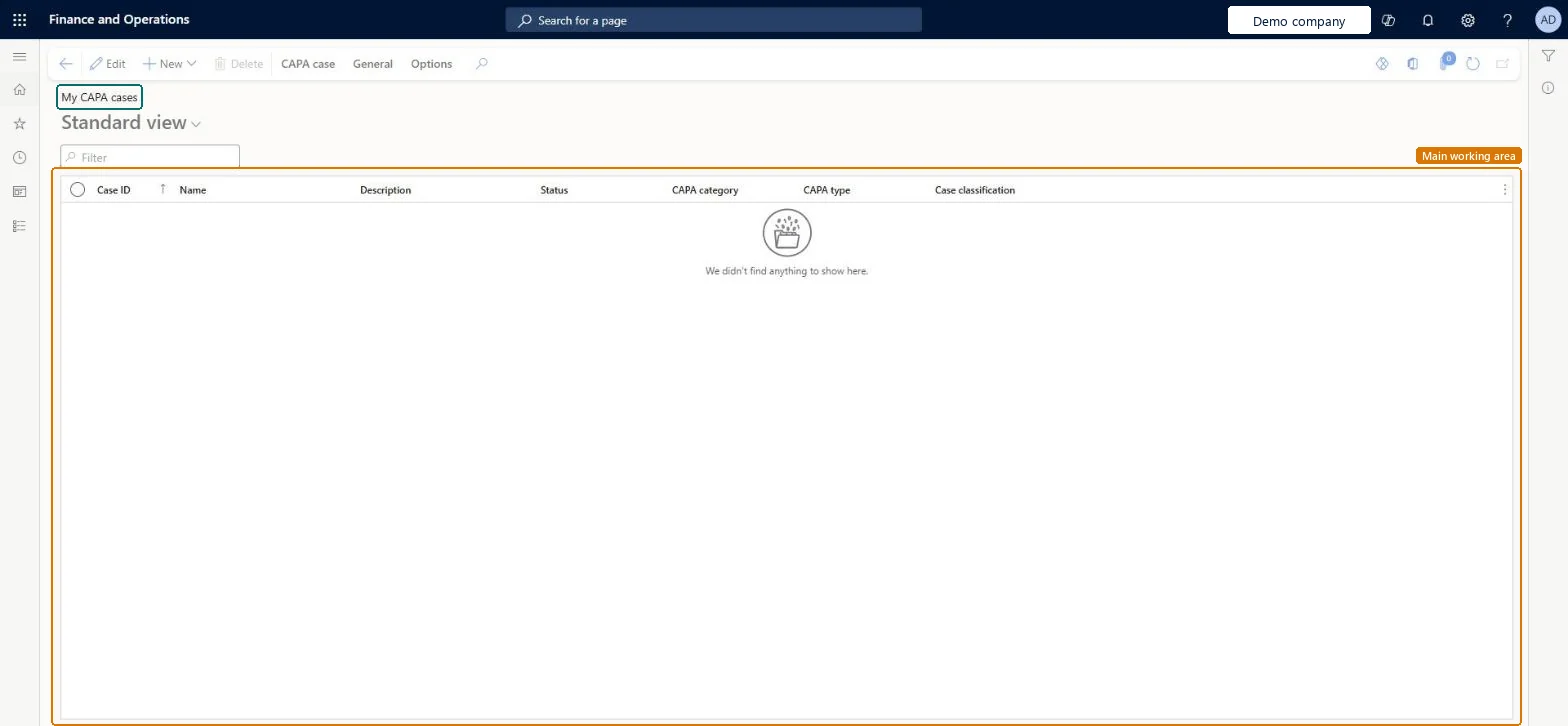
My CAPA cases page in Dynamics 365
The page in Dynamics 365. page title tab to open what to set or check
Functional consultant · Solution architect

2Where it fits

End user · Functional consultant

3How to do it

About the examples: Examples and screenshots in this guide use BEAT, a demo company in a Dynamics 365 test environment. Use your own company's codes and values instead of copying them.

When to run it

When to run itWhen you work on the CAPA cases assigned to you.
How oftenDaily or as often as you work on your cases.
What the output showsOnly the CAPA cases you're responsible for, with Status and Priority. A case you expect but don't see is assigned to someone else; it still appears on All CAPA cases.

Source: Microsoft Learn

Steps from Microsoft

  1. Go to Inventory management > Periodic tasks > CAPA management > My CAPA cases.
  2. Review the list, which shows only the CAPA cases you're responsible for, and sort by Priority to decide what to work on first.
  3. Open a case and move it from Opened to In process when work begins.
  4. To raise a new case, select New > CAPA case and enter the Name, Status, Description, Priority, CAPA category and CAPA process.
  5. Add a log entry on the Case log tab as the work progresses.

Source: Microsoft Learn

Fields on the page

FieldWhat it meansTable column
StatusThe case status; new cases start as Opened and move to In process when work begins.Microsoft Learn Status
PriorityHow urgent the CAPA case is.Microsoft Learn
Parent caseLinks the case to another, parent case.Microsoft Learn
CAPA categoryA category used to analyze trends in reports.Microsoft Learn QMSCAPACategoryId
CAPA processThe process of stages and activities that guides workers to resolve the case.Microsoft Learn
Solution architect

4Design impact

Can it be undonePartly: Once a case moves to a stage it can't go back to an earlier one, even if stages were skipped. Microsoft Learn
If you change it laterA case can skip stages, but once it moves to a stage it can't go back to an earlier one. Microsoft Learn
Technical architect

5Technical

Menu itemQMSCaseListPage_MyOpenCases Checked in Dynamics 365
FormQMSCAPACaseDetail Checked in Dynamics 365
TableCaseDetailBaseShown as “Case” in Record infoKey field: createdBy, M_displayParentCaseChecked in Dynamics 365
Data entitiesCaseDetailBaseEntityCase detail Microsoft data model
Who can open itPrivilegesMaintain CAPA cases QMSCAPACaseListPage_CasesMaintainView CAPA cases QMSCAPACaseListPage_CasesViewDelete CAPA cases QMSCAPACasesDeleteDutiesInquire into CAPA cases QMSCAPACaseCasesInquireMaintain cases for CAPA QMSCAPACaseCasesMaintain
3 security rolesCAPA administrator QMSCAPAAdministratorCAPA updater QMSCAPAUpdaterCAPA viewer QMSCAPAViewer
Checked in Dynamics 365
Roles to set it up and use itTo set it up or change itCAPA updater QMSCAPAUpdaterCAPA administrator QMSCAPAAdministratorTo use itCAPA viewer QMSCAPAViewerGive people one of these roles. On this system, 3 roles can open this page.Checked in Dynamics 365
Actions on the pageCAPA case: Maintain, Process, Service level agreement, Signature, PrintGeneral: Set up, Follow up, Related information, ActivitiesOptions: Personalize, Page options, ShareChecked in Dynamics 365
Developer

6Developer

Open it by URLhttps://<your-environment>/?mi=QMSCaseListPage_MyOpenCases
Integrate withCaseDetailBaseEntity data entity Microsoft data model
Everyone

7Sources