Job page · General ledger
Foreign currency revaluation
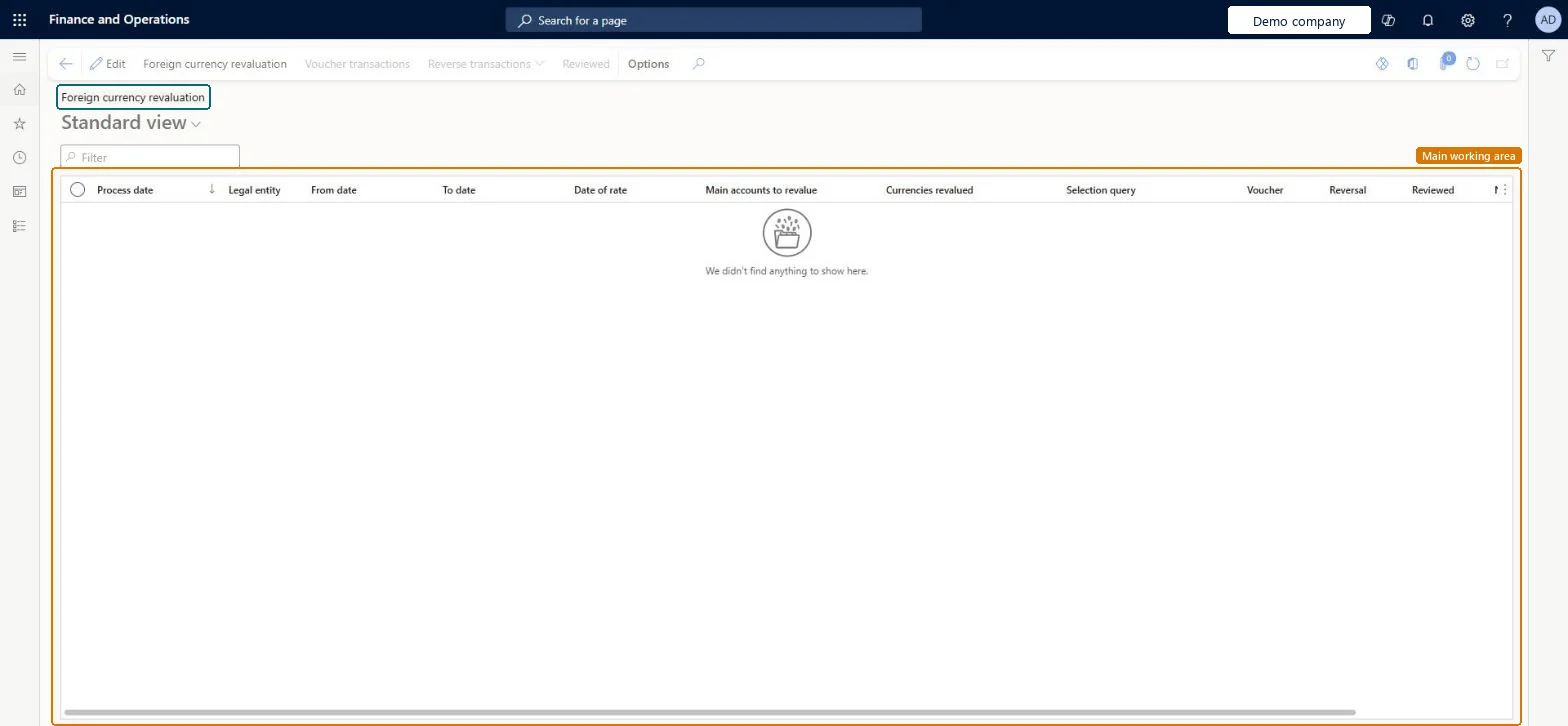
The page for the General ledger foreign currency revaluation process, which also shows the history of each revaluation run.
- Used by
- Accountant, Accounting manager, Accounting supervisor and 1 more role
- Business process
- —
- Menu item
LedgerExchAdj- Main table
LedgerExchAdjHist- Data entity
- —
- Setup steps
- —
Show what matters for
Everyone
1What it is and why
| What it is | The page for the General ledger foreign currency revaluation process, which also shows the history of each revaluation run. |
|---|---|
| What you do here | Used to revalue main account balances posted in foreign currencies and generate unrealized gain or loss transactions, with a preview before posting and an option to reverse a revaluation. |
| Example | Revalue the balances for January 1 to January 31 but use the exchange rate defined for February 1. |
Functional consultant · Solution architect
2Where it fits
| Business process | — |
|---|---|
| Menu path | General ledger › Periodic tasks › Foreign currency revaluation |
| Set up first | Main accounts Microsoft Learn ↗Ledger Microsoft Learn ↗Currency revaluation accounts Microsoft Learn ↗ |
| Used next by | — |
| Related pages | Foreign currency revaluation Microsoft Learn ↗Foreign currency revaluation Microsoft Learn ↗Ledger settlements Microsoft Learn ↗ |
End user · Functional consultant
3How to do it
Microsoft's steps
- Go to General ledger > Periodic tasks > Foreign currency revaluation and select Foreign currency revaluation.
- Enter the From date and To date for the balances to revalue.
- In the Date of rate field, enter the date whose exchange rate should be used.
- Choose which main accounts to revalue: All, Balance sheet or Profit and loss.
- Select the legal entities and the foreign currencies to revalue.
- Set Preview before posting to Yes to review the result.
- From the preview, select Post.
Source: Microsoft Learn ↗
Field guide
| Field | What it means | Worked example | Table column |
|---|---|---|---|
| From date | Start of the period; for balance sheet accounts it is ignored and the balance from the start of the fiscal year is used.Microsoft Learn ↗ | — | FromDate |
| Date of rate | The date whose exchange rate is used for the revaluation.Microsoft Learn ↗ | — | ExchangeRateDate |
| Preview before posting | Shows the result first so that it can be checked and posted without running again; not available in batch.Microsoft Learn ↗ | — | — |
| Exclude reporting currency adjustments | Leaves out amounts posted with the reporting currency adjustment journal.Microsoft Learn ↗ | — | — |
Functional consultant
4Setup decisions
| Setup step | Recommended value and why | Decision · common mistake · test |
|---|---|---|
| — No setup is made on this page. | ||
Solution architect
5Design impact
| Shared or per company | — |
|---|---|
| Can it be undone | — |
| Feature or country | — |
| If you change it later | Revaluations can be reversed out of date order, but a later revaluation may also need reversing to keep each account's balance right. Microsoft Learn ↗ |
Technical architect
6Technical
| Menu item | LedgerExchAdj Checked in Dynamics 365 |
|---|---|
| Form | LedgerExchAdjHist Checked in Dynamics 365 |
| Table | LedgerExchAdjHistShown as “Foreign currency revaluation” in Record infoChecked in Dynamics 365 |
| Data entities | — |
| Who can open it | PrivilegesMaintain foreign currency revaluation history LedgerExchAdjHistMaintainView foreign currency revaluation history LedgerExchAdjHistViewDutiesMaintain foreign currency revaluation history LedgerExchAdjHistMaintainView foreign currency revaluation history LedgerExchAdjHistViewMaintain journals and transactions LedgerJournalsAndTransactionsMaintain4 security rolesAccountantLedgerAccountantAccounting manager LedgerAccountingManagerAccounting supervisor LedgerAccountingSupervisorFinancial controller LedgerFinancialController |
| Actions on the page | Buttons: Foreign currency revaluation, Voucher transactions, Reverse transactions, ReviewedChecked in Dynamics 365 |
Developer
7Developer
| Open it directly | https://<your-environment>/?mi=LedgerExchAdj |
|---|---|
| Integrate with | — |
| Table definition | LedgerExchAdjHist columns and relations Microsoft data model ↗ |
Everyone
8Sources and checks
- learn.microsoft.com/dynamics365/finance/general-ledger/foreign-currency-revaluation-general-ledger
- learn.microsoft.com/dynamics365/finance/general-ledger/foreign-currency-revaluation-general-ledger
- learn.microsoft.com/dynamics365/finance/general-ledger/ledger-settlements
- Checked in a working Dynamics 365 system, version 10.0.49: the menu item, form, table and security, the page.