Job page · General ledger
Ledger settlements
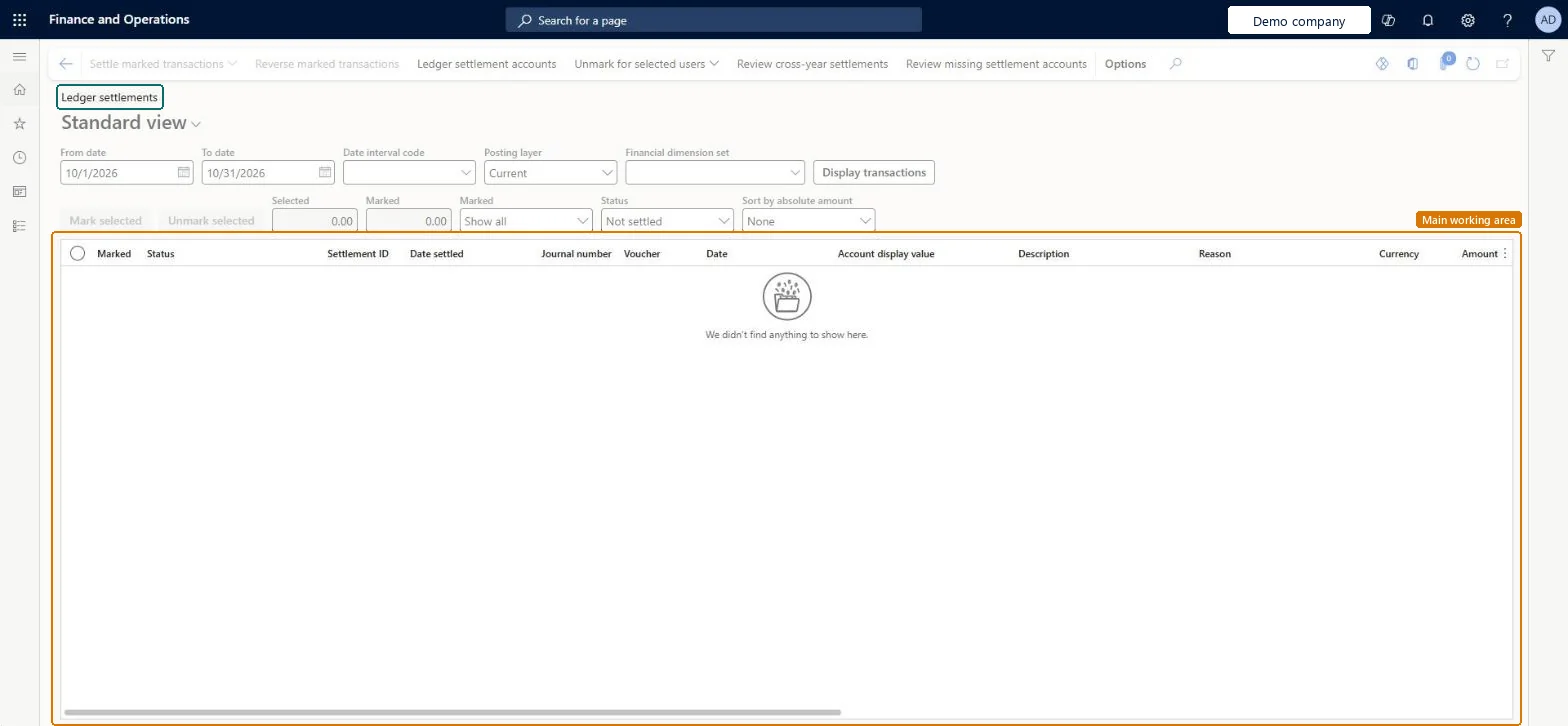
The page for matching debit and credit transactions in the general ledger.
- Used by
- Accountant, Accounting manager, Accounting supervisor and 2 more roles
- Business process
- —
- Menu item
LedgerTransSettlement- Main table
GeneralJournalAccountEntryExtView- Data entity
- —
- Setup steps
- —
Show what matters for
Everyone
1What it is and why
| What it is | The page for matching debit and credit transactions in the general ledger. |
|---|---|
| What you do here | Used to settle debit and credit amounts so that a ledger account's balance reconciles with its detailed transactions, and so settled transactions can be excluded from inquiries and reports. |
| Example | Reverse a ledger settlement that was made by mistake. |
Functional consultant · Solution architect
2Where it fits
| Business process | — |
|---|---|
| Menu path | General ledger › Periodic tasks › Ledger settlements |
| Set up first | General ledger parameters Microsoft Learn ↗Currency revaluation posting profile Microsoft Learn ↗ |
| Used next by | Foreign currency revaluation Microsoft Learn ↗Year end close Microsoft Learn ↗ |
| Related pages | Ledger settlements inquiry Microsoft Learn ↗Out of balance ledger settlements Microsoft Learn ↗Unsettled transactions report Microsoft Learn ↗ |
End user · Functional consultant
3How to do it
Microsoft's steps
- Go to General ledger > Periodic tasks > Ledger settlements.
- Set the filters: a date range or date interval code within one fiscal year, the main account, the posting layer and, if needed, a financial dimension set.
- Select Display transactions.
- Select the lines to settle and check the Selected amount field.
- Select Mark selected.
- When the Marked amount field is 0 (zero), select Settle marked transactions.
Source: Microsoft Learn ↗
Field guide
| Field | What it means | Worked example | Table column |
|---|---|---|---|
| Selected amount | The running total of the lines currently selected.Microsoft Learn ↗ | — | — |
| Marked amount | The total of the marked lines; it must be zero before you can settle.Microsoft Learn ↗ | — | — |
| Marked | Shows which transactions are marked for settlement and can be used as a filter.Microsoft Learn ↗ | — | — |
| Status | Filters the list by settlement status, such as Settled.Microsoft Learn ↗ | — | — |
| Sort by absolute amount | Sorts by absolute value so matching debits and credits sit together.Microsoft Learn ↗ | — | — |
| Calculate realized gains and losses | When set to Yes for a settlement account, posts realized currency gains and losses during settlement.Microsoft Learn ↗ | — | — |
Functional consultant
4Setup decisions
| Setup step | Recommended value and why | Decision · common mistake · test |
|---|---|---|
| — No setup is made on this page. | ||
Solution architect
5Design impact
| Shared or per company | — |
|---|---|
| Can it be undone | — |
| Feature or country | — |
| If you change it later | Removing a main account from ledger settlement doesn't change earlier settlements, but the account and its transactions no longer appear on this page. Microsoft Learn ↗ |
Technical architect
6Technical
| Menu item | LedgerTransSettlement Checked in Dynamics 365 |
|---|---|
| Form | LedgerSettlementEnhanced Checked in Dynamics 365 |
| Table | GeneralJournalAccountEntryExtViewShown as “Generaljournalaccountentryextview” in Record infoChecked in Dynamics 365 |
| Data entities | — |
| Who can open it | PrivilegesSettle ledger transactions LedgerTransSettlementProcessLedgerTransSettlementView LedgerTransSettlementViewDutiesLedgerSettlementTransactionsProcess LedgerSettlementTransactionsProcessLedgerSettlementTransactionsView LedgerSettlementTransactionsViewMaintain ledger journal transactions RentalLedgerJournalsAndTransMaintain5 security rolesAccountantLedgerAccountantAccounting manager LedgerAccountingManagerAccounting supervisor LedgerAccountingSupervisorFinancial controller LedgerFinancialControllerRental manager RentalManager |
| Actions on the page | Buttons: Settle marked transactions, Reverse marked transactions, Ledger settlement accounts, Unmark for selected users, Review cross-year settlements, Review missing settlement accountsChecked in Dynamics 365 |
Developer
7Developer
| Open it directly | https://<your-environment>/?mi=LedgerTransSettlement |
|---|---|
| Integrate with | — |
| Table definition | — |
Everyone
8Sources and checks
- learn.microsoft.com/dynamics365/finance/general-ledger/ledger-settlements
- learn.microsoft.com/dynamics365/finance/general-ledger/ledger-settlements
- learn.microsoft.com/training/modules/configure-periodic-processes-dyn365-finance/05-end-year-close
- learn.microsoft.com/dynamics365/finance/general-ledger/ledger-settlement-out-balance
- Checked in a working Dynamics 365 system, version 10.0.49: the menu item, form, table and security, the page.