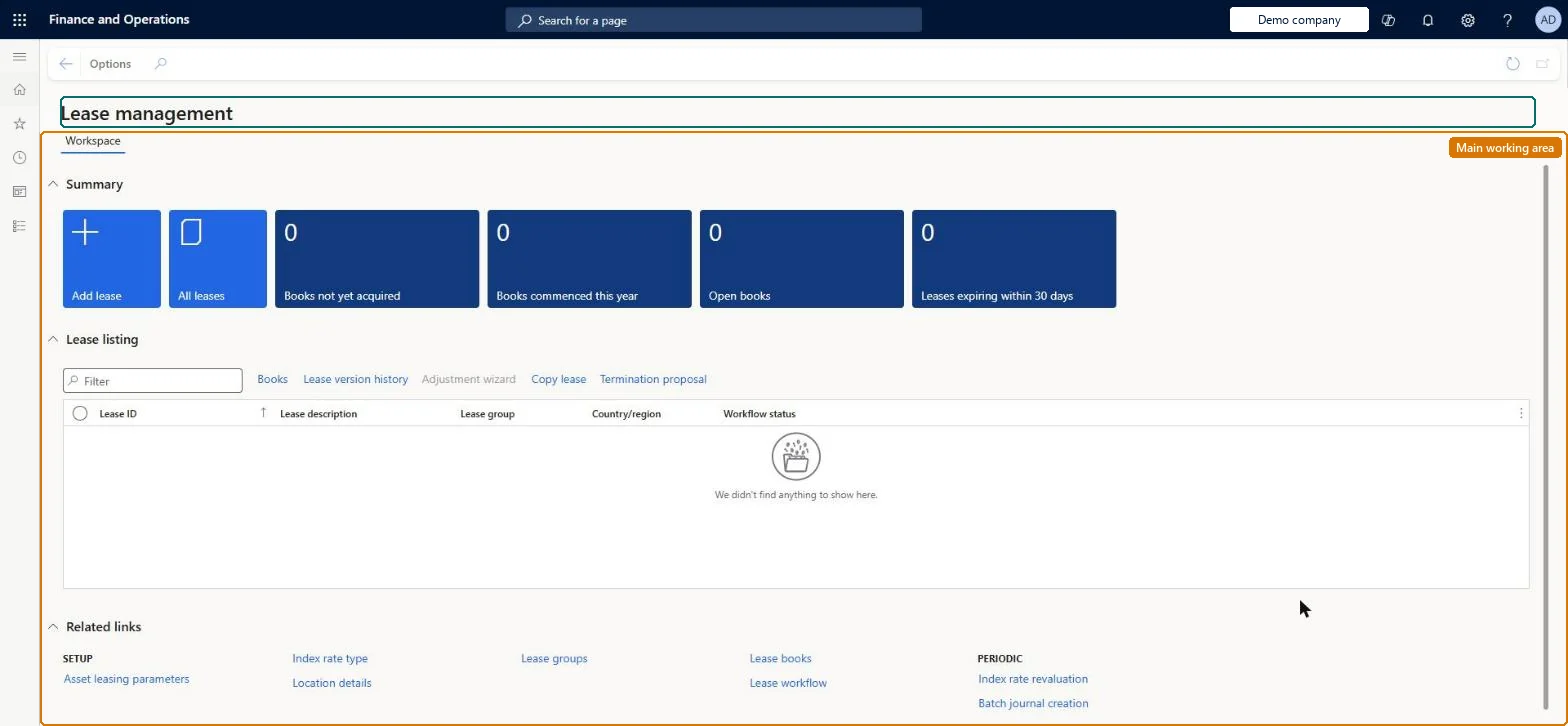
The Asset leasing workspace: tiles for Add lease, All leases, Books not yet acquired, Books commenced this year, Open books and Leases expiring within 30 days, a lease listing with the main lease actions, and links to the setup and periodic pages.
Lease accountant, Lease manager, Accountant and 1 more role
Business process
Maintain asset leases
Menu item
AssetLeaseWorkspaceMenuItem
Setup steps
1 on this page
Show what matters for
PAGE GUIDEWhat the page does and how to use it8 sections. Choose a role to highlight what matters to you.
Everyone
1What it is and why
What it is
The Asset leasing workspace: tiles for Add lease, All leases, Books not yet acquired, Books commenced this year, Open books and Leases expiring within 30 days, a lease listing with the main lease actions, and links to the setup and periodic pages.
What you do here
Use it as the start page for daily lease work: add a lease, open a lease's books, see its version history, start the adjustment wizard, copy a lease or propose it for termination.
Example
For example, at month end a BEAT lease accountant opens the Open books tile to see which lease books still need their monthly journals, then checks Leases expiring within 30 days to decide which office leases to renew.
The page in Dynamics 365. page title tab to open what to set or check
About the examples: Examples and screenshots in this guide use BEAT, a demo company in a Dynamics 365 test environment. Use your own company's codes and values instead of copying them.
Setup steps on this page
Use the Lease management workspace
Give lease accountants one start page for adding leases and finding the books that need work.
Steps from Microsoft
Go to Asset leasing > Workspaces > Lease management.
Select a tile to open the matching list, for example Open books at month end.
In Lease listing, select a lease and select Books to open its lease books and schedules.
Use Lease version history, Adjustment wizard, Copy lease or Termination proposal on the selected lease.
Use Related links to reach Asset leasing parameters, Lease books, Lease groups, Index rate revaluation and Batch journal creation.
Make it the lease accountants' start page and use the Open books and Leases expiring within 30 days tiles in the month-end routine.The tiles count books and leases in the company, so one look shows which books still need journals and which leases need a renewal or termination decision.
Asset leasing must be turned on in Feature management (feature Asset leasing). Microsoft Learn describes three Asset leasing roles: Maintain lease (add, edit and post leases), View lease (view leases and schedules and run reports) and Lease clerk (create new leases only). People with Maintain lease use the workspace for daily work; View lease users can open it to read.
Per company: the tiles and the lease listing show the leases of the legal entity you are working in. Checked in Dynamics 365
Can it be undone
Reversible: The workspace itself changes no data; only the actions you start from it do. Microsoft Learn
If you change it later
Actions started from the lease listing work exactly as on Lease summary: once a lease's payment schedule is confirmed it can't be edited, so changes go through the Adjustment wizard and create a new lease version. Microsoft Learn
Technical architect
6Technical
Menu item
AssetLeaseWorkspaceMenuItemChecked in Dynamics 365
To set it up or change itLease accountant AssetLeaseLeaseMaintainAccountant LedgerAccountantTo use itLease manager AssetLeaseLeaseViewAccounting manager LedgerAccountingManagerGive people one of these roles. On this system, 4 roles can open this page.Checked in Dynamics 365
Load order: The Lease management workspace has no data entity in Data management, so it can't be loaded from a file or a configuration template. It shows leases and lease books kept on other pages; load leases through the Lease import framework instead.Microsoft Learn