About the examples: Examples and screenshots in this guide use BEAT, a demo company in a Dynamics 365 test environment. Use your own company's codes and values instead of copying them.
Setup steps on this page
Set up Cross docking policy
Use this page to set which demand sources can be cross docked and how competing demand is prioritised.
How to use it
Go to Warehouse management > Setup > Work > Cross docking policy.
Select New, then enter a cross docking policy name and a description.
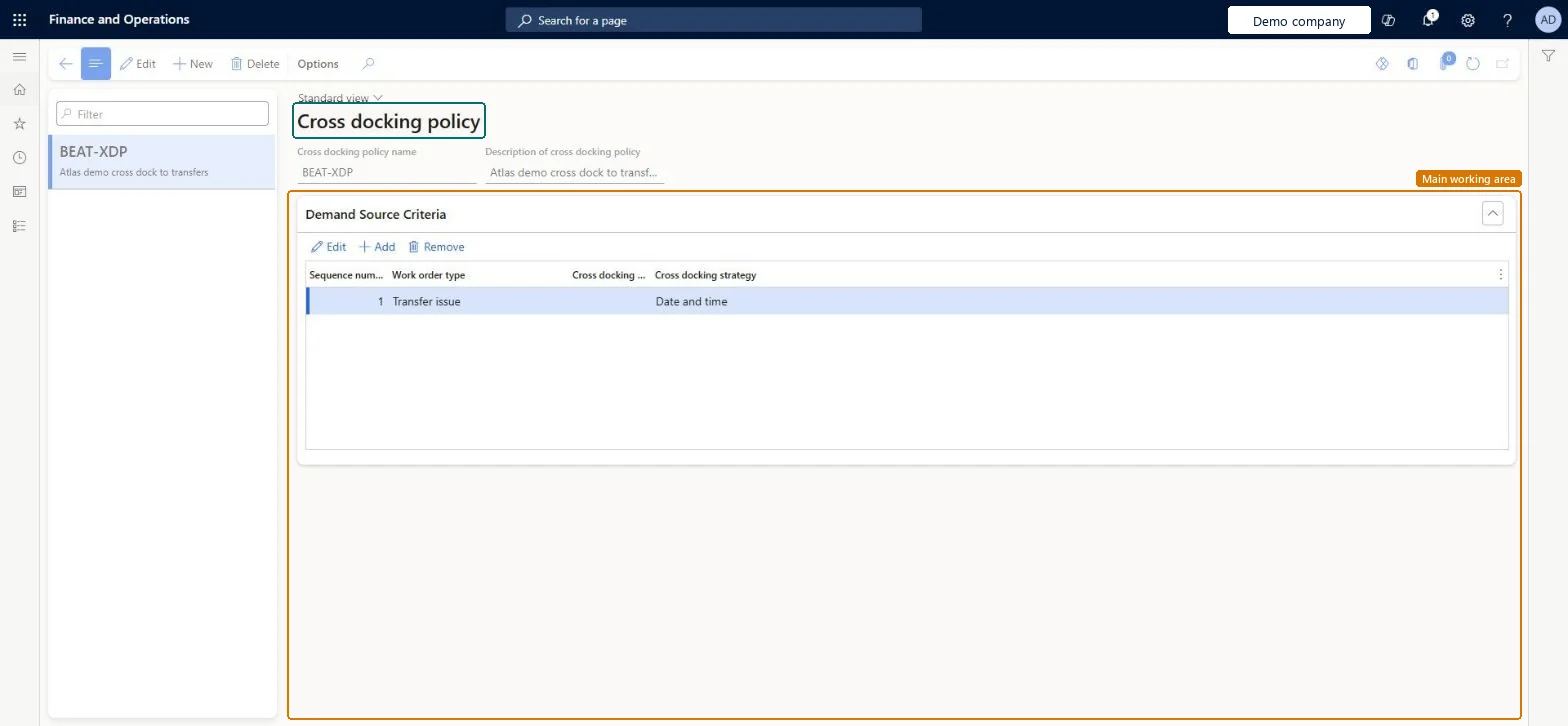
In the Demand Source Criteria section, select Add.
Set the sequence number, the work order type and the cross docking strategy for the row.
Work order type Transfer issue with Cross docking strategy Date and timeTransfer orders are the only supported document type and Date and time is the only strategy; it prioritises demand by the scheduled date and time on the load.
Reversible: The policy is read when finished goods are reported; changes affect later reports as finished.
Technical architect
6Technical
Menu item
WHSCrossDockOpportunityPolicyChecked in Dynamics 365
Form
WHSCrossDockOpportunityPolicyChecked in Dynamics 365
Table
WHSCrossDockOpportunityPolicyShown as “CROSS DOCKING POLICY” in Record infoKey field: NameChecked in Dynamics 365
Data entities
WHSCrossDockingOpportunityPolicyEntityCross-docking opportunity policies Microsoft data model
Who can open it
PrivilegesMaintain cross docking policies WHSCrossDockOpportunityPolicyMaintainView cross docking policies WHSCrossDockOpportunityPolicyViewDutiesInquire into warehouse planning master data WHSWarehousePlanningMasterInquireRecord warehouse planning masters WHSWarehousePlanningMasterMaintain2 security rolesWarehouse planner WHSWarehousePlannerWarehouse manager WMSWarehouseManagerChecked in Dynamics 365
Roles to set it up and use it
To set it up or change itWarehouse manager WMSWarehouseManagerWarehouse planner WHSWarehousePlannerGive people one of these roles. On this system, 2 roles can open this page.Checked in Dynamics 365
WHSCrossDockingOpportunityPolicyEntity (Cross-docking opportunity policies): loaded for each company, in Microsoft's default template 400 - Warehouse management.Load order: Microsoft's default template 400 - Warehouse management loads Cross-docking opportunity policies at execution unit 1, level 30, sequence 10. Lower levels load first, and entities at the same level load in sequence order.Load first: the default templates at lower levels (System setup to General ledger)Microsoft Learn