SETUP GUIDEHow to set it up8 sections. Choose a role to highlight what matters to you.
Everyone
1What it is and why
What it is
A setup page where you deploy and configure the process mining processes that show how material moves through the warehouse, and where you refresh their data.
What you do here
Use this page to create a warehouse material movement process, set how often its data refreshes and review the processing log.
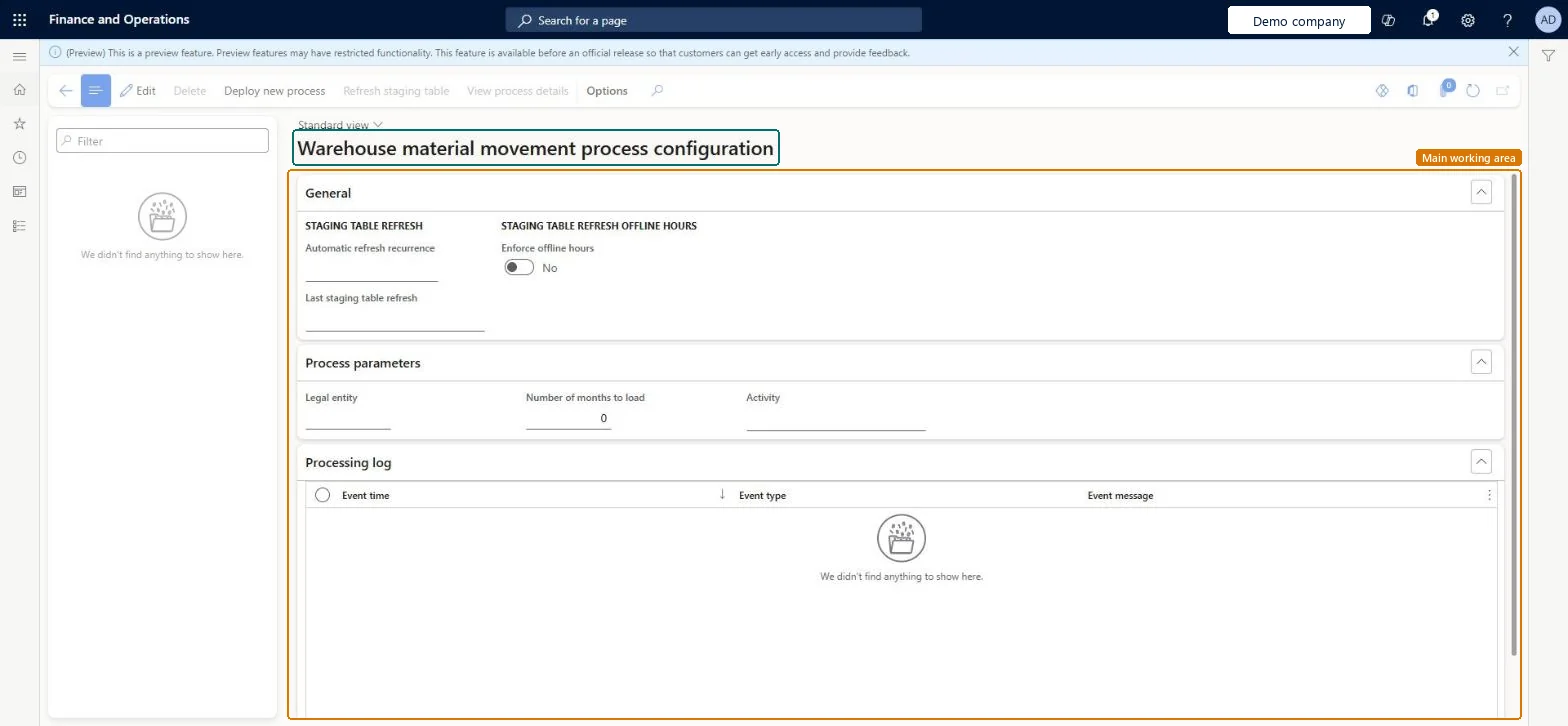
The page in Dynamics 365. page title tab to open what to set or check
About the examples: Examples and screenshots in this guide use BEAT, a demo company in a Dynamics 365 test environment. Use your own company's codes and values instead of copying them.
Setup steps on this page
Set up Warehouse material movement process configuration
Use this page to create a warehouse material movement process, set how often its data refreshes and review the processing log.
Steps from Microsoft
Go to Warehouse management > Setup > Process mining > Warehouse material movement process configuration.
To add a process, select Deploy new process on the Action Pane and follow the deployment wizard, giving a process name, the company, the number of months to load and the activity.
To change an existing process, select it in the list pane.
On the General FastTab, set the Automatic refresh recurrence and Enforce offline hours.
To refresh the data on demand, select Refresh staging table on the Action Pane.
Select View process details to open the process in Power Automate Process Mining.
Number of months to load under 25, keeping the process under 4 million events; Automatic refresh recurrence Once per day with Enforce offline hours over peak hoursLearn says to load less than 25 months and keep total events under 4 million to avoid time-out or quota errors, and suggests regular automatic refresh and offline hours to avoid peak-time refreshes.
Deploying with a user not registered in Dataverse or without the required roles; Learn says most deployment failures come from this.
Solution architect
5Design impact
Can it be undone
Hard to reverse: Legal entity, Number of months to load and Activity are set in the deployment wizard and are read-only afterwards; to change them you deploy a new process. Refresh settings can be changed at any time.
Technical architect
6Technical
Menu item
WHSProcessAdvisorWarehouseMaterialFlowProcessTemplateChecked in Dynamics 365
Form
WHSProcessAdvisorWarehouseMaterialFlowProcessTemplateChecked in Dynamics 365
Table
ProcessAdvisorProcessShown as “PROCESS MINING PROCESSES” in Record infoKey field: ProcessNameChecked in Dynamics 365
Who can open it
PrivilegesMaintain warehouse material movement process template WHSProcessAdvisorWarehouseMaterialFlowProcessTemplateMaintainDutiesMaintain warehouse material movement processes WHSProcessAdvisorWarehouseMaterialFlowProcessMaintain2 security rolesWarehouse planner WHSWarehousePlannerWarehouse manager WMSWarehouseManagerChecked in Dynamics 365
Roles to set it up and use it
To set it up or change itWarehouse manager WMSWarehouseManagerWarehouse planner WHSWarehousePlannerGive people one of these roles. On this system, 2 roles can open this page.Checked in Dynamics 365
Actions on the page
(Action Pane without tabs): Delete, Deploy new process, Refresh staging table, View process detailsChecked in Dynamics 365
Checked in a working Dynamics 365 system, version 10.0.49: the menu item, form, table and security, the page.
To cite this step: WM-SETUP-390, Set up Warehouse material movement process configuration. Beyond ERP Atlas Hub, 2026-11-11. https://www.beyonderp.cloud/atlas/step/WM-SETUP-390