About the examples: Examples and screenshots in this guide use BEAT, a demo company in a Dynamics 365 test environment. Use your own company's codes and values instead of copying them.
Setup steps on this page
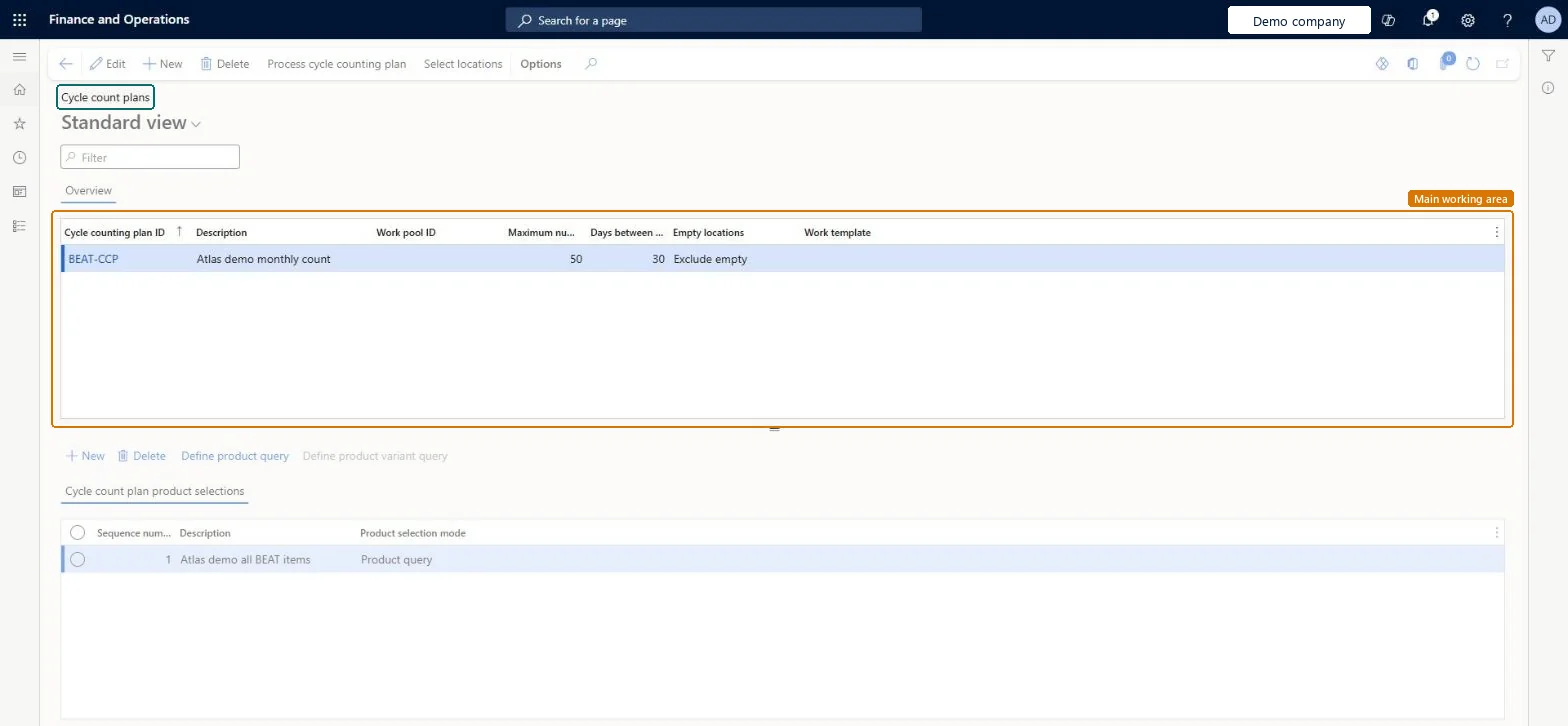
Set up Cycle count plans
Use this page to plan recurring cycle counts, choose which locations and products they cover and how often counting work is created.
Steps from Microsoft
Go to Warehouse management > Setup > Cycle counting > Cycle count plans.
On the Action Pane, select New.
Enter a Cycle counting plan ID and a Description.
Enter the Maximum number of cycle counts and the Days between cycle counting.
Select Save, then select Select locations to define which warehouse locations the plan covers.
To narrow the items that are counted, select New in the plan lines grid and enter a Sequence number and a Description.
Select Save, then select Define product query to specify which items the plan line covers.
One plan per counting focus (for example high-value items in a zone), with location and product queries, a cycle counting work pool, a Maximum number of cycle counts and Days between cycle counting, processed by a recurring batch jobLearn describes plans as scheduling recurring counts for specific items or locations, controlling the work pool, the maximum number of counts per run and the days before a location is counted again, and runs them through Process cycle counting plan as a batch job.
Expecting counts on a fixed calendar. Days between cycle counting runs from the last processed count: with 5 days, a count processed on day 3 makes the next count due on day 8.
PrivilegesMaintain cycle counting plans WHSCycleCountPlanMaintainView cycle counting plans WHSCycleCountPlanViewDutiesMaintain warehouse planning WHSWarehousePlanningMaintainInquire into warehouse operation master WMSWarehouseOperationMasterInquire5 security rolesField Service Integration User FieldServiceIntegrationUserProduction supervisor ProdProductionSupervisorProcess engineering manager RouteProcessEngineeringManagerWarehouse planner WHSWarehousePlannerWarehouse manager WMSWarehouseManagerChecked in Dynamics 365
Roles to set it up and use it
To set it up or change itWarehouse planner WHSWarehousePlannerTo use itWarehouse manager WMSWarehouseManagerProduction supervisor ProdProductionSupervisorProcess engineering manager RouteProcessEngineeringManagerField Service Integration User FieldServiceIntegrationUserGive people one of these roles. On this system, 5 roles can open this page.Checked in Dynamics 365
Actions on the page
(Action Pane without tabs): Process cycle counting plan, Select locationsChecked in Dynamics 365
WHSCycleCountingPlanEntity (Cycle counting plans): loaded for each company, in Microsoft's default template 400 - Warehouse management.Load order: Microsoft's default template 400 - Warehouse management loads Cycle counting plans at execution unit 1, level 50, sequence 10. Lower levels load first, and entities at the same level load in sequence order.Load first: Warehouse work pools, the default templates at lower levels (System setup to dependency bands 30 to 90)Microsoft Learn