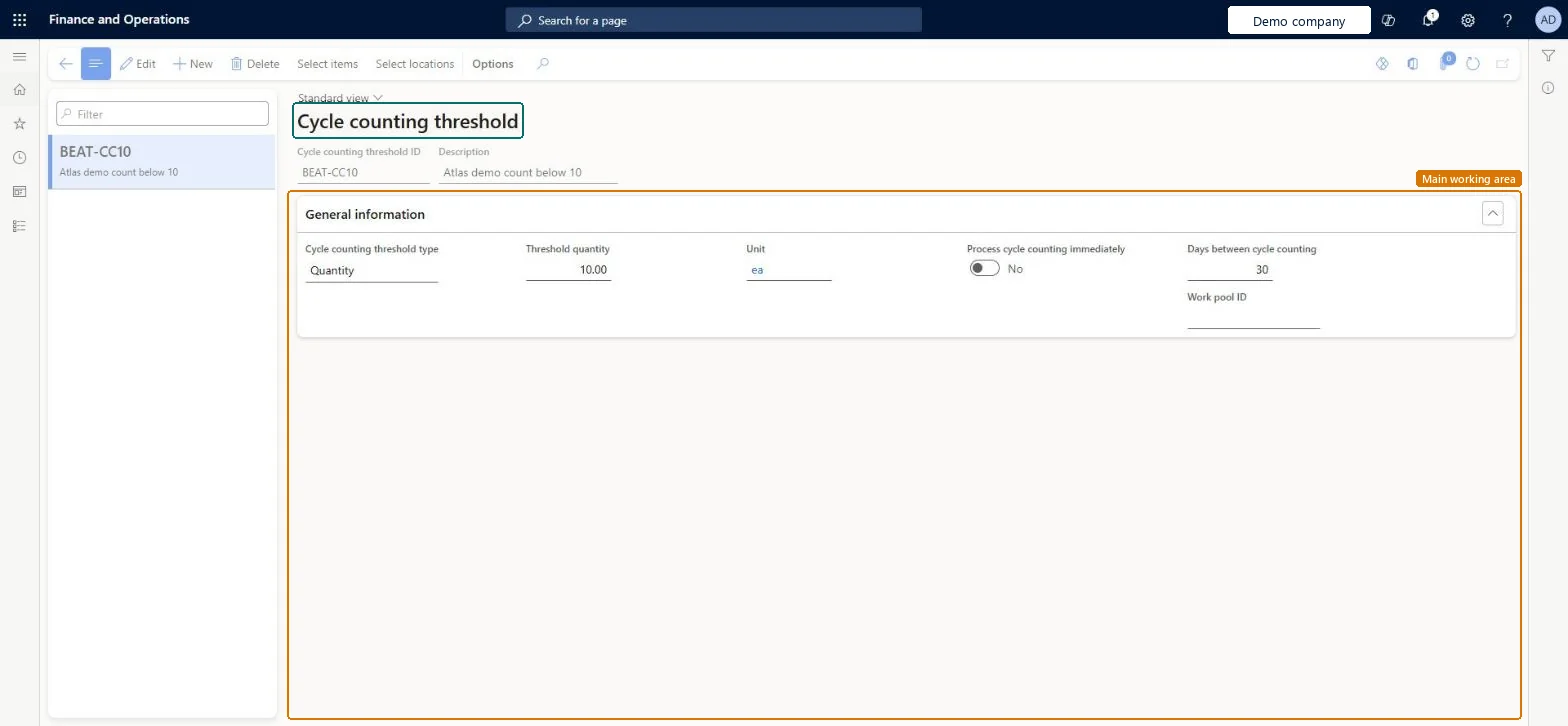
A setup page where you define cycle counting thresholds, which automatically create cycle counting work when the quantity or percentage limit of an item in a location is reached.
Field Service Integration User, Production supervisor, Process engineer and 3 more roles
Business process
Manage warehouse operations
Menu item
WHSCycleCountThreshold
Main table
WHSCycleCountThreshold
Data entity
WHSCycleCountingThresholdEntity
Setup steps
1 on this page
Show what matters for
PAGE GUIDEWhat the page does and how to use it8 sections. Choose a role to highlight what matters to you.
Everyone
1What it is and why
What it is
A setup page where you define cycle counting thresholds, which automatically create cycle counting work when the quantity or percentage limit of an item in a location is reached.
What you do here
Use this page to trigger cycle counting work automatically, choose whether it is created immediately and select the items and locations that the threshold covers.
Example
For example, with a threshold of 40, cycle counting work is created for a location when a pick leaves fewer than 40 items in it.
The page in Dynamics 365. page title tab to open what to set or check
About the examples: Examples and screenshots in this guide use BEAT, a demo company in a Dynamics 365 test environment. Use your own company's codes and values instead of copying them.
Setup steps on this page
Set up Cycle count thresholds
Use this page to trigger cycle counting work automatically, choose whether it is created immediately and select the items and locations that the threshold covers.
Steps from Microsoft
Go to Warehouse management > Setup > Cycle counting > Cycle count thresholds.
On the Action Pane, select New.
Enter a Cycle counting threshold ID and a Description.
Set Process cycle counting immediately to Yes to create the work as soon as the threshold is reached.
Select Save, then select Select locations to define which locations the threshold applies to.
Thresholds that trigger a count when a picking location falls to zero or below a set quantity, with Process cycle counting immediately set to Yes where the count should happen right after the pickLearn describes thresholds that automatically trigger counting work when a location becomes empty after a pick or falls below a level. With Yes the work is created as soon as the threshold is reached; with No it waits for the threshold processing batch job.
Setting Process cycle counting immediately to No and not scheduling the threshold processing batch job, so no counting work is created.
PrivilegesMaintain cycle count thresholds WHSCycleCountThresholdMaintainView cycle count thresholds WHSCycleCountThresholdViewDutiesInquire into warehouse operation master WMSWarehouseOperationMasterInquireMaintain warehouse operation master WMSWarehouseOperationMasterMaintain6 security rolesField Service Integration User FieldServiceIntegrationUserProduction supervisor ProdProductionSupervisorProcess engineer RouteProcessEngineerProcess engineering manager RouteProcessEngineeringManagerWarehouse planner WHSWarehousePlannerWarehouse manager WMSWarehouseManagerChecked in Dynamics 365
Roles to set it up and use it
To set it up or change itWarehouse manager WMSWarehouseManagerProcess engineer RouteProcessEngineerTo use itWarehouse planner WHSWarehousePlannerProduction supervisor ProdProductionSupervisorProcess engineering manager RouteProcessEngineeringManagerField Service Integration User FieldServiceIntegrationUserGive people one of these roles. On this system, 6 roles can open this page.Checked in Dynamics 365
Actions on the page
(Action Pane without tabs): Select items, Select locationsChecked in Dynamics 365
WHSCycleCountingThresholdEntity (Cycle counting thresholds): loaded for each company, in Microsoft's default template 400 - Warehouse management.Load order: Microsoft's default template 400 - Warehouse management loads Cycle counting thresholds at execution unit 1, level 40, sequence 10. Lower levels load first, and entities at the same level load in sequence order.Load first: Units, Warehouse work pools, the default templates at lower levels (System setup to dependency bands 30 to 90)Microsoft Learn